6.1 CHARGING THE BATTERY
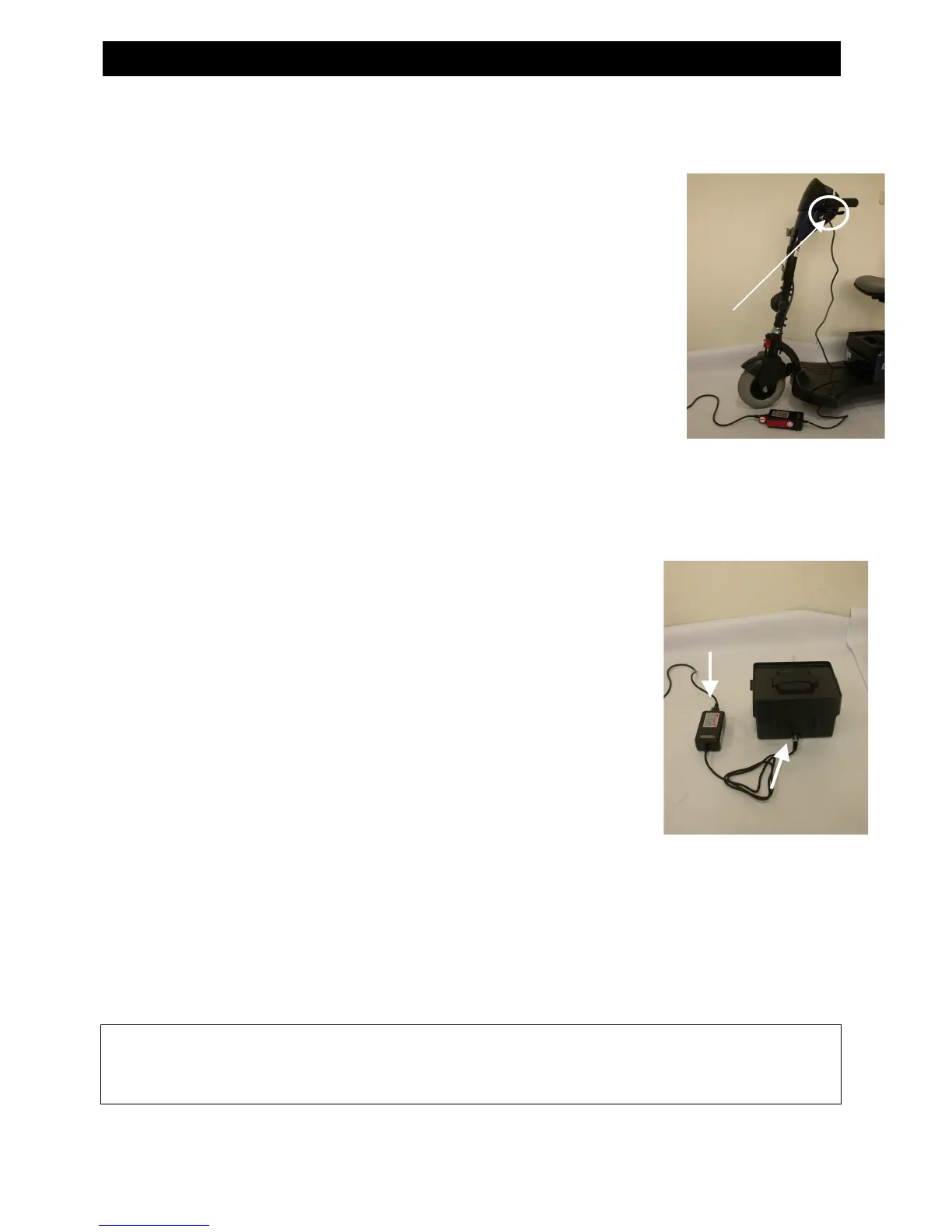
Method 1: On board Charging (see photograph)
Follow the procedure below step by step:
1. Turn the power switch to (OFF)
2. Plug the charger’s power cord into a wall receptacle.
3. Open the charging socket cap on the tiller shroud. Then connect
the charger’s round plug to the charging socket.
4. Switch on the charger.
5. Both the charger’s red and orange LED will be lit when
beginning charging. The charging duration is about 6 hours. To
ensure optimum performance a 10-hour charge is recommended.
6. Both the charger’s LED will be lit during the charging process.
The orange LED will turn green when charging is
complete.
7. Turn off the charger, disconnect the power cord and the round
plug from charger socket on the scooter.
Method 2 Off-board Charging (see photograph overleaf)
1. Turn the power switch to (OFF)
2. Remove the battery pack by opening the battery
compartment and lifting out the battery pack by the handle.
3. Plug the charger’s power cord into a wall receptacle.
4. Plug the charger’s round plug into the charging socket of
the battery pack.
5. Switch on the charger.
6. Both the charger’s red and orange LED will be lit when
beginning charging. The charging duration is about 6 hours.
To ensure optimum performance a 10-hour charge is
recommended.
7. Both the charger’s LED will be lit during the charging process.
The orange LED will turn green when charging is complete.
8. Turn off the charger; disconnect the power cord and the round plug from charger
socket on the battery pack.



 To Next Page