① Download and install Video Drone into your mobile device from App Store / Google
Play or scanning the QR code below.
② Turn on the drone first, go to the WIFI settings of your mobile device and connect to the
wifi Video Drone Connnect_***
③ Open Video Drone App. Tap START for video viewing surface.
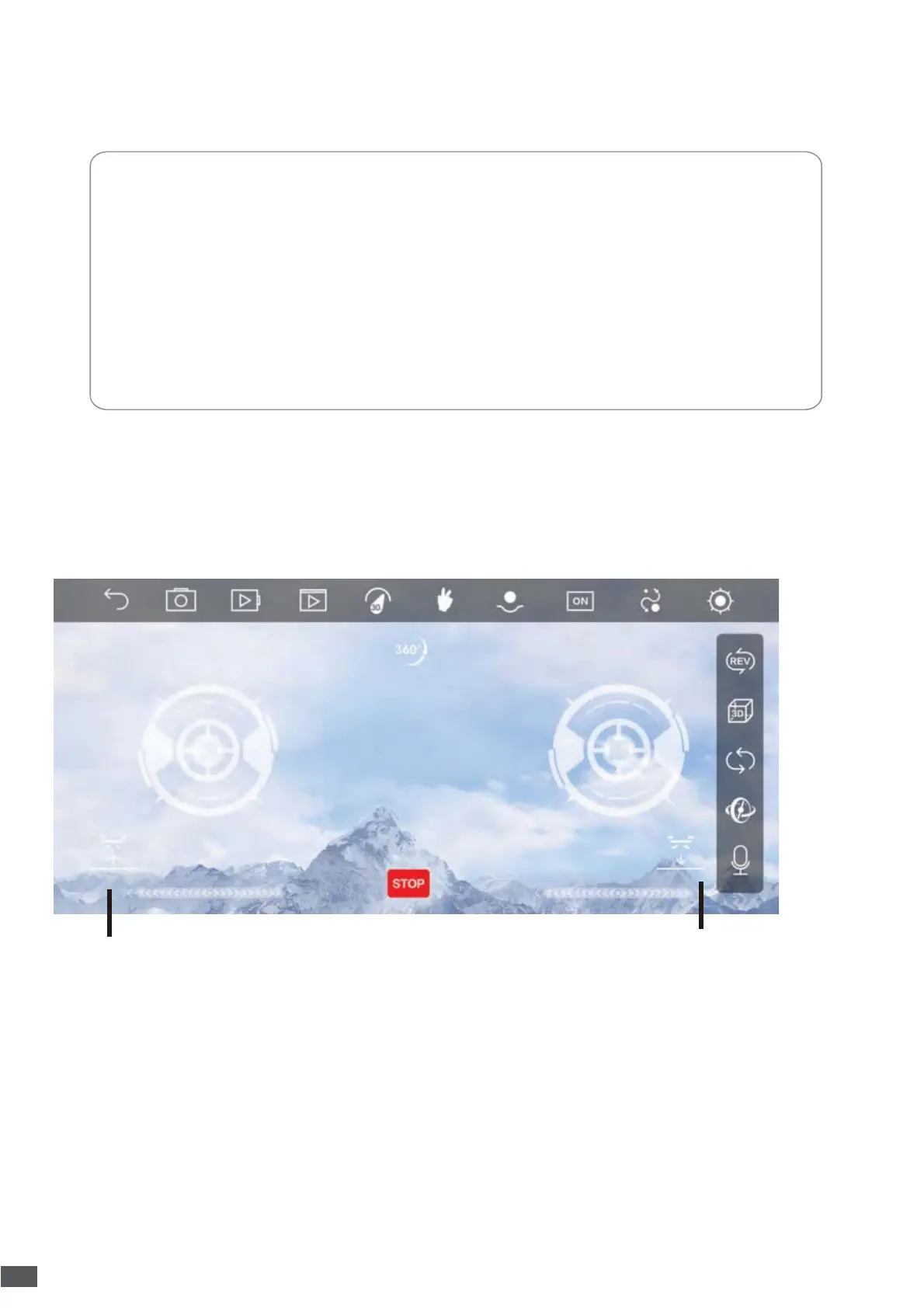
6.11 App Operation Guide
For Android 4.4 or later For IOS 9.0 or later
NOTE:
① If you want to fly the drone with the controller, then turn on the drone and controller for
pairing together first.
② To fly the drone with App, pair the drone with the app directly and keep the remote turn off
all the time, then you can use the smart phone to control the drone flying.
③ Do not take photos during the recording, which will interrupt the recording.
Back
Photo
Video Album Gesture
Controller
Switch
Speed
Gravity
Path
More
Camera Flip
VR
Headless mode
Calibration
Voice Control
One key landing
One key take off
Emergency Stop
11


 To Next Page