
 Need help?
Do you have a question about the Drone S9 and is the answer not in the manual?
Instructions for checking the drone after impact, battery charging safety, and disposal.
Fly in open areas, maintain line of sight, stay below 98ft, avoid obstacles, crowds, water, power lines, and adverse weather.
Instructions on charging the drone battery via USB and replacing it, including charging status indicators.
Step-by-step instructions on how to turn on the drone and transmitter, and pair them using the throttle joystick for successful connection.
How to calibrate the drone's gyroscope by moving control sticks, indicated by blinking and solid lights, recommended after pairing and crashes.
Instructions on unlocking motors to start rotor blades spinning and locking them to stop rotation by moving control sticks.
How to use the 'One Key Take-Off' button for automatic ascent and hover, and the 'One Key Landing' button for automatic descent.
Procedure for activating the emergency stop function by long-pressing the button to immediately stop all motors during flight.
Instructions for downloading the 'Video Drone' app, connecting to the drone's Wi-Fi, and using the app for flight control.
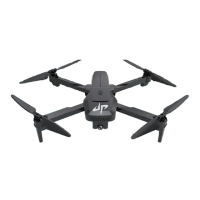
This document is a user manual for a drone, providing comprehensive instructions for its safe operation, maintenance, and various flight features. The drone is designed for users aged 6 and above, with adult supervision recommended.
The drone is a high-precision device integrating electronic stability and control mechanisms, enabling various flight maneuvers. It is controlled via a dedicated transmitter and can also be operated through a mobile application. The drone is equipped with a camera for capturing photos and videos, and features such as 360° flips and one-key reverse flight.
Safety Guidelines: Before operating the drone, users are advised to avoid looking directly into its light and to treat the product as electronic waste, not household waste. It is crucial to fly the drone away from obstacles, crowds, open water, public roads, high voltage power lines, or trees. The drone should not be used in severe weather conditions, including wind, snow, rain, smog, hail, lightning, tornadoes, or hurricanes. Users must keep clear of rotating propellers and motors to prevent small objects, such as hair, from getting entangled. This drone does not include a GPS module, so it must be flown within the control range of the transmitter. All local regulations must be observed, and appropriate authorizations obtained, as compliance with flight regulations is the user's sole responsibility.
Pre-Flight Check: Prior to each use, ensure the drone is configured carefully and correctly for safe, accident-free operation. The batteries of both the drone and transmitter should be clean, undamaged, and fully charged. All propellers must be undamaged and installed in the correct orientation. A thorough check of the product is necessary, inspecting parts for integrity, cracks, wear, battery power, and indicator effectiveness. Any problems found should be resolved before flight.
Battery Installation and Charging: The remote control requires three 1.5V AA batteries (not included). The drone's battery is charged via a USB cable, with an LED light indicating charging status (on during charging, off when fully charged). The battery is inserted into the rear of the drone, tab facing up, and slid in until it securely slots. A "LOCK" mechanism secures the battery, and "UNLOCK" releases it. For safety, only the original battery and USB cable should be used. Fast charging is discouraged as it can cause excessive current and damage. The USB charging cable should be plugged into a computer, power bank, or USB adapter (5V/0.5-2A). Keep the battery away from sharp objects to prevent punctures, explosions, or fire. The remote will beep continuously when its battery is low, and the drone's LED will flash quickly when its battery is low, leading to an automatic landing after about 30 seconds. To prolong battery life, recharge it at least once every three months if not used for extended periods.
Pairing and Calibration: To pair the drone with the transmitter, long-press the drone's power switch until its indicator light flashes. Place the drone on a flat, level surface with its head facing forward. Turn on the transmitter; a "Di" sound will confirm it's on, and its indicator lights will flash. Push the throttle joystick up then down to pair; the drone's indicator light will turn solid upon successful pairing. For stable flight, it is recommended to calibrate the gyro after pairing and after any crash. This is done by moving both the Left Control Stick to the lower left (45°) and the Right Control Stick to the lower right (45°) simultaneously; the drone's indicator light will blink and then turn solid.
Motor Unlocking/Locking: To unlock the motors, push both control levers down to 45° until the four rotor blades begin rotating. Repeating this action will immediately stop the motors.
One Key Take-off/Landing: After pairing and calibration, pressing the One Key Take-Off button will make the drone automatically take off and hover at 5 feet altitude. During flight, pressing the One Key Landing button will cause the drone to land automatically.
Emergency Stop: In case of an emergency during flight, long-pressing the Emergency Stop button for 3 seconds will immediately stop the motors. This function should only be used in emergencies to prevent damage or injury. Be aware that a fall from a high distance or a high-speed impact can cause breakage.
Remote Control Instructions:
Flight Trimming: If the drone drifts forward or backward while hovering, use the Backward Trim or Forward Trim buttons to adjust. If it drifts leftward or rightward, use the Rightward Trim or Leftward Trim buttons.
Altitude Hold/Hover: This is a default setting. Releasing the Left Control Stick after ascending/descending will make the drone hover at its current height. Trim buttons can be used for stable hovering.
Headless Mode: Pressing the Headless button activates this mode, allowing the drone to fly according to the Right Control Stick's direction, regardless of the drone's actual head or tail orientation. The drone's LED will flash, and the remote will beep. Pressing the button again exits this mode. Users should familiarize themselves with Headless Mode before use to avoid losing the drone.
360° Flip: After flying the drone to a height of over 2 meters, press the 360° flip button to activate the function. Then, move the Right Control Stick forward/backward/leftward/rightward to perform the flip in the desired direction. This function cannot be activated when the drone's battery is low.
One Key Reverse: Pressing the "One Key Reverse" button will make the drone fly backward along a path parallel to its original take-off path. The drone's LEDs will flash during this return.
Speed Switch: The drone defaults to low speed. Pressing the Speed button once switches to medium speed (indicated by two beeps from the remote). Pressing it again switches to high speed (three beeps). A third press returns it to low speed (one beep). High speed is recommended for flying in high wind conditions.
App Operation Guide: Download and install the "Video Drone" app from the App Store or Google Play, or by scanning the provided QR code. First, turn on the drone, then connect to the "Video Drone Connect_***" Wi-Fi network on your mobile device. Open the app and tap "START" to access the video viewing interface. If controlling with the physical transmitter, pair the drone and controller first. If controlling solely with the app, pair the drone directly with the app and keep the remote off. Avoid taking photos during video recording, as this will interrupt the recording.
Post-Crash Inspection: Thoroughly check the drone after any crash or violent impact.
Battery Care: Do not charge the battery until it has cooled down. Remove batteries if the product will not be used for an extended period. Avoid overcharging the battery; unplug the charger once it's full. Store the drone and remote in a cool, dry place away from direct sunlight. Do not charge the battery near flammable materials (carpet, timber floor, etc.) or on electro-conductive surfaces. Always supervise the battery while charging. Using an incorrect battery type can lead to fire hazards. Do not dispose of batteries in fire or hot ovens, cut, or mechanically crush them, as this can cause explosions. Avoid leaving the battery in extremely high-temperature environments, which can cause explosions or leakage of flammable liquid or gas. Do not expose the battery to extremely low air pressure, as this may also result in explosions or leakage.
 General
| Category | Drones |
|---|---|
| Model | S9 |
| Remote Control Frequency | 2.4 GHz |
| FPV | Yes |
| Foldable Design | Yes |
| Wind Resistance | Level 4 |
| LED Lights | Yes |
| App Compatibility | Yes |
| Warranty | 1 year |
| Storage | MicroSD card |

 To Next Page