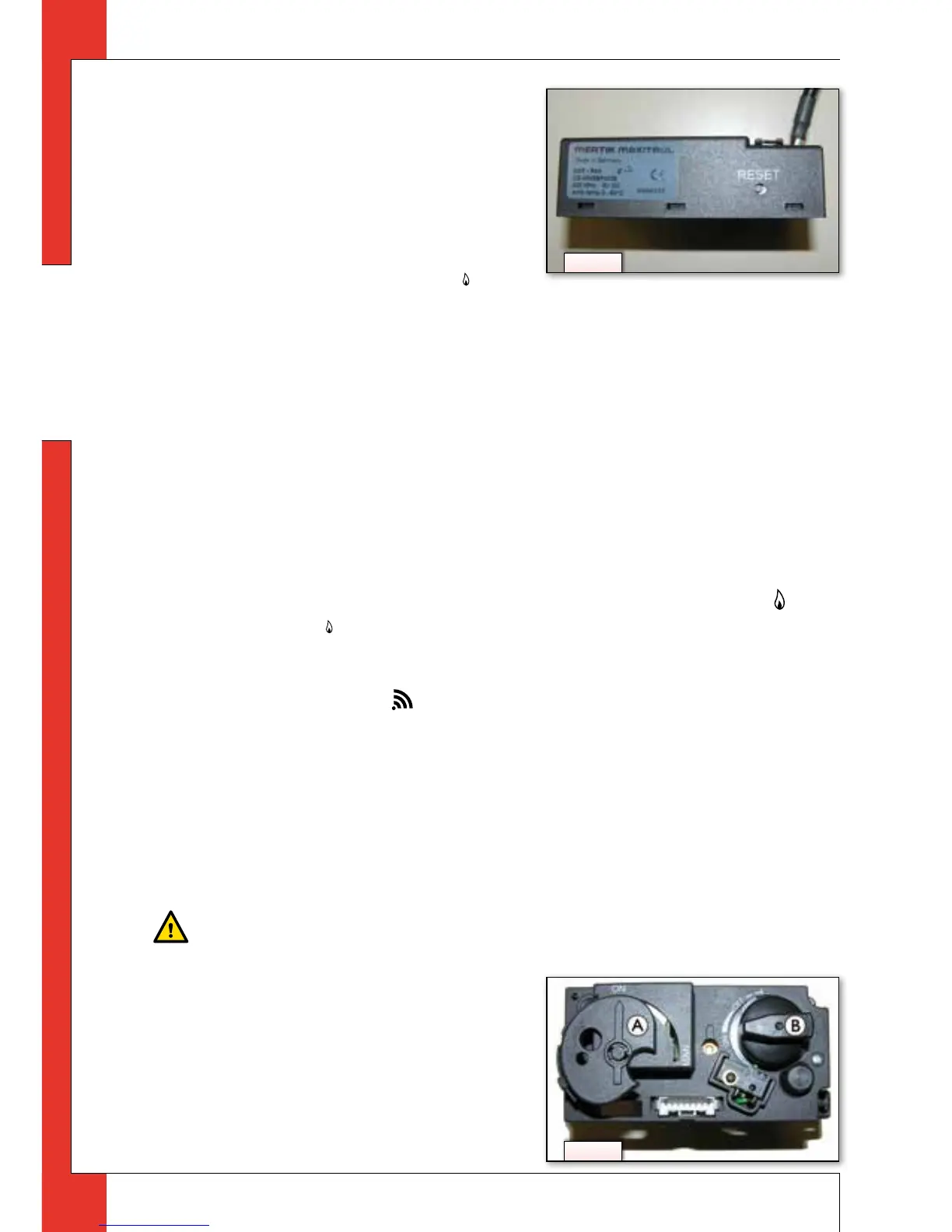
Follow the procedure described be-
low:
➠
Hold down the reset button on the
receiver, until you hear two consecu-
tive sound signals (see g. 3).
➠
After the second, longer signal, let
go of the reset button.
➠
Within 20 seconds, press the (small
ame) button on the remote control, until you hear two short sound signals: this is
the conrmation of a good communication.
!Caution
When installing a new remote control or receiver, you must set a new commu-
nication code.
4.2.2 MAN position
By briefly pressing the SET button, you will go through the following functions:
MAN →
Y
TEMP → • TEMP → (P*)TIMER → MAN
where, depending on the timer setting:
(P*) is displayed as P1
Y
, P1 •, P2
Y
, P2 •.
!Tip
You can also go back to the MAN position by pressing the button (large
ame) or
(small ame).
!Caution
- When pressing the buttons (with the exception of the SET button), the trans-
mission symbol (
) will appear to indicate that transmission is taking place
between the remote control and the receiver;
- The receiver acknowledges the transmission with a sound signal;
- The appliance will automatically enter the standby position, if there is no
transmission for 6 hours.
➠
Set the remote control to the MAN position.
4.2.2.1 Ignition
Caution
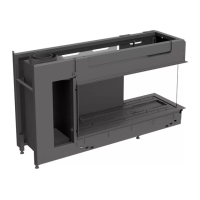
- During the ignition process, you are not allowed to operate control button B
on the gas control manually (see g. 4);
- Always wait 5 minutes after the
pilot burner has gone out, before
you re-ignite the appliance;
- When using propane you must be
extra careful. The pilot burner may
extinguish due to air in the pipe,
e.g. as a result of replacing a pro-
pane cylinder: Always strictly ob-
4
3



 To Next Page