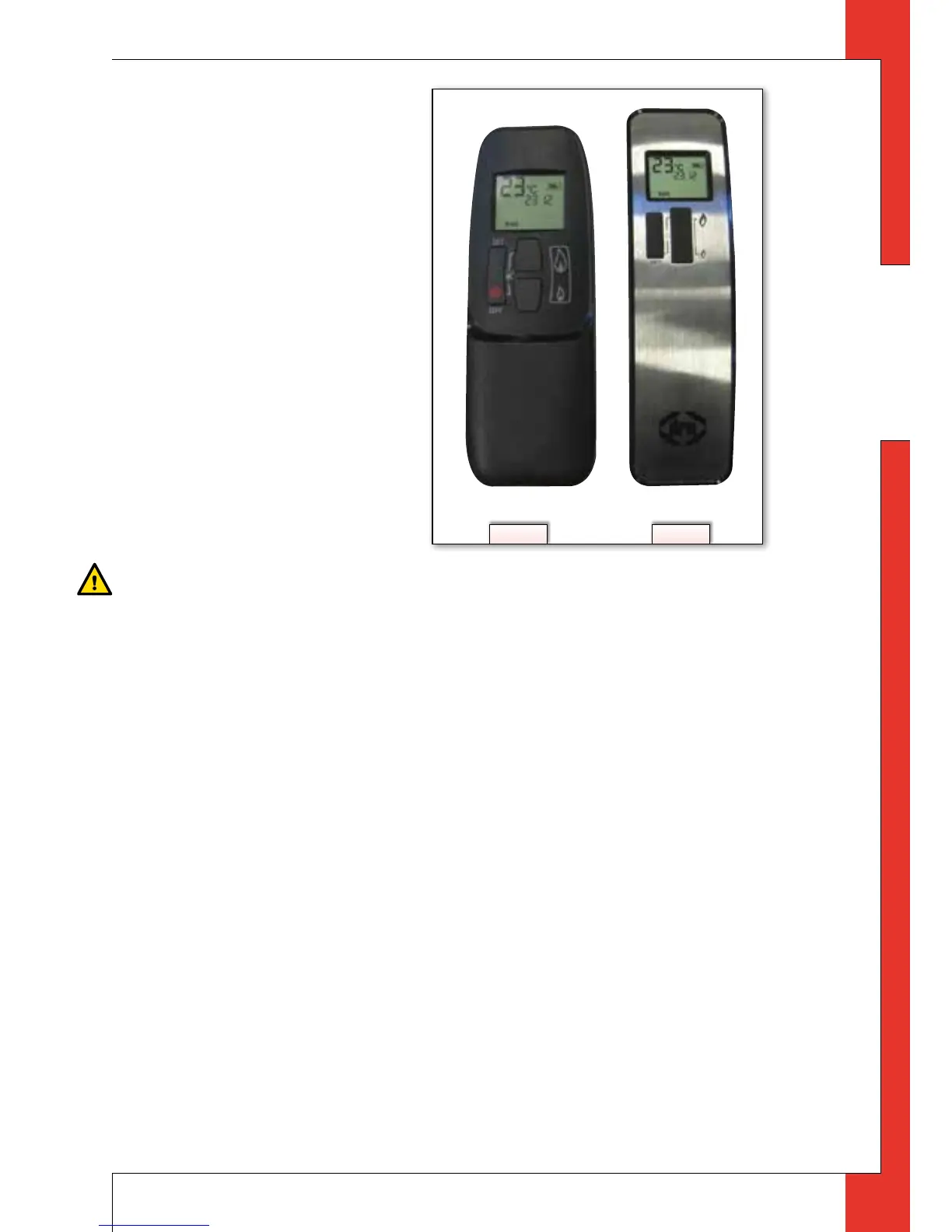
4.2 Remote control
The appliance’s standard func-
tions such as ignition, control-
ling the flame height, standby
(pilot burner) position and
switching off are performed in
the MAN position, the manual
control of the remote control
(see fig. 2a and 2b).
In addition, the remote control
can also be used to set a num-
ber of additional functions:
- temperature display in de-
grees Celsius or Fahrenheit;
- time;
- thermostat function;
- timer for thermostat func-
tion.
Caution
Although highly improbable, we cannot rule out that your appliance’s ignition pro-
cess can be started unintentionally through other remote controls. This could be
the remote control of your neighbours’ gas heater, but also car keys and garage
door openers.
The result will be that your appliance will burn when you do not want it to.
Unintended ignition of your appliance could be solved/prevented by:
- setting a new communication code between remote control and receiver
(see section 4.2.1);
- when left unattended for a longer period, set button A on the gas control to the position
MAN (see section 4.2.2.1);
- close the gas tap near your appliance. This is the safest precaution, if the
appliance will not be used for a longer period;
- Observe stated precautions / safety instructions - even if the appliance is not in use.
4.2.1 Setting the communication code
Prior to putting the application into operation, a communication code must be set
between the remote control and the receiver. The code is chosen randomly from the
65000 available codes. As a result, the chance that other remote controls near you
are using the same code and affect the operation of your appliance is very small.
2a 2b



 To Next Page