Copyright 2022 Baker Hughes Company.
262 | DPI610E Instruction Manual–English
Chapter 13. Instrument Calibration
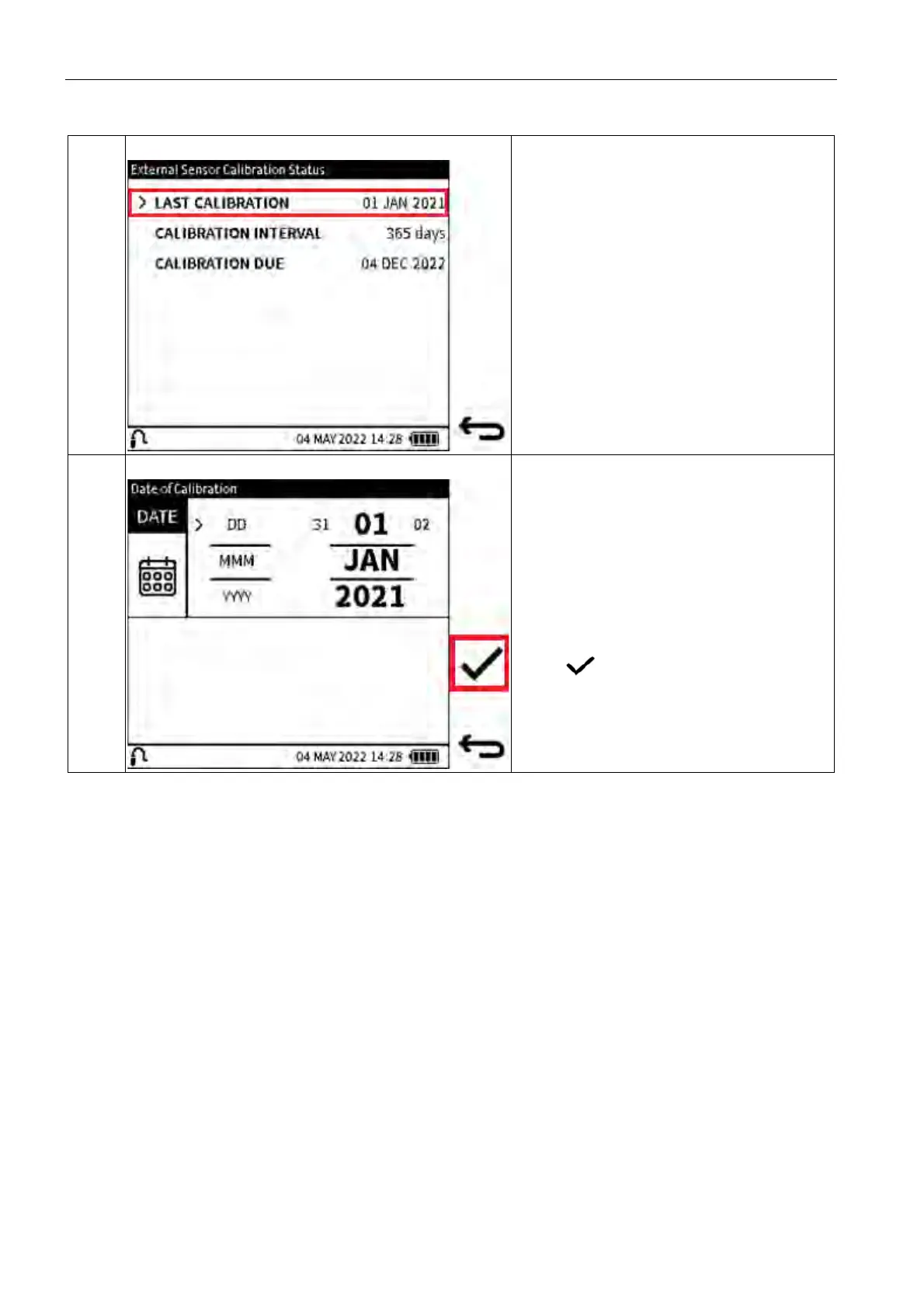
13.9.2.1 Change Last Calibration Date
Step 1
Select LA
ST CALIBRATION from the
Instrument Calibration Date &
Interval
screen.
Step 2
Select the required day, month, and year, as
req
uired (see Chapter 1.19.3 on page 25).
To change the value, select the row of the
var
iable. Press the value on the left of the
current value to decrease the value and the
value on the right to increase the value.
Repeat pressing of either left or right value
decreases or increases the selected current
value.
Select to confirm the changes.


 To Next Page