4
2.3 Side Panel
3. Working mode
3.1 MIC mode
When the Microphone is broadcasting in any mode, the system will detect the MIC and mute the others
sources. It will return to the original play status when the MIC has no signal.
3.2 Bluetooth mode
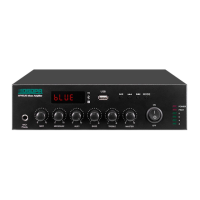
Press MODE to display “BLUE” on the digital screen, the “BLUE” will always flash until device and mobile
phone pairing success, the name is “Bluetooth”. After finishing the pairing, the user can play music on the
mobile phone. With excellent wireless transmission function, and the wireless transmission distance is 10m.
3.3 USB mode
When the USB access, it will be USB mode automatically (plug and play)
3.4 Line mode
In line mode, press MODE, digital screen will display “AUX”
3.5 FM mode
Operation details please view the part 3, 4, 5 of “2.1 front panel”


 To Next Page