EasyManua.ls Logo

DSR DSR131 - User Manual

DSR DSR131
32 pages
Print Icon
To Next Page IconTo Next Page
Loading...
0099001986-00
PLEASE SAVE THIS OWNERS MANUAL AND READ BEFORE EACH USE.
This manual will explain how to use the battery charger safely and effectively.
Please read and follow these instructions and precautions carefully.
POR FAVOR CONSERVE ESTE MANUAL DEL USUARIO Y LEALO ANTES
DE CADA USO. En este manual le explica cómo utilizar el cargador de batería
de manera segura y conable. Por favor, lea y siga las siguientes instrucciones
y precauciones.
GARDER LE MANUEL D’INSTRUCTION ET LISEZ LE AVANT CHAQUE
UTILISATION. Ce manuel explique comment utiliser le chargeur de batterie
d’une façon securitaire et efcace. S’il vous plaît lisez et suivez ces instructions
et precautions.
MODEL / MODELO / MODÈLE :
DSR131
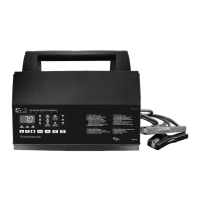
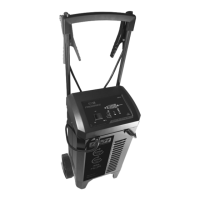
Battery Charger & Engine Starter
Cargador de baterías y arrancador
Chargeur de batterie et aide de démarrage
OWNERS MANUAL / MANUAL DEL USUARIO / MANUEL D’UTILISATION

Questions and Answers

  • W
    Willie CooperAug 17, 2025
    Why DSR Battery Charger will not turn on?
    • R
      Rebecca RodriguezAug 17, 2025
      If your DSR Battery Charger doesn't turn on when connected, the issue might stem from a dead AC outlet. Check the fuse or circuit breaker supplying the outlet. Another potential cause is a poor electrical connection, so inspect the power cord and any extension cords for loose plugs. It's also possible that the battery itself is defective; have it checked.
  • H
    hutchinsoncathyAug 20, 2025
    What to do if the engine start on my DSR DSR131 does not work?
    • C
      Cameron ShermanAug 20, 2025
      If the engine start function isn't working, it could be due to several reasons. You might be drawing more current than the Engine Start rate allows, in which case the crank time may be less than 5 seconds. Ensure you wait 3 minutes (180 seconds) between cranking attempts; the Engine Start LED will blink during this time. Overheating can also cause this issue, so ensure the charger vents are not blocked and allow it to cool. If the battery is severely discharged, use the 50A Boost rate for 10 to 15 minutes to assist in cranking.
  • S
    Sandra GonzalesAug 22, 2025
    How to fix reversed battery connections on DSR DSR131?
    • J
      Jesse MurilloAug 22, 2025
      If the connections to the battery are reversed, the battery is connected backwards. Unplug the DSR Battery Charger and reverse the connections to the battery.
  • C
    Charles TaylorAug 25, 2025
    What does 'bAD / bAt / F05' mean on my DSR DSR131?
    • D
      David DavisAug 26, 2025
      If your DSR Battery Charger displays 'bAD / bAt / F05', it indicates a lack of progress after 12 hours in Maintain mode. This may be caused by a drain on the battery or the battery could be bad. Ensure there are no loads on the battery. If there are, remove them. If there are none, have the battery checked or replaced.
  • T
    Tracy GonzalesAug 28, 2025
    Why my DSR DSR131 is unable to reach the “full charge” voltage?
    • K
      Karen FuentesAug 28, 2025
      If the battery couldn't reach the 'full charge' voltage, it may be because you're trying to charge a large battery or bank of batteries on too low of a current setting. Try again with a higher current setting or have the battery checked or replaced.
  • R
    Rodney NixonAug 31, 2025
    Why DSR DSR131 Battery Charger unable to keep the battery fully charged in maintain mode?
    • D
      Denise SalasAug 31, 2025
      If the DSR Battery Charger couldn't keep the battery fully charged in maintain mode, a possible cause is a drain on the battery or the battery could be bad. Make sure there are no loads on the battery; if there are, remove them. If there are none, have the battery checked or replaced.
  • A
    April GuzmanSep 2, 2025
    What does 'bAD / bAt / F02' mean on my DSR DSR131 Battery Charger?
    • T
      Timothy LewisSep 2, 2025
      If the display on your DSR Battery Charger shows 'bAD / bAt / F02', it means the desulfation process was unsuccessful after 10 hours. The battery may be defective, so have it checked or replaced.
  • D
    Danielle MooreSep 5, 2025
    What does 'bAD / bAt / F01' mean on my DSR DSR131 Battery Charger?
    • A
      Amy Hernandez MDSep 5, 2025
      If your DSR Battery Charger displays 'bAD / bAt / F01', it indicates that the battery voltage is still below 10V (for a 12V battery) or 5V (for a 6V battery) after 2 hours of charging. The battery may be defective. Make sure there are no loads on the battery. If there are, remove them. If there are none, have the battery checked or replaced.
  • J
    Julie SteeleSep 8, 2025
    What to do if the battery voltage is still under 10V after 2 hours of charging with DSR DSR131?
    • S
      Shawn JamesSep 8, 2025
      If, after 2 hours of charging with the DSR Battery Charger, the battery voltage is still under 10V (for a 12V battery) or 5V (for a 6V battery), the battery could be bad. Have it checked or replaced.
  • K
    Kimberly MooreSep 12, 2025
    What to do if DSR DSR131 Battery Charger detects thermal runaway?
    • D
      Denise MurraySep 12, 2025
      If the DSR Battery Charger detects that the battery may be getting too hot (thermal runaway), have the battery checked or replaced.

Summary

Important Safety Instructions

General Safety Guidelines

Covers safety precautions for charger operation, electrical connections, and environmental hazards.

Explosive Gas Risk Warning

Highlights the danger of explosive gases generated by batteries during operation.

Personal Safety Precautions

Battery Handling and Personal Protection

Details personal protective measures, first aid, and precautions around batteries.

Preparing to Charge

Battery Preparation Steps

Instructions for removing, cleaning, and preparing the battery before charging.

Charger Location

Optimal Charger Placement

Guidance on selecting a safe and effective location for the battery charger.

DC Connection Precautions

DC Connection Safety

Precautions for connecting and disconnecting DC output clips to prevent sparks.

Connecting Battery in Vehicle

Vehicle Battery Connection Steps

Step-by-step instructions for connecting the charger to a battery installed in a vehicle.

Connecting Battery Outside Vehicle

Battery Connection Steps (External)

Procedure for connecting the charger to a battery that is not installed in a vehicle.

Grounding and AC Power Cord Connections

Grounding and AC Cord Safety

Guidelines for proper grounding and AC power cord usage to prevent electric shock.

Extension Cord Guidelines

Recommendations for using extension cords with the battery charger.

Assembly Instructions

Initial Assembly Steps

Instructions for preparing the charger, such as uncoiling cords and extending the handle.

Control Panel Overview

ON;OFF Switch and Digital Display

Description of the ON/OFF switch and the functions of the digital display.

Control Panel Operation

Start;Stop and Rate Selection Buttons

Details on using the Start/Stop and Rate Selection buttons for charging modes.

LED Indicators and Battery Type Button

Explanation of LED indicators and the function of the Battery Type selection button.

Operating Instructions

Charging the Battery

Step-by-step guide for charging the battery in various modes.

Engine Start Feature Usage

Instructions and safety warnings for using the engine start function.

Engine Start Mode Operation

Engine Start Procedure

Detailed steps for using the engine start mode, including safety and timing.

Aborted Charge and Desulfation Mode

Information on what happens when charging aborts or when the desulfation mode is used.

Charge Completion and Maintain Mode

How to identify charge completion and the function of the maintain mode.

Maintenance and Care

Charger Maintenance

Basic cleaning and care instructions to ensure charger longevity.

Troubleshooting and Error Codes

Error Code Descriptions

List of error codes, their descriptions, and potential reasons/solutions.

Common Troubleshooting Issues

Solutions for common problems like the charger not turning on or engine start failures.

Specifications

Technical Specifications

Detailed electrical input and output specifications for the charger.

Limited Warranty

Warranty Terms and Conditions

Details on the 2-year limited warranty, exclusions, and limitations.

Warranty Registration

Online Warranty Activation

Instructions for activating the 2-year limited warranty online.

Mail-in Warranty Card

Information for registering the warranty by mail.

DSR DSR131 Specifications

General IconGeneral
BrandDSR
ModelDSR131
CategoryBattery Charger
LanguageEnglish

Related product manuals