EasyManua.ls Logo

DSR INC-406A - User Manual

DSR INC-406A
12 pages
Print Icon
To Next Page IconTo Next Page
Loading...
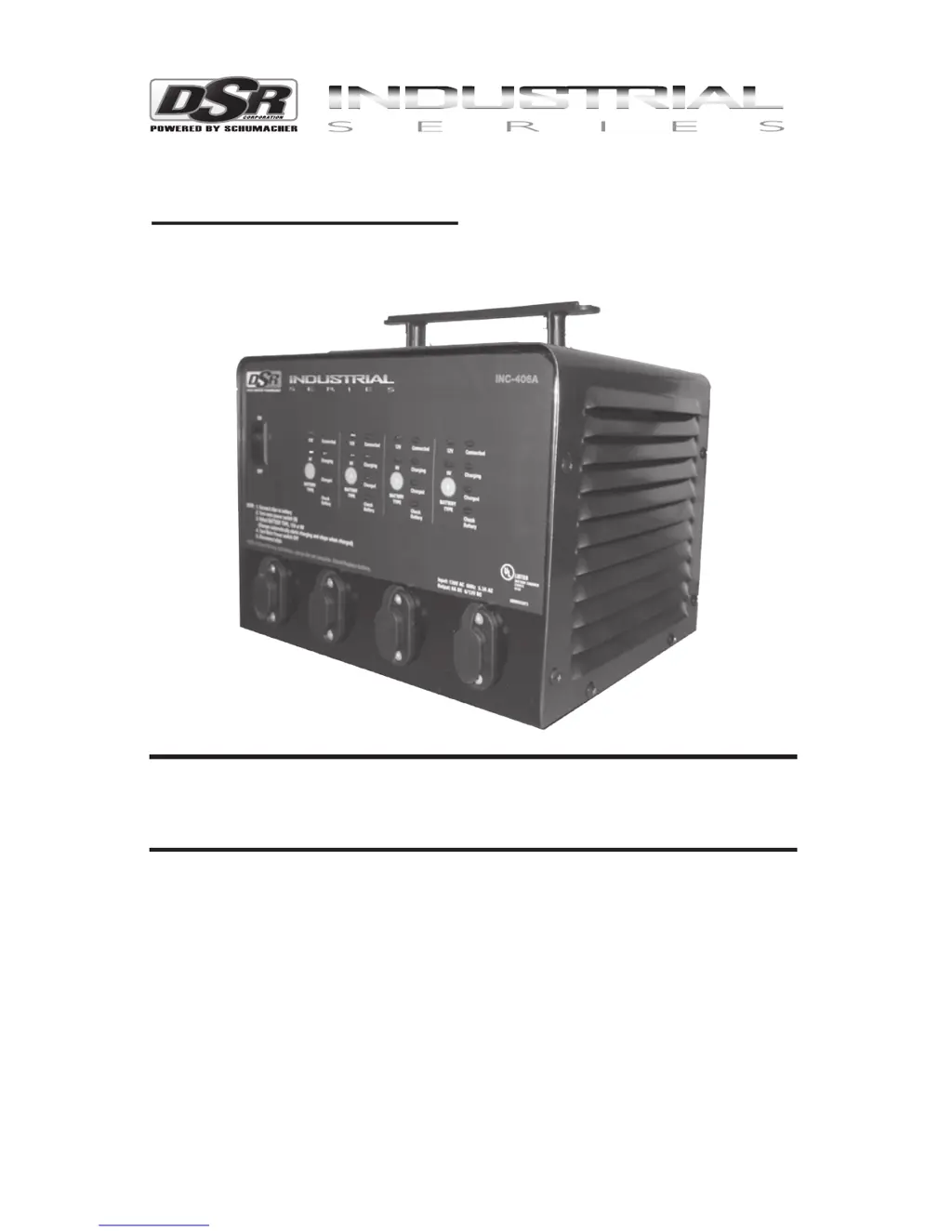
Models INC-406A & INC-406AC
Automatic Battery Charger
READ THE ENTIRE MANUAL BEFORE USING THIS PRODUCT.
FAILURE TO DO SO CAN RESULT IN SERIOUS INJURY OR DEATH.
OWNER’S MANUAL
Voltage: 6, 12
Amperage: 6

Questions and Answers

  • A
    Antonio LaneAug 3, 2025
    What to do if my DSR INC-406A Battery Charger will not turn on?
    • A
      ashley17Aug 3, 2025
      If your DSR Battery Charger doesn't turn on even when properly connected, the issue might stem from a dead AC outlet or a poor electrical connection. First, check the fuse or circuit breaker that supplies the AC outlet. Then, inspect the power cord and any extension cords for loose plugs.
  • R
    Robert McdonaldAug 11, 2025
    Why does the CHARGED (green) LED turn on quickly after connecting my DSR INC-406A Battery Charger?
    • D
      danascottAug 11, 2025
      The CHARGED (green) LED might illuminate quickly on your DSR Battery Charger because the battery is already fully charged or was recently charged, resulting in a high voltage level. Alternatively, the battery could be sulfated. If the battery is in a vehicle, try turning the headlights on for a few minutes to lower the battery voltage before attempting to charge it again. If the battery is sulfated, continue charging it for a few hours. If the charger still cannot complete the charging process, it will enter Abort Mode.
  • W
    William GeorgeAug 18, 2025
    What to do if the CHECK BATTERY (red) LED is blinking on my DSR INC-406A Battery Charger?
    • L
      Lori GainesAug 18, 2025
      If the CHECK BATTERY (red) LED is blinking on your DSR Battery Charger, it indicates that the charger is in Abort Mode. To resolve this, try resetting the charger by disconnecting the battery and have the battery checked.
  • K
    Kimberly CastroAug 26, 2025
    How to fix a DSR Battery Charger when the CONNECTED (red) LED is not lit?
    • A
      angela10Aug 26, 2025
      If the CONNECTED (red) LED on your DSR Battery Charger is not lit, it suggests a problem with the battery connection. Check for any poor connections to the battery and the frame, ensuring that all connection points are clean. Try rocking the clips back and forth to improve the connection. Turn off the charger before adjusting any lead connections.

Summary

Important Safety Instructions

Personal Precautions

Preparing to Charge

Charger Location

DC Connection Precautions

Follow Steps When Battery Installed in Vehicle

Follow Steps When Battery Outside Vehicle

Battery Charging - AC Connections

Assembly Instructions

Mounting Instructions

Control Panel

Control Panel LED Indicators

Explains the function of each LED on the control panel, including connected, charging, and check battery status.

Operating Instructions

Operating Instructions: Charging Process

Details the steps for charging a battery, including connection, power, and type selection for auto-start.

Operating Instructions: Charging Status

Describes the meaning of the battery connection and charging status LEDs for monitoring.

Operating Instructions: Charging Modes

Explains automatic charge, maintain mode, aborted charge, and desulfation modes.

Calculating Charge Time

Maintenance Instructions

Storage Instructions

Troubleshooting

Replacement Parts

DSR INC-406A Specifications

General IconGeneral
BrandDSR
ModelINC-406A
CategoryBattery Charger
LanguageEnglish

Related product manuals