EasyManua.ls Logo

DSR INC-812A - User Manual

DSR INC-812A
44 pages
Print Icon
To Next Page IconTo Next Page
Loading...
00-99-000886/0509
Model / Modelo / Modèle: INC-812A
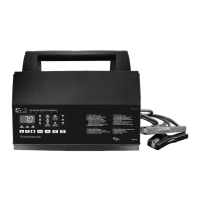
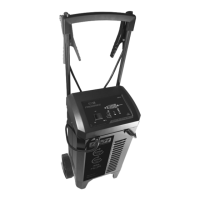
Automatic Battery Charger
Cargador de batería automático
Chargeur de batterie automatique
READ THE ENTIRE MANUAL BEFORE USING THIS PRODUCT. •
FAILURE TO DO SO CAN RESULT IN SERIOUS INJURY OR DEATH.
LEA EL MANUAL COMPLETO ANTES DE UTILIZAR ESTE •
PRODUCTO. CUALQUIER FALLA PODRÍA RESULTAR EN SERIAS
LESIONES O PODRÍA SER MORTAL.
LIRE ENTIÈREMENT LE GUIDE AVANTD’UTILISER CE PRODUIT. •
L’ÉCHEC DE FAIRE AINSI PEUT S’ENSUIVRE DANS LA BLESSURE
SÉRIEUSE OU LA MORT.
OWNER’S MANUAL•
MANUAL dEL USUARiO•
GUidE d’UTiLiSATiON•

Table of Contents

Questions and Answers

  • L
    Lisa SmithAug 13, 2025
    How to start charging with my DSR INC-812A?
    • M
      Matthew RamseyAug 13, 2025
      If the DSR Battery Charger is on but not charging, ensure it is in charger mode. Press the START/STOP button for the battery that is connected to the charger.
  • L
    lauren19Aug 17, 2025
    Why is my DSR INC-812A Battery Charger showing a low percentage and not charging?
    • B
      Beth ChristianAug 17, 2025
      The percentage displayed on your DSR Battery Charger may not change at a steady rate. Do not unplug the charger or change any settings. Be patient and let the charger finish its cycle as this is normal behavior.
  • C
    Christopher FrazierAug 21, 2025
    Why is my DSR INC-812A making a clicking sound?
    • M
      Matthew MoralesAug 21, 2025
      The DSR Battery Charger has a relay that turns the current on and off to the battery. This clicking sound is normal operation.
  • J
    Judith LynchAug 25, 2025
    What to do if my DSR Battery Charger display is still on after unplugging?
    • K
      Kyle JohnsonAug 25, 2025
      If the display of your DSR Battery Charger remains on after it's unplugged, the battery is supplying power to the display. Disconnect the battery to turn off the display.
  • L
    Leslie AllisonAug 28, 2025
    What to do if my DSR INC-812A Battery Charger shows 'bAd bAt'?
    • J
      Julia RogersAug 28, 2025
      If your DSR Battery Charger displays 'bAd bAt', it means the charger is in abort mode, possibly because the battery is bad or did not reach full charge within 24 hours. Reset the charger by unplugging it, then select the desired battery type again.
  • A
    Ashley ZimmermanAug 31, 2025
    How to fix erratic indicator lights on my DSR INC-812A Battery Charger?
    • M
      Melissa WilliamsAug 31, 2025
      If the indicator lights on your DSR Battery Charger are behaving erratically, it might be due to a button being pressed during plug-in. Ensure nothing is touching the control panel, then unplug the unit and plug it back in.
  • P
    paulrandallSep 4, 2025
    Why is the current lower than selected on my DSR Battery Charger?
    • M
      Matthew BurgessSep 4, 2025
      The current on your DSR Battery Charger might be lower than selected because it has reached the maximum voltage and is reducing the current, or it detected an over-temperature condition and reduced the current to cool down. This is normal. Ensure the side ventilation holes are not blocked and move the charger out of direct sunlight.
  • J
    Jessica FoxSep 8, 2025
    Why does the percentage increase to 100% when I unplug or change settings on my DSR INC-812A Battery Charger?
    • A
      Andrea GatesSep 8, 2025
      When the DSR Battery Charger is unplugged or the settings are changed, and the percentage increases, this is because the battery voltage is still high from a partial charge. Wait for the voltage to settle before resuming the charge. You can also try charging at a lower rate or turning on the lights to remove the surface charge.

DSR INC-812A Specifications

General IconGeneral
Input Voltage100-240V AC
Output Voltage12V DC
Output Current8A
Charging Current8A
Battery TypeAGM, GEL, Lead Acid
Protection FeaturesOvercharge, Short Circuit, Reverse Polarity

Related product manuals