The information contained in this document is the property of Domo Tactical Communications (DTC) Ltd.
Any copying or reproduction in any form whatsoever is prohibited without the written permission of DTC.
© 2016 Copyright Domo Tactical Communications (DTC) Limited. All rights reserved.
5. Appendix A – Reference Material
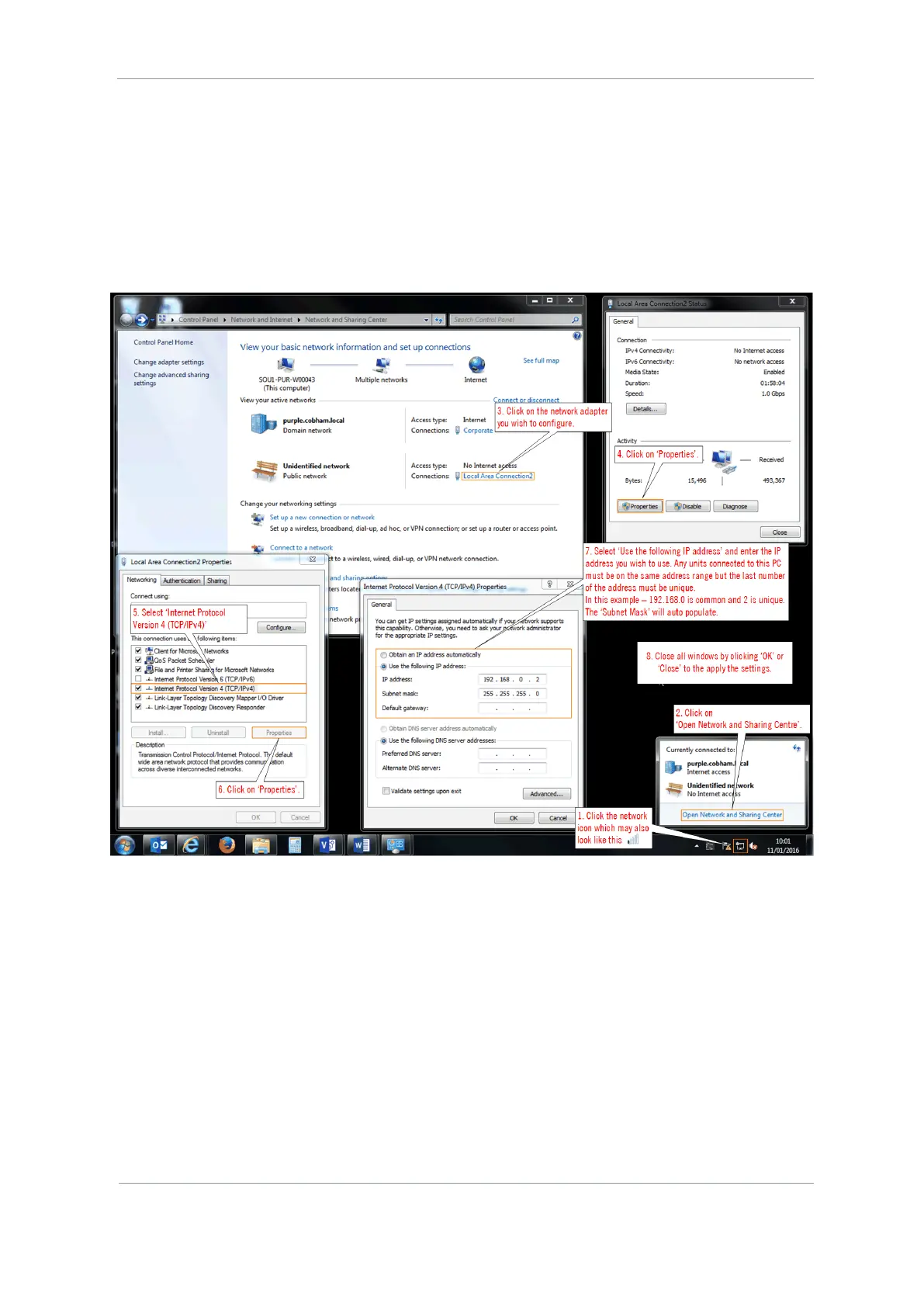
5.1 How to Configure a PC IP Address
The following guide will tell you how to configure your PC or laptop IP address so that it matches the IP
address range of the unit you are connected to. This is important because if they don’t match, you will not
be able to communicate with your device.
The IP address range given in this example is a good one to use if you are unsure.



 To Next Page