Dualtron X User Manual
13
The rear wheel motor locking function (Throttle: PE) is not activated when the product is shipped from the factory.
•
How to activate PE function (Rear motor locking setting)
1. When the footrest of the product is opened, the rear wheel motor sensor (white) is located in the right-hand
space connecting the stem headset to the vehicle and connects the disconnected connector when activating the function.
2. After connecting the connector, reassemble the footrest and select the Throttle PE function as the value of 1 (LOCK) to activate.
(The connectors of the rear wheel motor sensor must be disconnected if storing for a long period of time in
order to prevent product discharge.)
*
When connecting the rear wheel motor sensor connector, turning off the throttle PE function will consume the standby current.
(The connectors of the rear wheel motor sensor must be disconnected if storing for a long period of time in
order to prevent product discharge.)
* PE function operates when power is turned off after setting PE function and PE function is automatically
canceled when power on again. (Reset is required when using PE function.)
* Part color and specifications may be changed without notice to improve the quality and safety of the
connector and rear motor locking sensors.
5) Features of cruise mode (automatic driving)
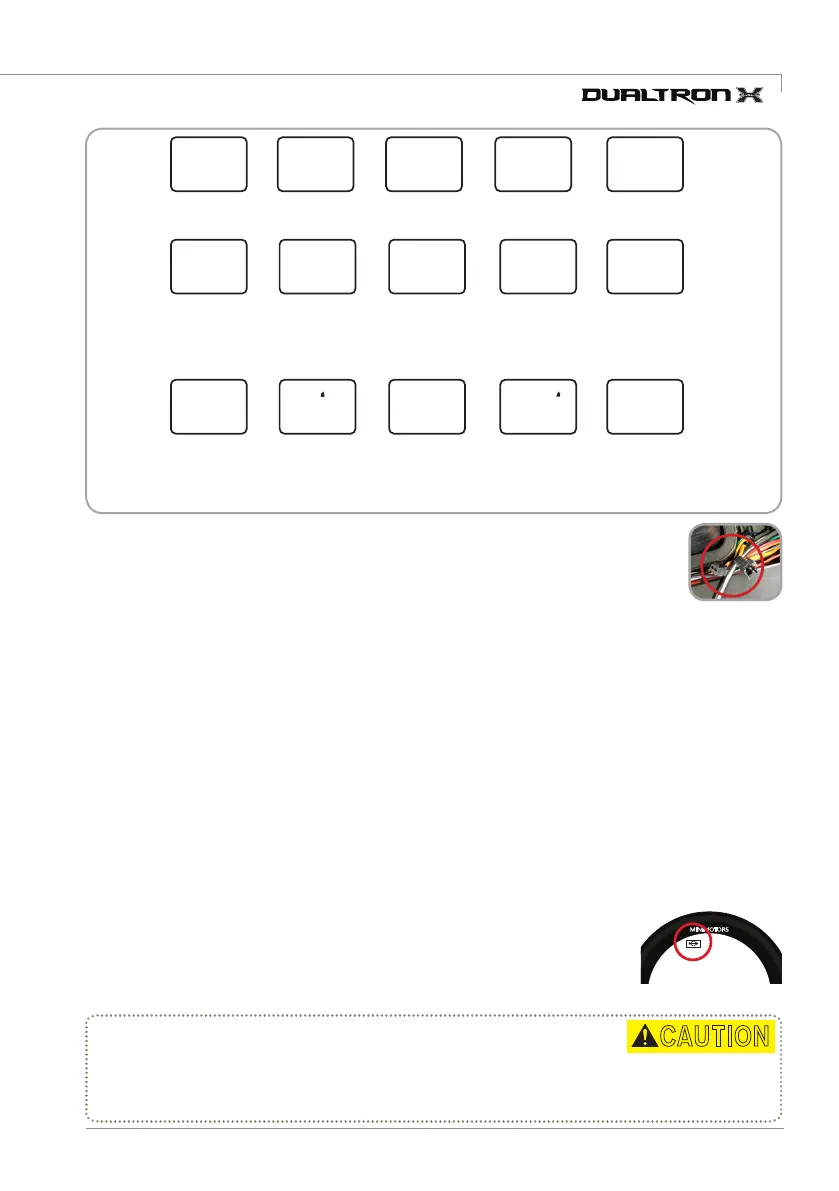
4) PE function (Rear motor lock setup)
Battery save
1(MAX SAVE)
2(MID SAVE)
3(NO SAVE)
ABS setting
0(OFF),
1(ON)
Rear motor
lock setup
0(UNLOCK),
1(LOCK)
0(Fixed)
Speed unit
0(Km/h), 1(mp/h)
13(Fixed)
Start method
0(Acceleration start),
1(Kick start)
Slow start
0(Off:Power start)
~5(Slow start)
Max output
5~100%
(User adjust)
Electronic
brake power
0(Off)
~5(Powerful)
LCD brightness
control
0(Back light off)
~5(Brightest)
Auto off
time setting
5~30 minutes
Cruise mode
0(OFF)
1(ON)
60(Fixed) 15(Fixed)
P0 P 1 P2 P3
P4
P9P5 P6 P8
P7
PA PCPb
PE
The cruise control function allows you to maintain the driving speed automatically.
Take advantage of cruise features to reduce fatigue when traveling long distances and to increase mileage
of driving due to constant speed driving.
Select the Cruise function section of the dashboard under 'Settings' and maintain
the throttle to the same Acceleration for 7 seconds the cruise function will start.
When you hold and release the brake while cruise mode is in effect, the cruise mode is automatically released.
•
The start of the cruise function
•
End of cruise function
•
Precautions when using the cruise function
00
00 : 00
Km/h
VOL
3
TRIP ODO DST TIME CHA
P0
00 : 00
Km/h
MINIMOTORS
P3
0
Km/h
SINCE 1999
MINIMOTORS
98
%
TRIP ODO DST TIME CHA
SET RPM OFF
SINCE 1999
MINIMOTORS
98
%
1.
In case of cruise function, please ride in a position where brake can be used
immediately so that cruise function is canceled and braking is possible in preparation for safety situation while driving.
2. It is permanently dual drive mode and can be released via throttle and brakes.
* It is not recommended that cruise function is disabled via the throttle.
CAUTION


 To Next Page