Note
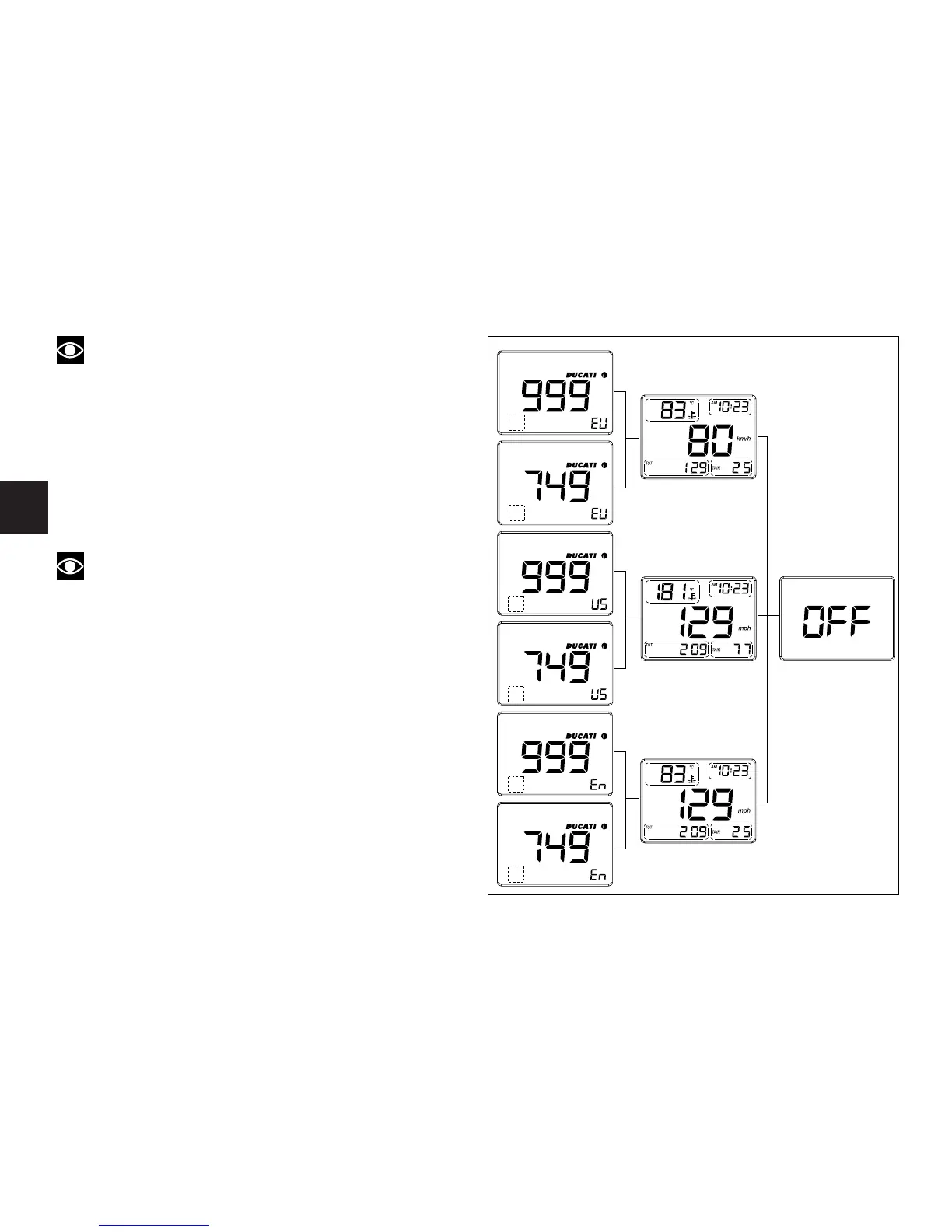
The dotted boxes in the figure are the display areas
for vehicle version (normal, R or S).
Lap time recording (fig. 10 and 11)
This function lets you record lap time and displays top
speed and engine rpm during that lap.
Select the LAP mode in the display (4)(see page 13).
Press the engine start button (5) while riding to start the
on-board chronometer. Pressing the button (5) again will
stop the chronometer.
Note
In the LAP mode, the engine may not be started
using the starter button (5).
After measuring lap times, up to 19 times may be
retrieved and displayed on the LCD. Pressing the button
(1) will scroll through recorded times. The instrument
panel provides the following information:
- Lap number (6)
- Top engine rpm (7) during selected lap
- Lap time (4)
- Top speed (8) during that lap.
16
E
fig. 9



 To Next Page