60
Once you have adjusted the preload of
the headset and aligned the centre of
the handlebar with the front wheel as
indicated in the previous step, screw
the locking screws of the stem with a
4 mm allen key with the tightening
torque indicated by the manufacturer
of the component.
– Fixing the handlebar to the stem:
(check the type of handlebar based
*Operation not to be carried out
with models featuring an integrated
handlebar and stem (made as a single
component as shown, for example, in
the picture of the following page)
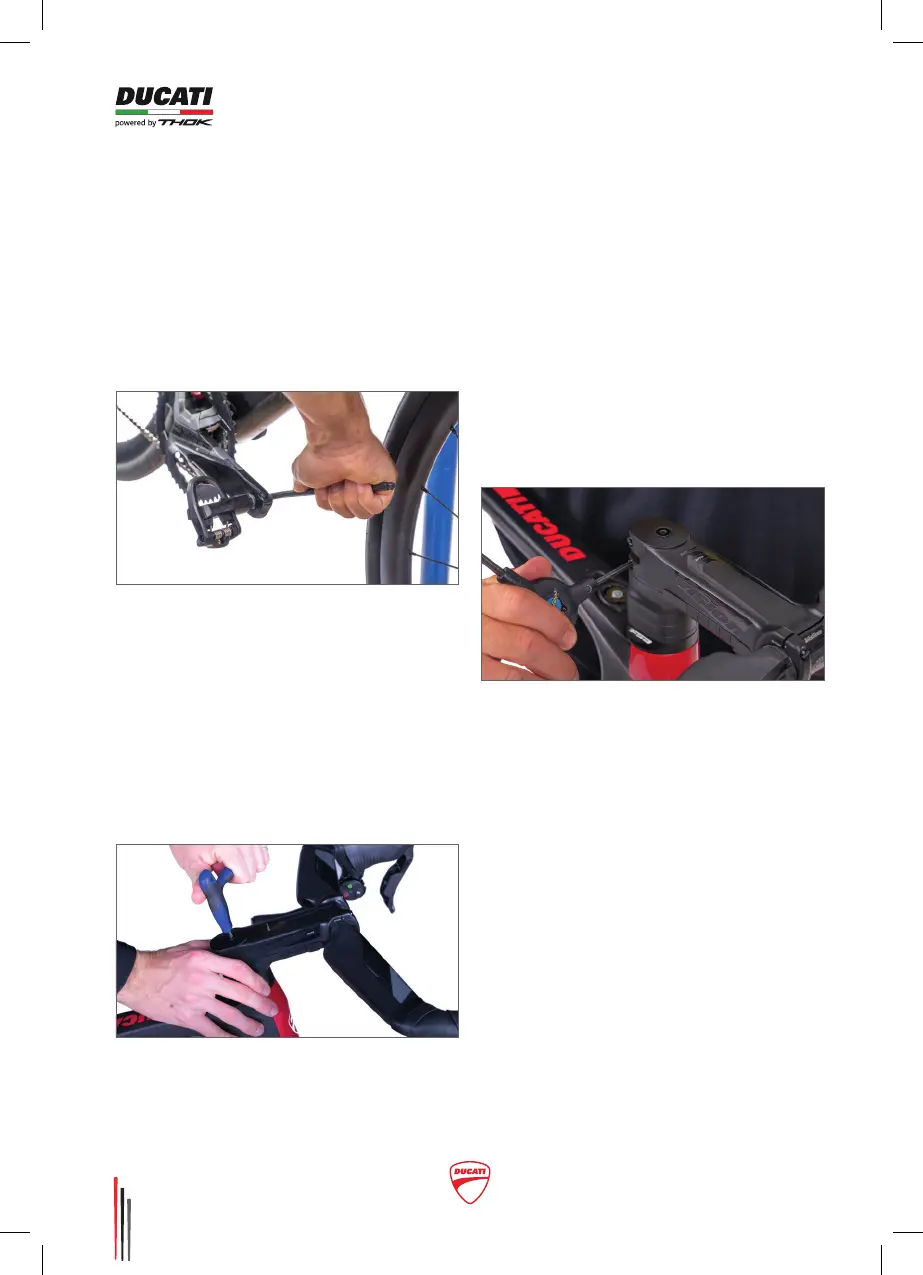
• To insert the right (R) pedal, in fact,
you will have to screw in the axle
clockwise, if you are standing on the
right of the bike.
• To insert the left (L) pedal, you
will have to screw in the axle
counterclockwise, if you are
standing on the left of the bicycle.
Continue with the tightening and
close both pedals with the tightening
torque indicated by the manufacturer
of the pedal cranks and pedals you
choose to install.
– Checking the pre-load of the
headset:
Align the handlebar with the front
wheel and check the space of the
headset.
To verify whether the space is correct,
put your ngers between the upper
cap of the headset and the frame
and while pressing the lever of the
front brake, move the bicycle back
and forth. If you do not feel any space
between the upper cap of the headset
and the frame and the handlebar
moves seamlessly, the headset has
been set up correctly.
– Fixing the stem:



 To Next Page