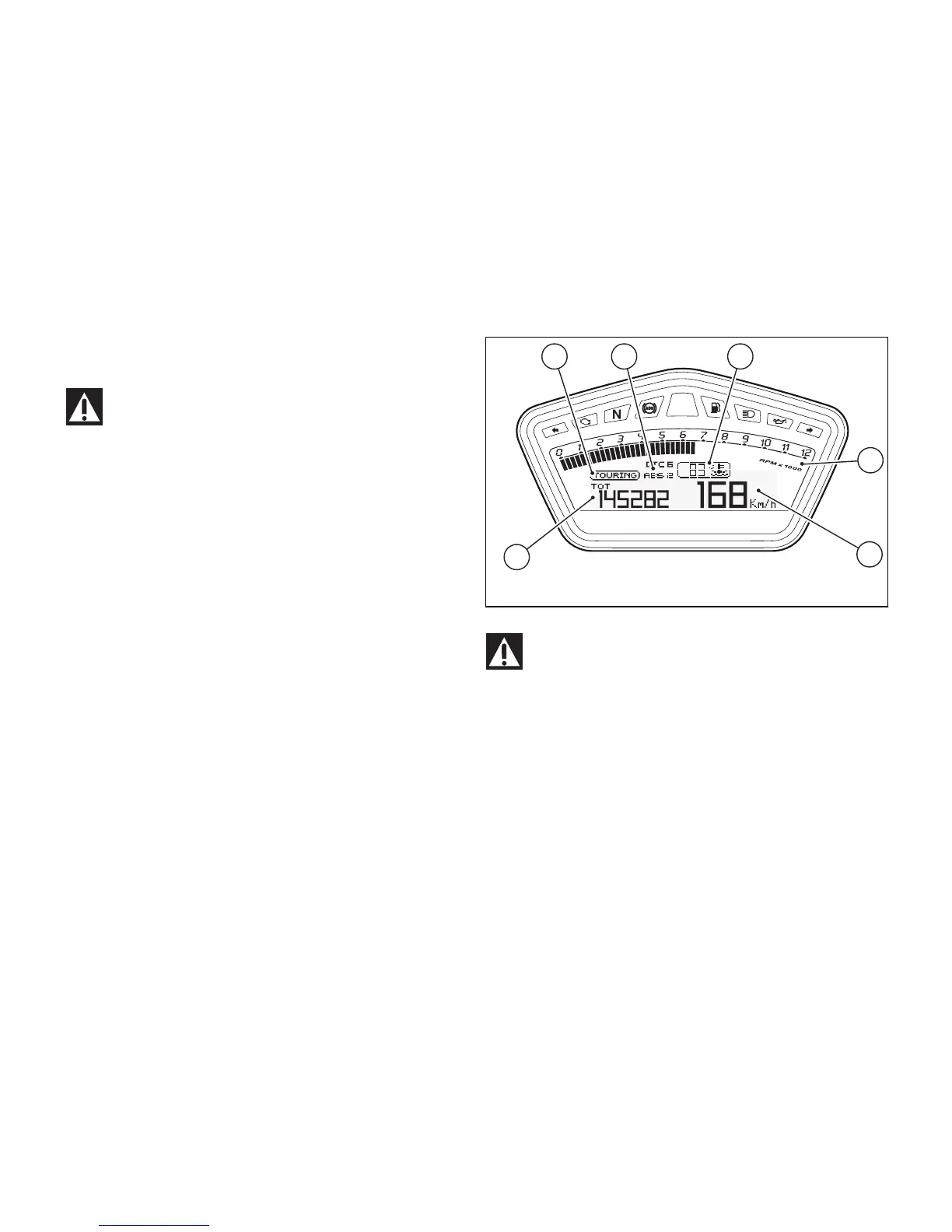
LCD unit functions
Attention
Adjustments/settings on the instrument panel
are strictly to be carried out when the motorcycle is
stationary. Never operate the instrument panel
controls while riding the motorcycle.
Data displayed on the main screen are as follows:
1) Engine RPM Indicator;
2) Vehicle Speed Indicator;
3) MENU 1 (Odometer, Trip 1, Trip 2, Trip Fuel,
Average Consumption, Instantaneous Consumption,
Average Speed and Trip Time) – UP-MAP Menu and
Riding Mode Set-up Menu;
4) MENU 2 (Engine Coolant Temperature, Ambient
Air Temperature and Clock);
5) Name of set Riding Mode;
6) Riding Mode DTC and ABS settings.
Fig 11
Important
Stop riding if the temperature reaches the
maximum value, otherwise the engine might be
damaged.
36





 To Next Page