computer radio control system
EN
9.6 System
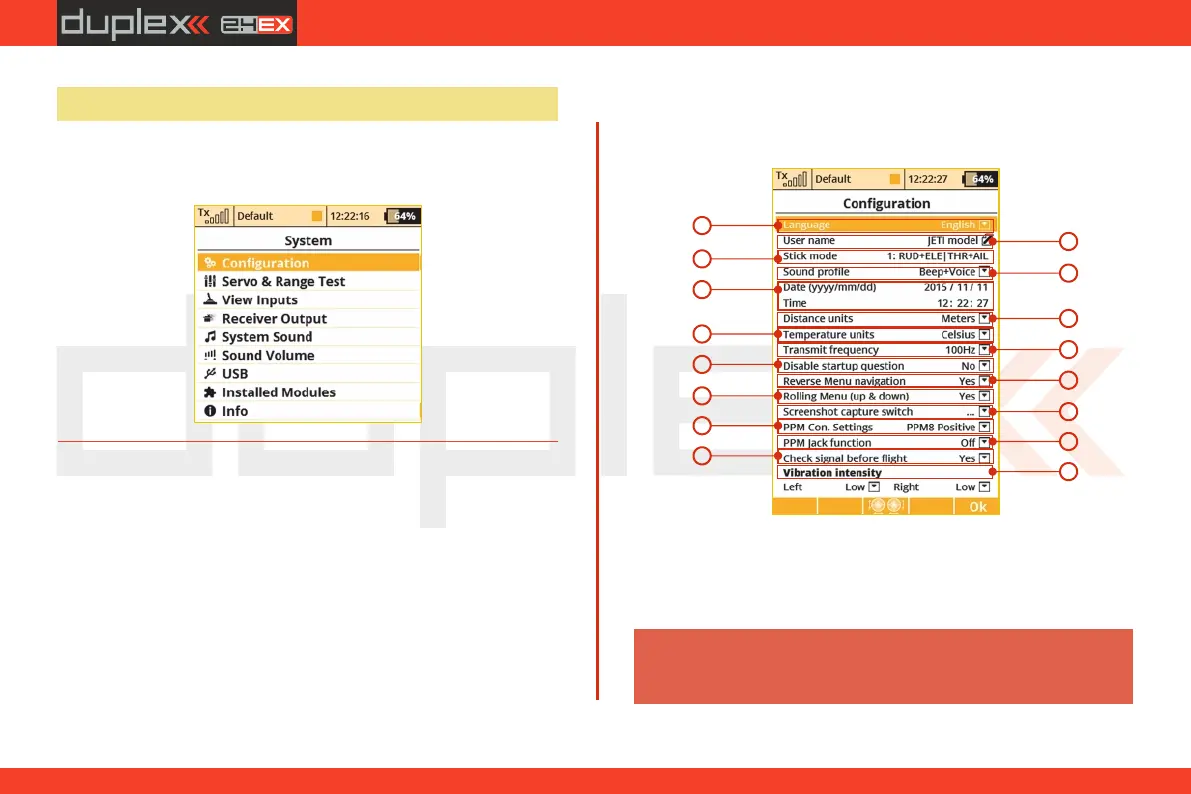
- Use this menu to configure the system functions of your
transmitter. All of the settings in this menu are global and do not
change when you switch between models.
9.6.1 Configuration
Basic transmitter settings
1
2
3
4
5
6
8
9
10
7
11
12
4. 4.
13
14
15
Language Setting1.
Use this menu to select the transmitter’s language setting.
All of the transmitter’s text and sounds will be changed based upon
your selection.
After changing the transmitter’s language you need to
turn the transmitter off and back on again for the
change to take effect.
Warning:
16
118


 To Next Page