89
6
2
1
Troubleshooting
Supplying or Changing Paper While Printing
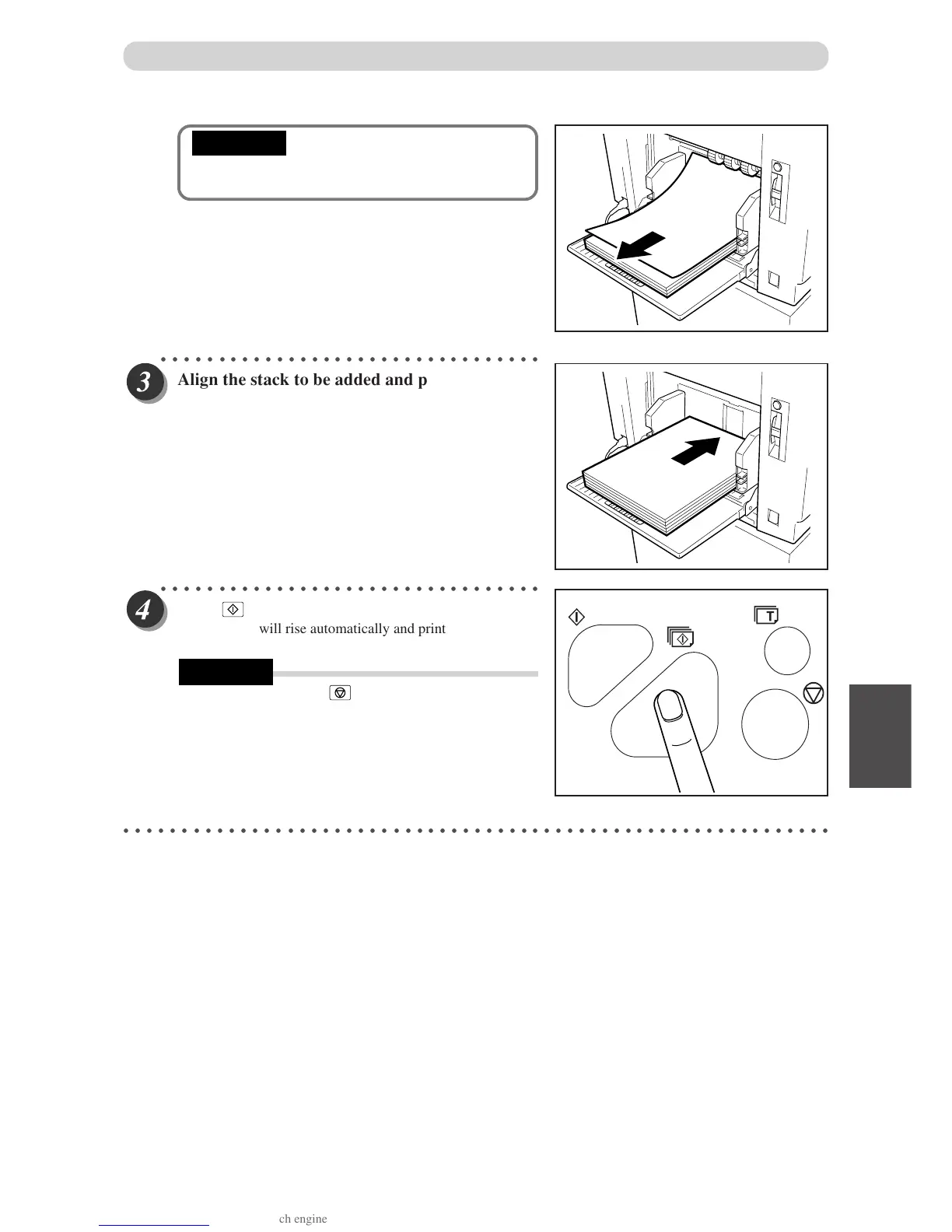
• If the sheet is still in the feed roller ring, pull it
out and align it with the stack.
○○○○○○○○○○○○○○○○○○○○○○○○○○○○○○○○○
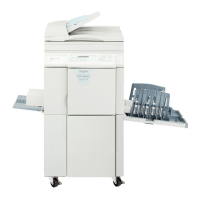
Align the stack to be added and place it on top
of the existing stack. Pr
ess the stack lightly
toward the machine.
○○○○○○○○○○○○○○○○○○○○○○○○○○○○○○○○○
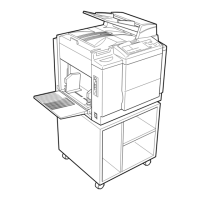
Press
(PRINT) ke
y.
The feed tray will rise automatically and printing will
resume.
• When you press
(STOP) key, printing stops.
○○○○○○○○○○○○○○○○○○○○○○○○○○○○○○○○○○○○○○○○○○○○○○○○○○○○○○○○○○○○○
IMPORTANT
REFERENCE


 To Next Page