- 18 -
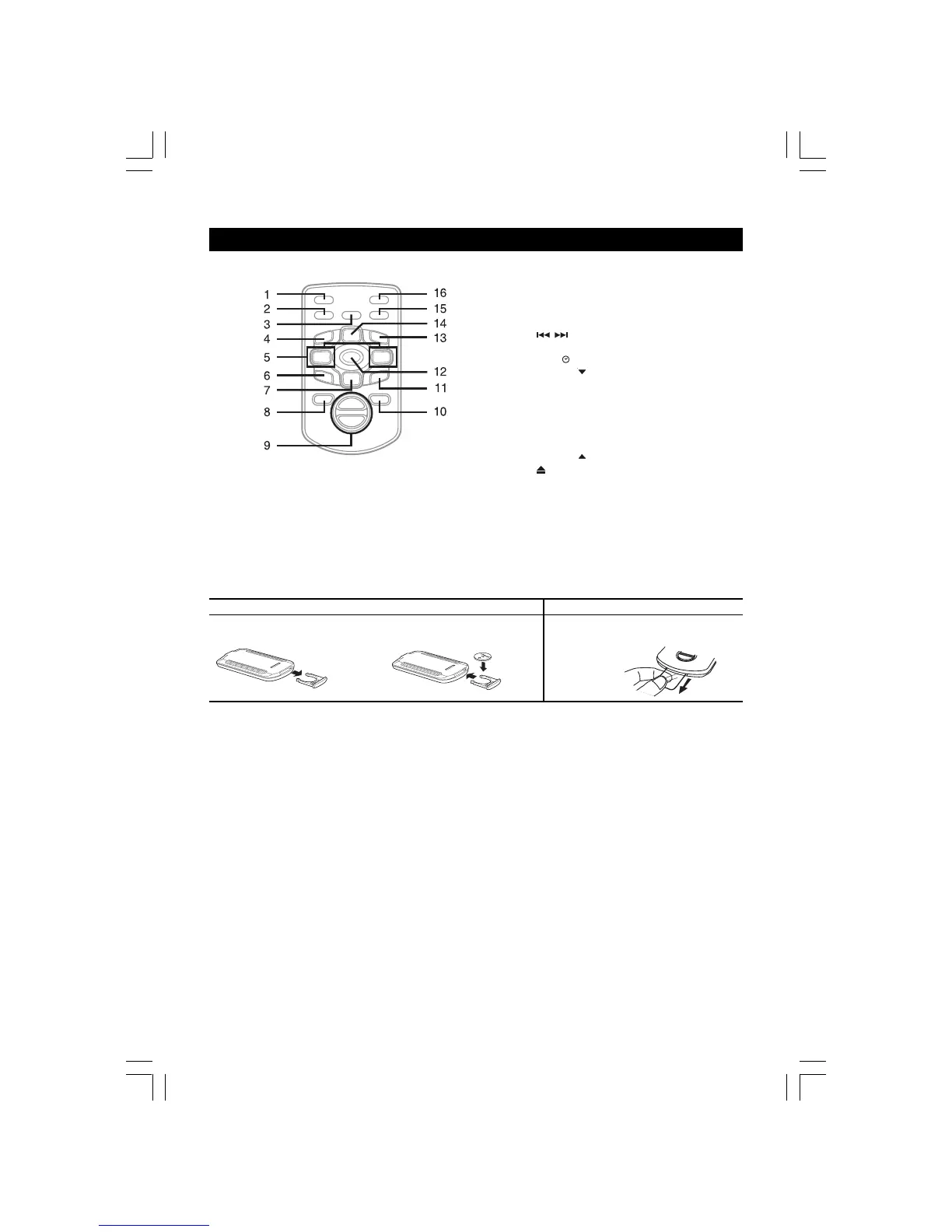
REMOTE CONTROL
1. POWER/STANDBY button
2. SOUND button
3. TIMER button
4. STOP button
5.
/ SKIP buttons /
PRESET -/+ buttons
6. MEM
button
7. TUNING
/RANDOM button
8. SLEEP button
9. VOLUME +/- buttons
10. FUNCTION button
11. BAND button
12. X-BASS button
13. PLAY/PAUSE button
14. TUNING
/REPEAT buttons
15.
OPEN/CLOSE button
16. DISC SKIP button
USING THE REMOTE CONTROL CORRECTLY
• Point the Remote Control at the REMOTE SENSOR located on the unit.
• When there is a strong ambient light source, the performance of the infrared REMOTE SENSOR may be degraded,
causing unreliable operation.
• The recommended effective distance for remote operation is about 6 metres (19 feet).
TO CHANGE REMOTE BATTERY
BATTERY REPLACEMENT
When batteries become weak, the operating distance of the Remote Control is greatly reduced and you will need to
replace the batteries.
NOTE:
If the Remote Control is not to be used for a long time, remove the battery to avoid damage caused by battery leakage
corrosion.
1. Open the battery door.
2. Insert one CR2025 (3V) size battery.
ATTENTION
Take out the PVC sheet before
operating the
Remote Control.
2775SW-eng1.pmd 10/29/2004, 3:06 PM18


 To Next Page