1 Lift the LCD screen.
2 Slide the DVD player's POWER switch to the ON position, the DVD logo (start-up picture) will
appear on the screen.
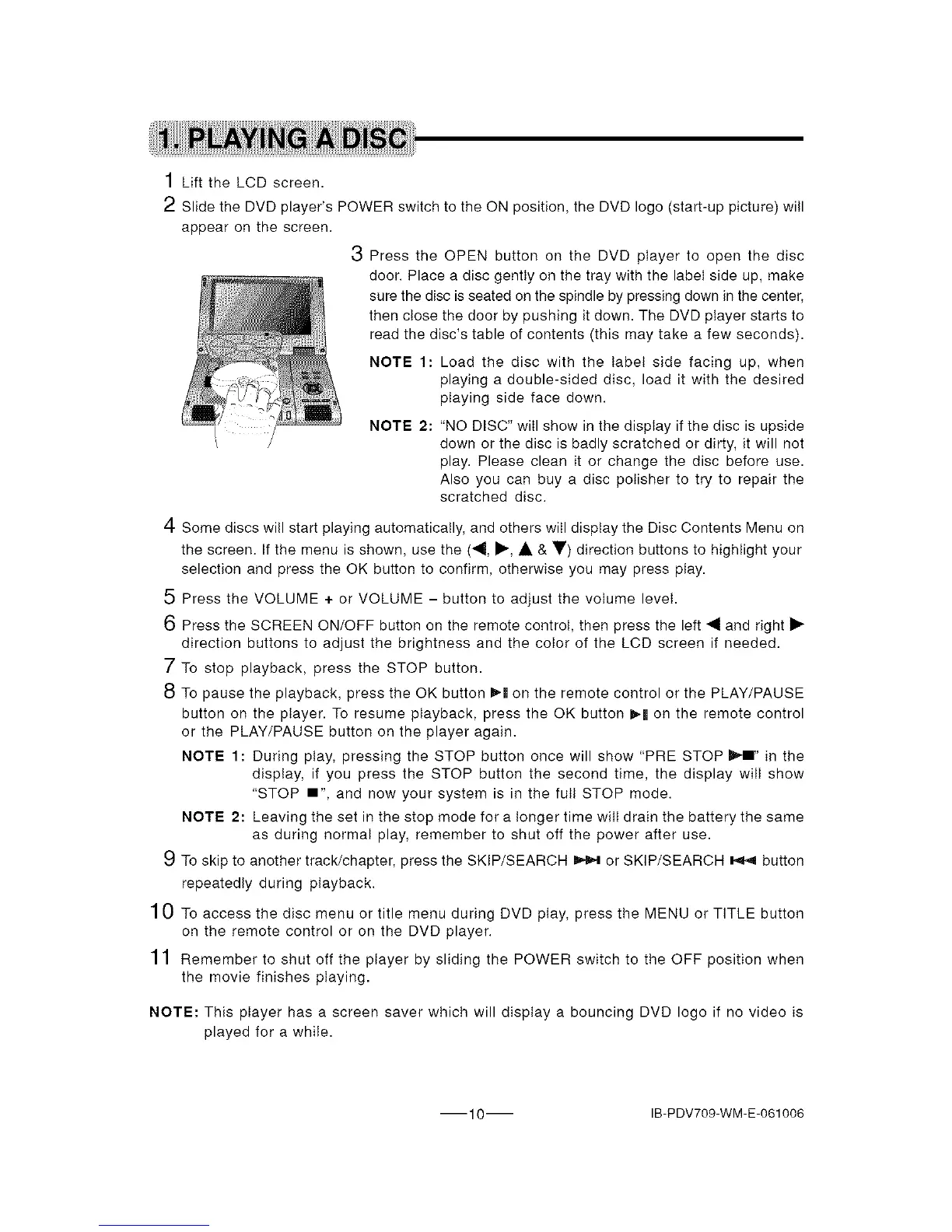
3 Press the OPEN button on the DVD player to open the disc
door. Place a disc gently on the tray with the label side up, make
sure the disc is seated on the spindle by pressing down in the center,
then close the door by pushing it down. The DVD player starts to
read the disc's table of contents (this may take a few seconds).
NOTE 1: Load the disc with the label side facing up, when
playing a double-sided disc, load it with the desired
playing side face down.
/ NOTE 2: "NO DISC" will show in the display if the disc is upside
/ down or the disc is badly scratched or dirty, it will not
play. Please clean it or change the disc before use.
Also you can buy a disc polisher to try to repair the
scratched disc.
4 Some discs will start playing automatically, and others will display the Disc Contents Menu on
the screen. If the menu is shown, use the ("9, I_, A & V) direction buttons to highlight your
selection and press the OK button to confirm, otherwise you may press play.
5 Press the VOLUME + or VOLUME - button to adjust the volume level.
6 Press the SCREEN ON/OFF button on the remote control, then press the left 41 and right I_
direction buttons to adjust the brightness and the color of the LCD screen if needed.
7 To stop playback, press the STOP button.
8 To pause the playback, press the OK button I_ll on the remote control or the PLAY/PAUSE
button on the player. To resume playback, press the OK button ),'mon the remote control
or the PLAY/PAUSE button on the player again.
NOTE 1: During play, pressing the STOP button once will show "PRE STOP _i" in the
display, if you press the STOP button the second time, the display will show
"STOP I" and now your system is in the full STOP mode.
NOTE 2: Leaving the set in the stop mode for a longer time wilt drain the battery the same
as during normal play, remember to shut off the power after use.
9 To skip to another track/chapter, press the SKIP/SEARCH _ or SKIP/SEARCH _ button
repeatedly during playback.
10 To access the disc menu or title menu during DVD play, press the MENU or TITLE button
on the remote control or on the DVD player.
11 Remember to shut off the player by sliding the POWER switch to the OFF position when
the movie finishes playing.
NOTE: This player has a screen saver which will display a bouncing DVD logo if no video is
played for a while.
10 IB-PDV709-WM-E-061006


 To Next Page