(FOR DVD)
The ZOOM/SLOW button allows you to do a minimal zoom into a picture as wel! as shift the
zoom point.
1 Press the ZOOM/SLOW button on the remote control repeatedly to enlarge or reduce a picture.
The display wilI show as follows:
ZOOM 2 _ ZOOM 3 _ ZOOM 4 _ ZOOM 1/2 _ ZOOM1/3 _ ZOOM1/4 _ ZOOM: OFF
2 Press the direction buttons (A, V, "_ & _1_)to move the enlarged picture up, down, left or right.
3 To return to normal ptay from the ZOOM mode, press the ZOOM/SLOW button repeatedly till
the icon shows "ZOOM: OFF".
NOTE 1: Some discs may not respond to the zoom feature and during some zoom functions
the picture edges may seem fuzzy, this is normal.
NOTE 2: When reducing to smaller sizes, the black area around the picture wilI enlarge, this
is normal.
To select a scene with the title, the chapter,
the track number or the time during play use
the GOTO button.
1 Press the GOTO button during play, the
screen wilI show as on the right:
2 Move the LEFT and RIGHT direction
buttons ( "_ & I_ ) and press the number
buttons on the remote control or UP and
DOWN direction buttons (A & V) to
select the title, the track, or the time,
then press the OK button to confirm.
3 The player will jump to ptay the section
you selected and the menu display
disappears from the screen.
NOTE:
The search function may not work during
the opening screens of many DVDs, such
as the FBI warnings etc.
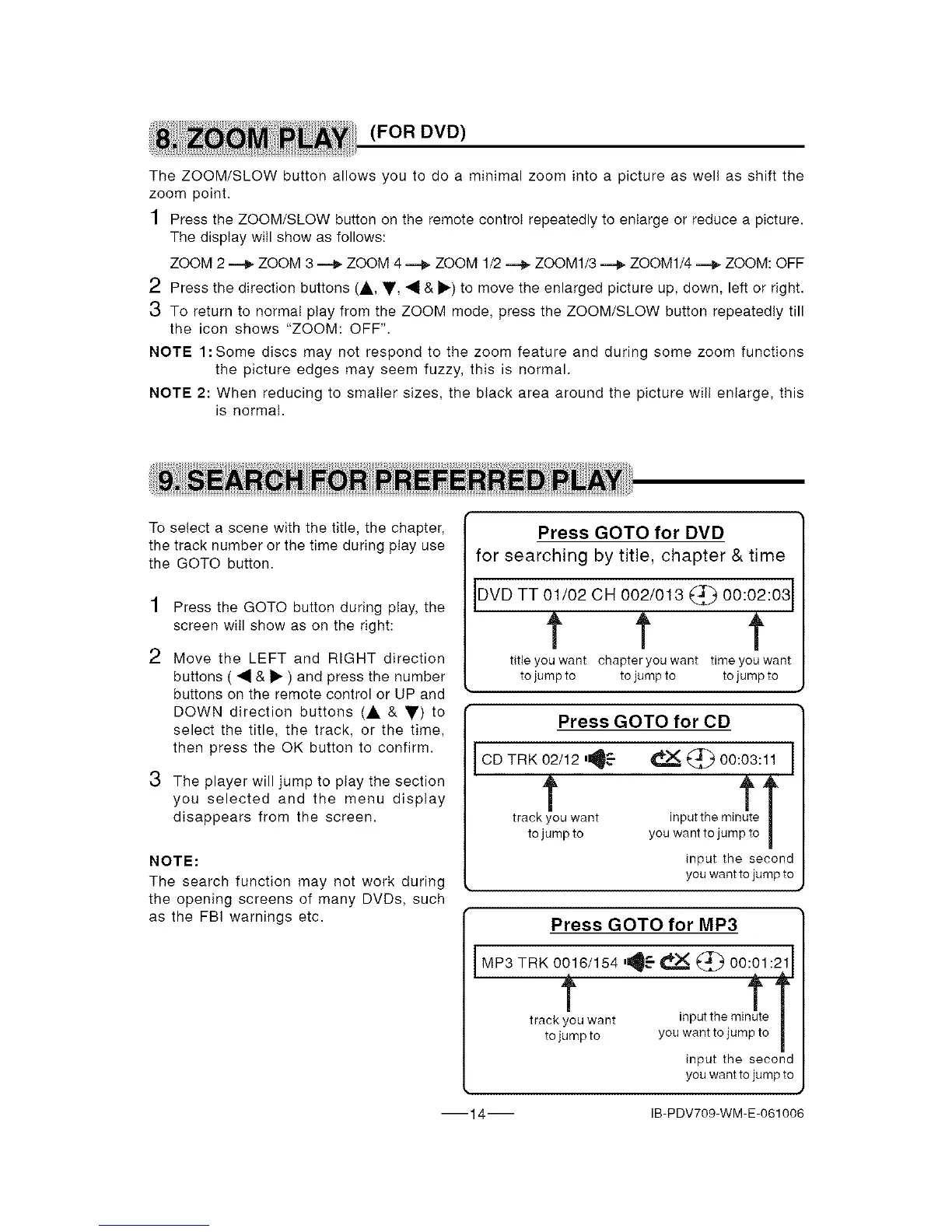
Press GOTO for DVD
for searching by title, chapter & time
DVD TT 01/02 CH 002/013 (_ 00:02:03 I
t t t
title you want chapter you want time you want
to jump to to jump to to jump to
Press GOTO for CD
CD TRK 02/12 _
t
track you want
to jump to
_ 00:03:11 I
input the second
youwant tojumpto
Press GOTO for MP3
I MP3 TRK 0016/154t ,11_ _ _ 00_1:2fl
track you want inputtheminute
tojump to you want to jump to |
input the second
youwant tojumpto
14 IB-PDV709-WM-E-061006


 To Next Page