EasyManua.ls Logo

Duracell Inverter 3000 - User Manual

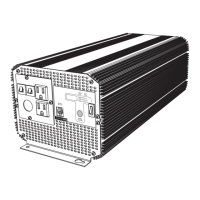
Duracell Inverter 3000
37 pages
Print Icon
To Next Page IconTo Next Page
Loading...
Owner's Guide
975-0444-01-01 REV. A Printed in China
t 1 408 987 6359
www.xantrex.com/support
INVERTER 3000

Questions and Answers

  • G
    Gina GoodwinAug 13, 2025
    How to fix a Duracell 3000 Inverter with no AC output or DC input?
    • F
      fbennettAug 13, 2025
      If your Duracell Inverter shows no AC output voltage and no DC input voltage indication, first, ensure the inverter is turned on. Then, verify that the DC cables are correctly connected from the battery to the inverter. Finally, check if the battery disconnect switch or breaker is off, and if so, close it.
  • D
    Doris BowenAug 17, 2025
    Why is the Duracell 3000 Inverter's Input Under Voltage Warning Alarm on?
    • G
      gibsonamyAug 17, 2025
      If the Input Under Voltage Warning Alarm is on for your Duracell Inverter, it could be due to a poor battery condition. In this case, charge the battery. Alternatively, it might be caused by poor DC wiring. Consider installing a new battery, using the correct cable size and lengths, and ensuring solid connections.
  • S
    Stacy RodriguezAug 20, 2025
    What to do if the Duracell Inverter's internal over temperature warning alarm is on?
    • J
      Jacob TerrellAug 20, 2025
      If the internal over temperature warning alarm is on for your Duracell Inverter, the inverter ventilation openings may be obstructed, so improve ventilation by ensuring these openings are not blocked. It could also be that the ambient temperature is too high, in which case you should reduce the ambient temperature. Also, consider that the load applied might be above the continuous operation limit, so reduce the load if continuous operation is required.
  • E
    Elizabeth EdwardsAug 25, 2025
    Why is my Duracell 3000 in overload shutdown?
    • N
      Nicolas GutierrezAug 25, 2025
      If your Duracell Inverter is in overload shutdown, it means the load applied is above the continuous operation limit. Reduce the load if continuous operation is required.
  • S
    Steven TorresAug 28, 2025
    What causes low output voltage on a Duracell 3000 Inverter with a true RMS reading voltmeter?
    • K
      katherineortizAug 28, 2025
      If you are getting a low output voltage on a true RMS reading voltmeter for your Duracell Inverter, it could be due to low input voltage and the load being close to the maximum allowable power. Check the connections and DC cables, and ensure the battery is fully charged. Recharge the battery if it is low, and consider reducing the load.
  • J
    johnny02Aug 31, 2025
    What to do if Duracell Inverter is in overvoltage shutdown?
    • T
      Tiffany FosterAug 31, 2025
      If your Duracell Inverter is in overvoltage shutdown, it is likely due to high input voltage. Ensure the inverter is connected to a 12 V battery and check the voltage regulation of the charging system.
  • Y
    yrobertsSep 4, 2025
    How to troubleshoot a Duracell 3000 Inverter in short circuit shutdown?
    • K
      Kristen SteeleSep 4, 2025
      If your Duracell Inverter is in short circuit shutdown, it means the inverter has short-circuited. Disconnect DC power to the inverter and have a qualified electrician check the AC output connections, wiring, and appliances for indications of short circuits.
  • T
    Tiffany DiazSep 8, 2025
    Why is my Duracell Inverter showing low output voltage?
    • P
      Peggy PerrySep 8, 2025
      If you are experiencing low output voltage (96 VAC–104 VAC) with your Duracell Inverter, it might be because you are using a voltmeter that cannot accurately read the RMS voltage of a modified sine wave. Use a true RMS reading voltmeter such as the Fluke 87.

Summary

About Xantrex

Trademarks

Trademarks associated with the Duracell Inverter 3000 and Xantrex.

Notice of Copyright

Copyright notice for the Duracell Inverter 3000 Owner's Guide.

Exclusion for Documentation

Disclaimers regarding accuracy, liability, and translation of the manual.

Contact Information

Details for contacting Xantrex support via phone and website.

About This Guide

Purpose

Explains the purpose of the Owner's Guide for operating, maintaining, and troubleshooting.

Scope

Defines the guide's coverage of safety, operation, and troubleshooting, excluding installation.

Audience

Identifies the intended users as owners and operators of the Duracell Inverter 3000.

Organization

Details the structure of the guide into chapters and appendices.

Conventions Used

Explains the standard conventions and symbols used throughout the manual.

Related Information

Provides information on where to find additional details about Xantrex.

Important Safety Instructions

WARNING: Shock, fire, and heat hazard

Highlights risks of electric shock, fire, and heat injury to persons when using the inverter.

Precautions When Working With Batteries

WARNING: Explosion or fire hazard

Details precautions to prevent battery explosion or fire risks.

WARNING: Risk of personal injury due to burns or battery acid

Advises on preventing burns and injuries from battery acid contact.

Precautions for Using Rechargeable Appliances

CAUTION: Risk of equipment damage

Warns about potential damage to rechargeable appliances due to the inverter's output.

Introduction

Quality Power

Describes the inverter's capability to provide 2500W continuous power for various applications.

Ease of Use

Highlights the inverter's compact design, easy operation, and remote switch feature.

Comprehensive Protection

Lists protection features like low battery alarm, overload shutdown, and over-temperature shutdown.

Features

AC Panel

Details the components and indicators on the AC panel of the inverter.

DC Panel

Describes the DC connections and features on the DC panel of the inverter.

Remote Switch

Details the remote on/off switch and its communications cable.

Operation

Turning the Inverter On and Off

Provides instructions for turning the inverter on and off using the front panel or remote switch.

Operating Several Loads at Once

Explains how to turn on multiple loads sequentially to prevent overload.

Display Screen

Describes how to monitor voltage, current, and AC power using the LED display.

Operating Limits

Specifies the allowable input voltage ranges and related alarm/shutdown conditions.

Inverter Loads

Discusses load types, including high surge and trouble loads, and potential equipment damage.

Routine Maintenance

Provides guidance on cleaning the inverter and securing connections.

Recharging Your Batteries

Advises on optimal battery recharging based on discharge level for longer battery life.

Recycling

Outlines Xantrex's battery recycling program and disposal recommendations.

Troubleshooting

Common Problems

Addresses common issues like audio buzz and television reception interference.

Troubleshooting Reference

Provides a table of error codes, problems, causes, and solutions for troubleshooting.

Specifications

Electrical Performance

Lists the detailed electrical specifications of the inverter, including output, input, and efficiency.

Physical Specifications

Details the physical dimensions and weight of the inverter.

Accessory

Lists accessories, including the remote on/off switch and its part number.

Warranty and Return Information

Warranty

Details the warranty coverage, duration, and what Xantrex will do for repairs or replacements.

How do you get service?

Provides instructions on how to contact Xantrex for troubleshooting or warranty service.

What proof of purchase is required?

Specifies the types of documentation needed to make a warranty claim.

What does this warranty not cover?

Lists exclusions from warranty coverage, such as misuse or environmental damage.

Disclaimer

Contains legal disclaimers regarding the warranty and liability.

Exclusions

Details specific situations and conditions not covered by the limited warranty.

Return Material Authorization Policy

Explains the process for obtaining an RMA number and shipping instructions for returns.

Return Procedure

Outlines the steps for safely packaging and shipping a product for return or service.

Out of Warranty Service

Describes options for servicing or replacing the unit after the warranty period has expired.

Duracell Inverter 3000 Specifications

General IconGeneral
Continuous Power3000W
Surge Power6000W
Input Voltage12V DC
Output Voltage120V AC
Frequency60 Hz
Efficiency90%
Protection FeaturesOverload, Short Circuit

Related product manuals