877-534-5157 | GraphicProducts.com 1
SAFETY INSTRUCTIONS
Please review the following safety instructions before using the printer:
• Toro Max is intended for indoor use only. Keep Toro Max away from humidity, corrosive environments, and prolonged exposure
to direct sunlight.
• Use only with the power supply originally included with the system, or a replacement specied by your DuraLabel
representative.
• The Toro Max Battery is a Lithium-Ion (Li-ion) battery designed specically for use in this system; it should not be connected
to other hardware, and no other battery (including those for the original Toro printing system) should be connected to your
Toro Max. If the system and battery need to be shipped, they should be shipped separately. Damage to the battery, including
exposure to extreme temperatures, may cause leakage or re.
• To completely disconnect power from your Toro Max, remove the battery (if present) and unplug its power supply from the wall
socket.
• Do not pour liquids onto the printer or its parts. For ordinary cleaning, follow the instructions included in this guide.
• Only qualied service personnel should attempt to repair the printer.
• Toro Max supply may build a small static charge during loading or use. Do not operate Toro Max near ammable materials.
NOTE: Changes or modications not expressly approved by the party responsible for compliance could void the user’s authority
to operate the equipment.
For support, please contact Graphic Products by calling 800-788-5572 or visiting GraphicProducts.com.
GETTING STARTED
Thank you for choosing the DuraLabel Toro Max. With this standalone system, producing custom labels and signs is fast and
easy. This guide will show you how to set up your new Toro Max, load supplies, and start printing labels.
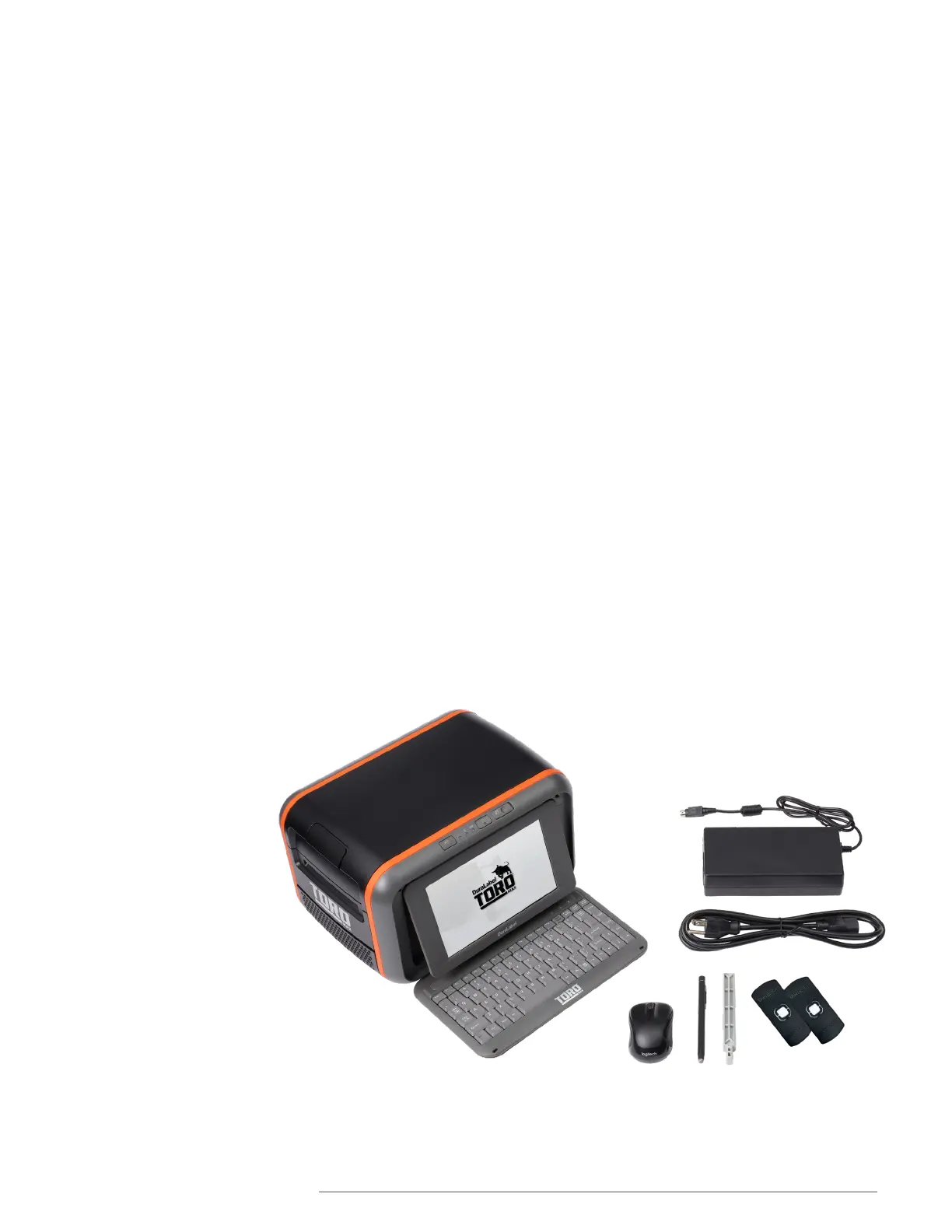
In the Box
In Toro Max’s box, you will nd
the following materials:
• Toro Max Printer
• Power Cord and AC Adapter
(“brick”)
• Notched Supply Spindle
• Fixing Tabs
• USB Cable
• USB Flash Drive with PC
software
• USB Wi-Fi Receiver
• Wireless Optical Mouse
• Stylus
The Toro Max battery will be
shipped in a separate box.



 To Next Page