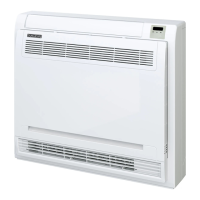
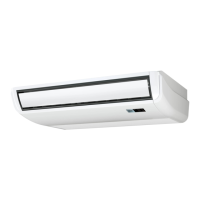
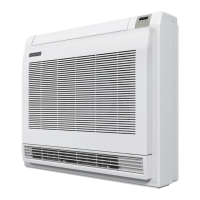
The Durastar DRAS12F1B is a floor-mounted indoor unit, part of a split-style air conditioner system, designed for residential use. This manual provides comprehensive information for its operation, maintenance, and troubleshooting.
Function Description
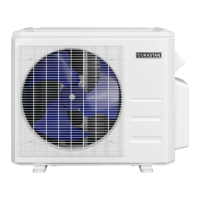
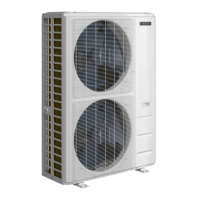
The device functions as an air conditioner, capable of cooling, heating, dehumidifying (DRY mode), and fan-only operation. It is designed to maintain comfortable indoor temperatures within specified ranges by circulating conditioned air. The unit works in conjunction with an outdoor unit to provide a complete split-style air conditioning system.
Important Technical Specifications
While specific power consumption and capacity details are not provided in the excerpt, the manual outlines critical operating temperature ranges:
- COOL Mode: Indoor Air Temperature 62°F - 90°F (17°C - 32°C); Outdoor Air Temperature -13°F - 122°F (-25°C - 50°C).
- HEAT Mode: Indoor Air Temperature 32°F - 86°F (0°C - 30°C); Outdoor Air Temperature -13°F - 86°F (-25°C - 30°C).
- DRY Mode: Indoor Air Temperature 50°F - 90°F (10°C - 32°C); Outdoor Air Temperature 32°F - 122°F (0°C - 50°C).
The unit can be set at any temperature between 62°F and 86°F (17–30°C) in cool, heat, and dry modes, with 1°F (1°C) increments. The outdoor unit is equipped with a base pan heater, allowing operation in freezing temperatures down to -13°F (-25°C). The indoor unit's circuit board (PCB) includes a fuse for overcurrent protection.
Usage Features
The DRAS12F1B offers a variety of features for user convenience and optimized performance:
-
Remote Control: The primary interface for controlling the unit, featuring buttons for:
- ON/OFF: Powers the unit on or off.
- MODE: Cycles through AUTO, COOL, DRY, HEAT, and FAN modes.
- FAN: Selects fan speeds (AUTO, LOW, MED, HIGH). Note: Fan speed cannot be adjusted in AUTO or DRY mode.
- TEMP UP/DOWN: Adjusts the set temperature in 1°F/1°C increments. Holding these buttons simultaneously for 3 seconds switches between Fahrenheit and Celsius.
- SWING: Initiates or stops automatic up and down movement of the top louver.
- DIRECT: Adjusts the fixed angle of the top louver in 6° increments.
- TIMER ON/OFF: Sets a time for the unit to automatically turn on or off, with increments from 30 minutes up to 10 hours.
- SLEEP: Designed to reduce energy use during sleep. In COOL mode, temperature increases by 2°F (1°C) after 1 hour, and another 2°F (1°C) after a second hour. In HEAT mode, temperature decreases by 2°F (1°C) after 1 hour, and another 2°F (1°C) after a second hour. This feature turns off after 8 hours. Not available in FAN or DRY mode.
- TURBO: Allows the unit to reach the set temperature in the shortest time by automatically controlling fan speed. Available in COOL and HEAT modes.
- SILENCE / FP: Activates the SILENCE feature, which slows the compressor and sets the indoor fan to low for reduced noise. Holding for 2 seconds activates the FP (Freeze Protection) feature in HEAT mode, setting the indoor temperature to 46°F (8°C) to prevent freezing.
- FOLLOW ME: Uses the temperature sensor in the remote control to optimize temperature around the user, rather than at the indoor unit's location. Available in AUTO, COOL, and HEAT modes.
- SELF CLEAN: Feature unavailable for this model.
- LED: Feature unavailable for this model.
-
Manual Operation (without remote): An override button on the control panel allows for emergency operation. Pressing it once activates FORCED AUTO mode, twice activates FORCED COOLING mode, and a third time turns the unit off. This is for testing and emergencies only.
-
Louvered Air Flow: The top louver direction can be set automatically (SWING) or to a fixed angle (DIRECT) via the remote. The bottom louver must be adjusted manually. Users are cautioned not to move the louver by hand to avoid desynchronization.
-
Multi-Unit Operation: When multiple indoor units are connected to one outdoor unit, they cannot operate simultaneously in different modes (e.g., one in COOL and another in HEAT). HEAT mode takes priority.
-
Auto-Restart: In case of power interruption, the unit automatically resumes its prior settings once power is restored.
Maintenance Features
Regular maintenance is crucial for optimal performance and longevity:
- Air Filter Cleaning: The air filter should be cleaned every two weeks. This involves unlocking and opening the grille, removing the filter, gently vacuuming or washing it with mild detergent, rinsing, air-drying (away from direct sunlight), and reinstalling.
- General Cleaning: The unit should be wiped clean with a soft, dry cloth. For dirtier surfaces, a cloth soaked in warm water can be used. Harsh chemicals, solvents, or water hotter than 104°F (40°C) should be avoided to prevent damage or discoloration.
- Long Periods of Non-Use: Before extended periods of inactivity, users should clean all filters, run the unit in FAN mode until completely dry, turn off and disconnect power, and remove remote control batteries.
- Pre-Season Inspection: Before periods of frequent use, it's recommended to inspect for damaged wires, clean filters, check for leaks, replace remote control batteries, and ensure air inlets/outlets are unobstructed.
- Safety Precautions: Always turn off the unit and disconnect power before cleaning or maintenance. Avoid touching metal parts inside the unit when removing filters due to sharp edges. Do not spray water directly on the indoor unit.
The manual emphasizes several safety precautions:
- Electrical Safety: Use the specified power cord, keep the plug clean, pull the plug firmly (not the cord) to unplug, avoid multi-purpose sockets, do not modify the power cord or use extension cords, ensure proper grounding, follow all wiring standards, and ensure tight connections. The circuit board has a fuse for overcurrent protection.
- Installation Safety: Installation must be performed by an authorized dealer or specialist according to national and local wiring regulations. Only use included accessories and parts. The unit must be installed in a firm location that can support its weight. Drainage piping must be installed correctly. Units with auxiliary electric heaters should not be installed within 1 meter (3 feet) of combustible materials. Avoid locations exposed to combustible gas leaks. Do not turn on power until installation is complete.
- Operation, Cleaning, and Maintenance Safety: Children and individuals with reduced capabilities should only use the unit under supervision. Do not insert fingers or other body parts into openings. Avoid touching fins after filter removal. Maintenance should be performed by qualified professionals. Do not attempt self-repair. Do not block air outlets/inlets. Avoid spilling water on the remote. In case of abnormal operation (overheating cord, abnormal sound, frequent circuit breaker trips, burning smell, leaking), turn off power immediately and contact service. Do not step on or place heavy objects on the unit. Do not spray water on the indoor unit. Avoid flammable materials near the unit. Do not operate near combustible gases. Do not use fire or hair dryer to dry filters. Disconnect power before cleaning.
- Additional Precautions: Turn off and unplug the unit during storms or long periods of non-use. Ensure proper water condensation drainage. Do not operate with wet hands. Use only for intended purpose. Do not climb on or place objects on the outdoor unit. Avoid long periods of operation with open doors/windows or high humidity.


 To Next Page

 General