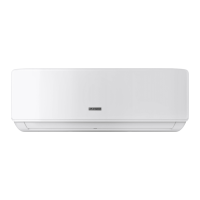
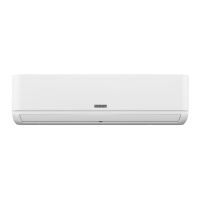
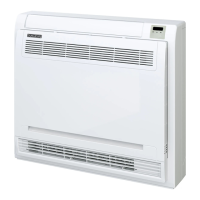
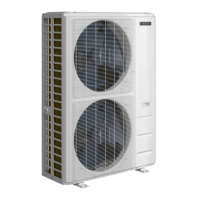
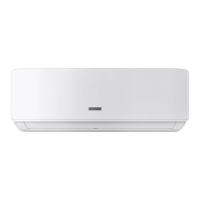
The Durastar Wall Mounted Indoor Unit Split-Style Air Conditioner is designed to provide efficient cooling and heating for residential spaces. This owner's manual outlines the operation, maintenance, and safety precautions for models DRAW06F1B, DRAW09F1B, DRAW12F1B, DRAW18F1B, DRAW24F1B, and DRAW33F1B.
Function Description
The air conditioner operates as a split-style system, with an indoor unit mounted on the wall and an outdoor unit. It offers multiple operating modes including AUTO, COOL, HEAT, and DRY (dehumidify), allowing users to maintain a comfortable indoor environment across a range of temperatures. The unit is designed to operate within specific indoor and outdoor temperature ranges, with safety features that activate to protect the unit if these ranges are exceeded. Low ambient models are capable of operating in heat mode down to -22°F (-30°C).
Usage Features
The unit is controlled primarily via a remote control, which features an ON/OFF button, UP/DOWN buttons for temperature adjustment, a SET button for accessing advanced features, a FAN button for selecting fan speed, a TURBO button for rapid temperature changes, a MODE button for selecting operating modes, an OK button for confirming selections, and a TIMER button for scheduling operations.
Operating Modes:
- AUTO Mode: The unit automatically selects COOL, FAN, HEAT, or DRY modes to maintain the set temperature. Fan speed cannot be adjusted in this mode.
- COOL or HEAT Mode: Users can manually select cooling or heating, set the desired temperature, and adjust the fan speed.
- DRY/DEHUMIDIFY Mode: The fan runs continuously at low speed to reduce humidity. The unit operates until it reaches 50°F (10°C) and then turns off, resuming when the room temperature reaches 54°F (12°C).
- FAN Mode: The unit circulates air without heating or cooling. Temperature cannot be set in this mode.
Advanced Features:
- ECO/GEAR Feature: Available in COOL mode, this feature offers three levels of energy saving (ECO, GEAR 25%, GEAR 50%). ECO mode sets the fan speed to AUTO and adjusts the temperature to 75°F (24°C) if it's below this. GEAR modes reduce energy consumption by 25% or 50% under similar temperature and fan speed adjustments.
- SLEEP Feature: Designed to decrease energy use during sleep, this feature adjusts the temperature by 2°F (1°C) per hour for the first two hours in COOL or HEAT mode. It turns off after eight hours.
- FOLLOW ME Feature: This feature uses the temperature sensor in the remote control to optimize the temperature around the user, ensuring maximum comfort. It can be locked to prevent accidental changes.
- TIMER Feature: Allows users to set a specific time for the unit to automatically turn ON or OFF.
- GENTLE Feature: Diverts airflow away from the user and slows the fan speed if the direct airflow becomes uncomfortable. Available in COOL, DRY, and FAN modes.
- CLEAN Feature: Activates an automatic cleaning cycle to prevent airborne bacteria growth in the heat exchanger. The unit turns off automatically after cleaning.
- TURBO Feature: Enables the unit to reach the set temperature in the shortest time by automatically controlling the fan speed. Available in COOL and HEAT modes.
- LED Button: Turns the indoor unit's display screen ON or OFF.
- SILENCE Feature: Reduces indoor unit noise by slowing the compressor and setting the fan to low speed. This may reduce cooling/heating capacity.
- FREEZE PROTECTION (FP) Feature: Sets the indoor temperature to 46°F (8°C) to prevent pipes and household items from freezing in unoccupied homes during winter. Available in HEAT mode.
- LOCK Feature: Disables the remote control buttons to prevent accidental changes to settings.
- AUTO-RESTART Feature: Automatically restores prior settings after a power interruption.
- REFRIGERANT LEAK DETECTION (EC): The indoor unit displays "EC" if a refrigerant leak is detected, prompting the user to contact service.
Louvered Air Flow:
- Vertical Angle Adjustment: The SWING button on the remote control controls the automatic vertical (up and down) movement of the louver or allows for setting a fixed louver angle in 6° increments.
- Horizontal Angle Adjustment: The horizontal airflow angle must be set manually by gripping and adjusting the deflector rod.
Manual Operation (without remote):
In case the remote control is lost or malfunctioning, the unit can be operated manually via a control button on the indoor unit. This allows for activating FORCED AUTO mode, FORCED COOLING mode, or turning the unit off.
Maintenance Features
Regular maintenance is crucial for optimal performance and longevity of the air conditioner.
Cleaning Indoor Unit:
- The indoor unit should be wiped clean with a soft, dry cloth. For dirtier surfaces, a cloth soaked in warm water can be used.
- Avoid using chemicals, chemically treated cloths, benzene, paint thinner, polishing powder, or other solvents, as these can damage the plastic surface.
- Do not use water hotter than 104°F (40°C) to clean the front panel to prevent deformation or discoloration.
Cleaning the Air Filter:
- The air filter should be cleaned every two weeks to maintain cooling efficiency and air quality.
- To clean, lift the front panel of the indoor unit, loosen the filter tab, and pull the filter out.
- If present, unclip and clean the small air freshening filter with a hand-held vacuum.
- Clean the large air filter with warm, soapy water and a mild detergent.
- Rinse with fresh water, shake off excess water, and dry in a cool, dry place away from direct sunlight.
- Re-clip the air freshening filter (if applicable) and slide the filter back into the indoor unit, then close the front panel.
- Caution: Do not touch metal parts inside the unit when removing the filter, and do not wash the indoor unit with water.
Long Periods of Non-Use:
- Clean all filters.
- Turn on the FAN mode until the unit is completely dry.
- Turn off the unit and disconnect power.
- Remove batteries from the remote control.
Pre-Season Inspection:
- Inspect for damaged wires.
- Clean all filters.
- Check for leaks.
- Replace remote control batteries.
- Ensure no obstructions are blocking air inlets or outlets.
The Durastar air conditioner is designed for user convenience and energy efficiency, with features aimed at providing a comfortable and healthy indoor environment.


 To Next Page

 General