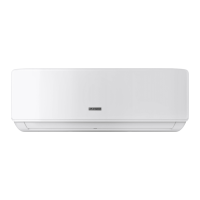
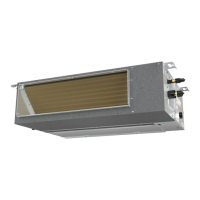
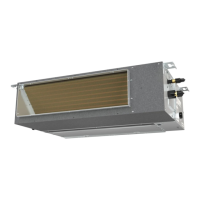
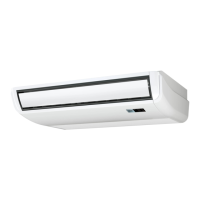
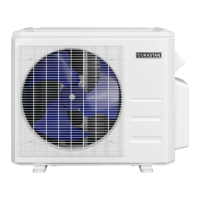
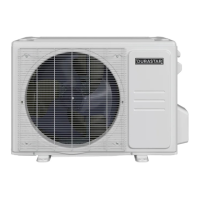
This document is an owner's manual for a Durastar Wall Mounted Indoor Unit Split-Style Air Conditioner, covering models DRAW09F1A, DRAW12F1A, DRAW18F1A, and DRAW24F1A. It provides comprehensive information on the device's function, technical specifications, usage, and maintenance.
Function Description:
The Durastar wall-mounted indoor unit is a component of a split-style air conditioning system designed to regulate indoor temperatures. It operates in various modes including COOL, HEAT, DRY (dehumidify), and FAN, allowing users to achieve desired climate control. The unit is designed for residential single-family homes and is part of a system that includes an outdoor unit. It features a remote control for convenient operation and a manual override button for emergency use. The system is equipped with safety features that activate to protect the unit from damage if operated outside specified temperature ranges. It also includes an auto-restart function that restores prior settings after a power interruption.
Important Technical Specifications:
- Model Numbers: DRAW09F1A, DRAW12F1A, DRAW18F1A, DRAW24F1A.
- Operating Temperature Ranges:
- COOL Mode: Indoor Air: 62°F - 90°F (17°C - 32°C); Outdoor Air: -13°F - 122°F (-25°C - 50°C).
- HEAT Mode: Indoor Air: 32°F - 86°F (0°C - 30°C); Outdoor Air: -13°F - 86°F (-25°C - 30°C).
- DRY Mode: Indoor Air: 50°F - 90°F (10°C - 32°C); Outdoor Air: 32°F - 122°F (0°C - 50°C).
- Temperature Setting: Adjustable between 62°F and 86°F (17°C and 30°C) in COOL, HEAT, and DRY modes, in 1°F (1°C) increments.
- Outdoor Unit Feature: Equipped with a base pan heater for operation in freezing temperatures as low as -13°F (-25°C).
- Circuit Board (PCB): Designed with a fuse for overcurrent protection; fuse specifications are printed on the board.
- Refrigerant Leak Detection: The indoor unit displays "EC" upon detecting a refrigerant leak.
Usage Features:
- Remote Control: The primary interface for operating the unit, featuring buttons for ON/OFF, MODE selection (AUTO, COOL, DRY, HEAT, FAN), FAN speed adjustment (AUTO, LOW, MED, HIGH), TEMP UP/DOWN, TIMER ON/OFF, SWING (automatic horizontal louver movement), DIRECT (fixed horizontal louver angle adjustment by 6° increments), FOLLOW ME (temperature sensing at remote's location), TURBO (fast cooling/heating), SELF CLEAN, SILENCE/FP (low noise/freeze protection), and LED (display screen on/off).
- Operating Modes:
- AUTO Mode: Automatically selects COOL, FAN, HEAT, or DRY to maintain the set temperature.
- COOL Mode: Provides cooling, with adjustable fan speed.
- HEAT Mode: Provides heating, with adjustable fan speed. Performance may be affected by outdoor temperature.
- DRY (Dehumidify) Mode: Reduces humidity, with adjustable temperature. Fan speed cannot be adjusted in DRY mode.
- FAN Mode: Circulates air without heating or cooling. Temperature cannot be adjusted in FAN mode.
- Advanced Features:
- TIMER ON/OFF: Allows scheduling the unit to automatically turn on or off after a set period (30-minute increments up to 10 hours, then 60-minute increments).
- SLEEP Feature: Decreases energy use during sleep by gradually adjusting the temperature (increases by 2°F/1°C per hour for two hours in COOL mode; decreases by 2°F/1°C per hour for two hours in HEAT mode). Operates for eight hours before returning to normal functioning. Not available in FAN or DRY mode.
- LED Display: Button to turn the indoor unit's display screen on or off.
- TURBO Feature: Quickly reaches the set temperature by automatically controlling fan speed. Available in COOL and HEAT modes.
- SELF CLEAN: Automatically cleans the unit's heat exchanger to prevent bacteria growth from moisture. Available in COOL or DRY modes.
- SILENCE/FP (Freeze Protection):
- SILENCE: Reduces indoor unit noise by slowing the compressor and setting the fan to low. May reduce cooling/heating capacity.
- FP: Sets indoor temperature to 46°F (8°C) to prevent indoor pipes from freezing when the house is unoccupied. Available only in HEAT mode.
- FOLLOW ME: Optimizes temperature based on the remote control's location, ensuring maximum comfort.
- Louvered Air Flow:
- Vertical Angle: Adjustable via SWING (automatic up/down movement) or DIRECT (fixed angle adjustment) buttons on the remote.
- Horizontal Angle: Manually adjustable by gripping the deflector rod.
- Manual Operation: An override button on the indoor unit allows for forced AUTO mode, forced COOLING mode, or turning the unit off, useful if the remote control is lost.
Maintenance Features:
- General Cleaning: Use a soft, dry cloth for cleaning. For dirtier units, a cloth soaked in warm water can be used. Avoid chemicals, solvents, or water hotter than 104°F (40°C) to prevent damage or discoloration.
- Air Filter Cleaning: Recommended every two weeks.
- Lift the front panel.
- Grip the tab on the filter and pull it out.
- If present, unclip and clean the small air freshening filter with a hand-held vacuum.
- Clean the large air filter with warm, soapy water and a mild detergent.
- Rinse with fresh water and shake off excess.
- Dry in a cool, dry place away from direct sunlight.
- Re-clip the air freshening filter (if applicable) and slide the filter back into the unit.
- Close the front panel.
- Long Periods of Non-Use:
- Clean all filters.
- Run the FAN until the unit is completely dry.
- Turn off the unit and disconnect power.
- Remove batteries from the remote control.
- Pre-Season Inspection:
- Inspect for damaged wires.
- Clean all filters.
- Check for leaks.
- Replace remote control batteries.
- Ensure air inlets and outlets are unobstructed.
- Troubleshooting: The manual provides a list of common issues, possible causes, and solutions, including error codes for diagnostics. Users are advised to contact an authorized service provider for persistent problems or error codes.



 To Next Page


 General