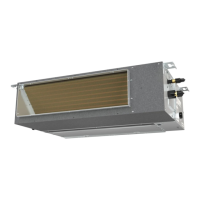
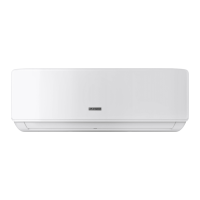
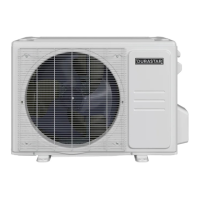
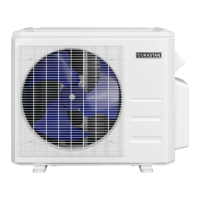
This document is the owner's manual for a Durastar Slim Ducted Indoor Unit Split-Style Air Conditioner, covering models DRAD09F1A, DRAD12F1A, DRAD18F1A, and DRAD24F1A. It provides comprehensive information on the device's operation, maintenance, and troubleshooting.
Function Description:
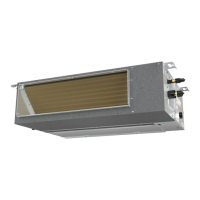
The Durastar Slim Ducted Indoor Unit is a split-style air conditioner designed for indoor use, intended to be paired with an outdoor unit to form a complete air conditioning system. It offers various operating modes including COOL, HEAT, DRY (dehumidify), and FAN, allowing users to control the indoor climate for optimal comfort. The unit is designed to operate within specific temperature ranges, with safety features that activate to protect the unit if these ranges are exceeded. The system utilizes refrigerant pipes and a signal wire for connection to the outdoor unit, and includes a drain hose for condensate removal.
Important Technical Specifications:
The air conditioner operates within the following temperature ranges:
- COOL Mode: Indoor Air Temperature: 62°F - 90°F (17°C - 32°C); Outdoor Air Temperature: -13°F - 122°F (-25°C - 50°C).
- HEAT Mode: Indoor Air Temperature: 32°F - 86°F (0°C - 30°C); Outdoor Air Temperature: -13°F - 86°F (-25°C - 30°C).
- DRY Mode: Indoor Air Temperature: 50°F - 90°F (10°C - 32°C); Outdoor Air Temperature: 32°F - 122°F (0°C - 50°C).
The outdoor unit is equipped with a base pan heater, enabling operation at temperatures as low as -13°F (-25°C). The indoor unit's circuit board (PCB) includes a fuse for overcurrent protection, with specifications printed on the board. The unit is designed for installation in accordance with national and local wiring regulations, including NEC and CEC requirements in North America.
Usage Features:
The unit is controlled via a wired thermostat, which features several buttons for various functions:
- ON/OFF Button: Turns the air conditioner on or off.
- UP/DOWN Buttons: Adjust the set temperature in 1°F/1°C increments. These can also be pressed simultaneously to switch between Fahrenheit and Celsius (on some models).
- MODE Button: Selects operating modes: AUTO, COOL, DRY, HEAT, FAN.
- FAN SPEED Button: Selects fan speeds: AUTO, LOW, MED, HIGH. Note that fan speed cannot be adjusted in AUTO or DRY mode.
- SWING Button: Function is not available for this specific model.
- ECO Button: Activates the ECO feature, designed to reduce energy consumption during sleep by automatically adjusting the temperature. This feature is not available in FAN or DRY mode and turns off after 8 hours.
- FOLLOW ME Button: Utilizes the temperature at the thermostat's location to optimize comfort, overriding the indoor unit's sensor.
- TIMER ON/OFF Buttons: Sets a timer for the unit to automatically turn on or off after a specified period (increments of 30 minutes up to 10 hours, then 60 minutes).
- LOCK Button: Locks/unlocks thermostat settings.
- RESET Button: Restores system to default settings.
- AUXILIARY ELECTRICAL HEATER BUTTON: For use with third-party electrical heaters (not included with this unit).
The unit also features an AUTO-RESTART function, which automatically restores prior settings after a power interruption. A MANUAL OPERATION button on the display panel allows for emergency operation without the wired thermostat, cycling through FORCED AUTO, FORCED COOLING, and OFF modes.
LED Display Indicators:
The indoor unit's display panel shows various indicators:
- ON: TIMER ON, SWING, TURBO, SILENCE (when active).
- OF: TIMER OFF, SWING, TURBO, SILENCE (when inactive).
- SC: SELF CLEANING (when active).
- FP: FP feature (when active).
- FC: FORCED COOLING (when active via manual button).
- cF: ANTI-COLD AIR FLOW (in HEAT mode, before warm air is blown).
- dF: DEFROST (when unit is defrosting).
Maintenance Features:
Regular maintenance is crucial for optimal performance and longevity.
- Cleaning the Air Filter: The air filter should be cleaned every two weeks. This involves removing the filter, gently vacuuming or washing it with mild detergent, rinsing with clean water, air-drying (not in direct sunlight), and reinstalling.
- Cleaning Indoor Unit: The indoor unit should be wiped with a soft, dry cloth. For dirtier surfaces, a cloth soaked in warm water can be used. Harsh chemicals, benzene, paint thinner, polishing powder, or water hotter than 104°F (40°C) should not be used to prevent damage or discoloration.
- Long Periods of Non-Use: Before extended periods of inactivity, all filters should be cleaned, the FAN should be run until the unit is completely dry, and the unit should be turned off and disconnected from power.
- Pre-Season Inspection: Before periods of frequent use, inspect for damaged wires, clean all filters, check for leaks, replace batteries (if applicable), and ensure no air inlets or outlets are blocked.
The manual also provides a comprehensive troubleshooting guide for common issues and a list of error codes (E0, E1, E2, E3, E4, E5, EC, F0, F1, F2, F3, F4, F5, F6, P0, P1, P2, P3, P4, P6) that may appear on the unit's display panel, along with their possible causes and solutions. For persistent problems or error codes, users are advised to contact an authorized service center.


 To Next Page

 General