R
DURASTAR.COM12
OPERATING MODES
NOTE
The FAN speed cannot be adjusted in AUTO or DRY Mode.
NOTE
Press and hold the UP and DOWN buttons simultaneously for 3 seconds to switch
between °F and °C.
SETTING TEMPERATURE
This unit can be set at any temperature within its operating range in AUTO, COOL, HEAT, and DRY
modes (see "Temperature Ranges" section). You can increase or decrease the set temperature in
1°F (1°C) increments by pressing the UP (
^
) or DOWN (
V
) button.
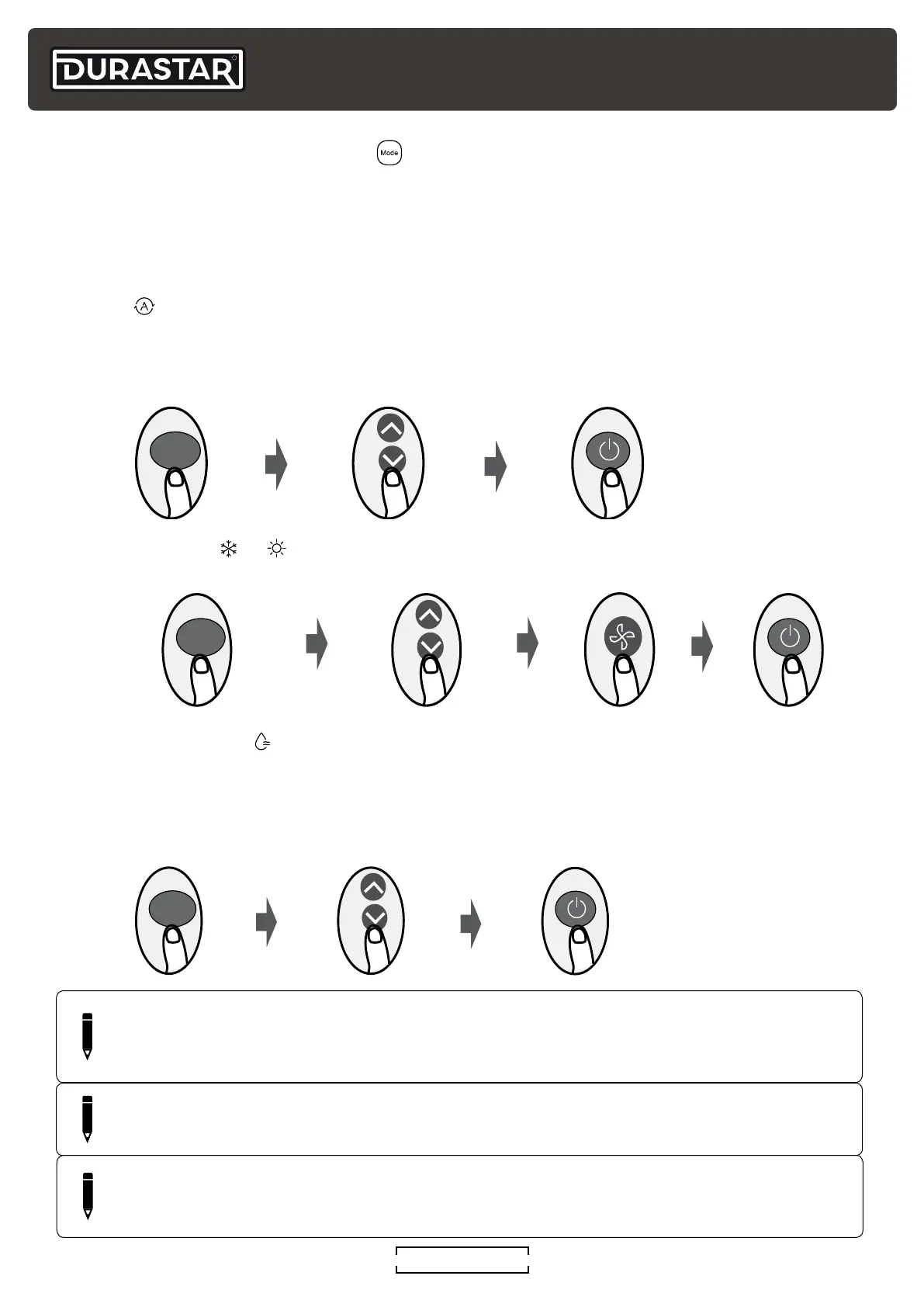
AUTO ( )
In AUTO mode, the unit will automatically select the COOL, FAN, HEAT, or DRY modes to maintain
the set temperature. In AUTO mode, the fan speed cannot be set.
COOL or HEAT ( or )
DRY/DEHUMIDIFY (
)
In DRY mode, the fan runs continuously on low speed. The unit will operate continuously until it
reaches 50°F (10°C), at which time it will turn off. DRY mode operation will then resume once the
room temperature reaches 54°F (12°C).
1. Select AUTO mode 2. Set desired temperature 3. Turn on air conditioner
MODE
1. Select COOL or HEAT mode
2. Set desired temperature 4. Turn on air conditioner3. Set fan speed
MODE
1. Select DRY mode 2. Set any temperature 3. Turn on air conditioner
MODE
( )
NOTE
*For this series of mini-splits, changing the temperature in DRY mode does not deviate
performance from the above mode description.



 To Next Page