18
3.3 Magnetic key
The magnetic key is used to select all the functions of the electronic urinal, by holding it in front
of the right-hand control unit sensor.
3.4 Factory settings (defaults)
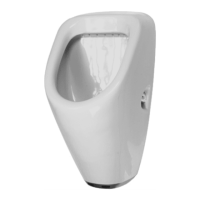
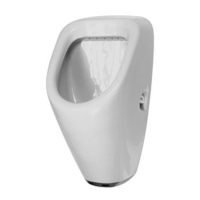
The electronic urinal has the following factory settings:
Settings Time
Detection time/dwell time: 9seconds
Flush duration (full flush): 7seconds
Flush duration (reduced flush):
50% of full flush,
5seconds minimum
3.5 Flushing programmes
Full flush approx. 2.1litres at 3.5bar flow pressure
Reduced flush approx. 1.5litres at 3.5bar flow pressure
The flush volume depends on the pressure and cross-sectional build of the pipe.
Standard (P1)
The Standard flushing programme is set in the factory and is suitable for locations where a full
flush is required after each use.
Vario (P2)
The Vario flushing programme adjusts the flush volume to the frequency of use. It has 2 available
operating modes. The Vario flushing programme is suitable for hotels, restaurants, exhibition
halls, airports and other public facilities.
Operating mode 1
While the urinal is used fewer than 3times every 30minutes, the full flush is triggered after each
use.
Operating mode 2
If the urinal is used 3 or more times every 30minutes, the third use will trigger a reduced flush.
If the urinal is not used for 120minutes, then a full flush will be triggered after the next time it is
used, and operating mode1 will be reactivated.
3.6 Service programmes
5-minute flush stop (S1)
In order to manually clean the electronic urinal, the flushing programme is deactivated for 5min-
utes. Then a full flush occurs and the chosen flushing programme is reactivated.
Intermittent flushing (S2)
In order to allow e.g. a descaling product time to work, the flushing programme is deactivated for
2minutes. Then 5flush cycles occur within 10minutes, with a reduced flush every 2minutes. The
final flush is a full flush and then the chosen flushing programme is reactivated.
4. Start-up
To prevent the control unit from being activated unchecked, the stickers on the sensors must
be left on until the electronic urinal is started up.
4.1 Activating the control unit
> Pull off the stickers on the sensors.
The start-up mode will then be active for 5minutes.
> Hold your hand in front of both sensors, a slight distance away from them.
1 short signal tone will sound and then the control unit will be activated.
> Now move away and take away any objects in the control unit’s range.


 To Next Page
 Loading...