EasyManua.ls Logo

DURAVIT SensoWash i Lite - User Manual

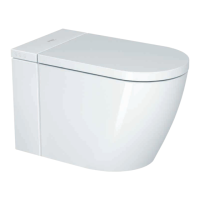
DURAVIT SensoWash i Lite
103 pages
Print Icon
To Next Page IconTo Next Page
Loading...
SensoWash
®
i Lite
Operating instructions
Manual de instrucciones
Notice d’utilisation
Integrated shower toilet
Inodoro con lavado integrado
Toilette à douche intégrée

Table of Contents

Questions and Answers

  • J
    Jonathan CaldwellAug 19, 2025
    What to do if DURAVIT SensoWash i Lite Plumbing Product does not flush?
    • J
      John GarciaAug 19, 2025
      If your DURAVIT Plumbing Product doesn't flush, first check if the stop valve is closed and open it. If the issue persists, there might be a power or water supply failure. In this case, pour a bucket of water (8 l / 2 gal) into the toilet, adding more if the water level is too low. If problems persist, contact help@duravit.com.
  • H
    hernandezbenjaminAug 21, 2025
    How to fix DURAVIT Plumbing Product seat heating not working?
    • M
      Mr. Marc GlennAug 21, 2025
      If the seat heating on your DURAVIT Plumbing Product isn't working, make sure that the seat heating is activated.
  • M
    michelledayAug 25, 2025
    What to do if icons on DURAVIT SensoWash i Lite Plumbing Product remote control are flashing?
    • J
      James RobertsonAug 25, 2025
      If the icons on your DURAVIT Plumbing Product remote control are flashing during operation, it likely means the batteries are running low. Replace the batteries to resolve this issue.
  • M
    Mariah ParrishAug 26, 2025
    Why is the water spray intensity too weak on my DURAVIT SensoWash i Lite?
    • D
      Denise CarterAug 26, 2025
      If you're experiencing a weak water spray intensity with your DURAVIT Plumbing Product, it's possible the water spray intensity is set too low. Try adjusting the water spray intensity to medium or high. If the issue continues, contact help@duravit.com, as it may be due to a water supply defect.
  • D
    Danielle CowanAug 28, 2025
    Why doesn't the auto flush work on my DURAVIT SensoWash i Lite Plumbing Product?
    • B
      Brandon WalkerAug 28, 2025
      If the auto flush feature isn't working on your DURAVIT Plumbing Product, ensure that the auto flush is activated. Also, check if the seat sensor is dirty or wet and clean the surface. The auto flush only activates when someone is seated for more than 6 seconds.
  • T
    Todd KimAug 30, 2025
    How to fix no water spray from DURAVIT SensoWash i Lite?
    • M
      Mary ClarkAug 30, 2025
      If you're not getting any water spray from the spray wand of your DURAVIT Plumbing Product, the spray nozzle may be clogged, so you should clean it. Also, make sure the seat sensor is making contact by sitting down and selecting the function again.
  • N
    Nicholas PattersonSep 1, 2025
    Why doesn't the remote control work for my DURAVIT SensoWash i Lite?
    • J
      jeremymooreSep 1, 2025
      If the remote control for your DURAVIT Plumbing Product isn't working, first check if batteries are inserted. If not, insert batteries. If the remote still doesn't work, contact help@duravit.com, as the remote control may be defective.
  • J
    jaguilarSep 3, 2025
    How to fix unstable water spray intensity on DURAVIT Plumbing Product?
    • J
      James JohnsonSep 3, 2025
      To address unstable water spray intensity in your DURAVIT Plumbing Product, start by cleaning the water filter.
  • J
    Jose JacksonSep 5, 2025
    What to do if DURAVIT SensoWash i Lite Plumbing Product is leaking water?
    • D
      daviskevinSep 6, 2025
      If your DURAVIT Plumbing Product is leaking water, immediately close the main valve for the water supply and disconnect the power supply. Then, contact help@duravit.com.
  • A
    Ann Young MDSep 7, 2025
    What to do if DURAVIT Plumbing Product unit does not work?
    • M
      Melissa FlowersSep 8, 2025
      If your DURAVIT Plumbing Product isn't working, first ensure the seat unit is switched on (the LED should be illuminated) by activating SensoWash®. If the LED is red, the unit is in standby mode, so switch SensoWash® on.

Summary

Brief Overview

Toilet Unit

Identifies and lists key components of the toilet unit.

Remote Control

Details the components and functions of the remote control device.

App

Lists the functions and features available through the companion mobile application.

Functional Area

Illustrates and labels the functional parts of the shower toilet, such as the spray wand.

Right Product Side

Shows and labels external components located on the right side of the toilet unit.

Left Product Side

Illustrates and labels external components located on the left side of the toilet unit.

Description of Symbols

For Your Safety

Normal Use

Describes the intended and proper usage of the SensoWash® shower toilet.

Safety Instructions

Provides critical safety guidelines and warnings for the user to prevent hazards.

Basic Product Information

About This Manual

Outlines the content and purpose of the operating instructions manual.

Operation

Explains how the SensoWash® can be operated using the remote control and the companion app.

LED Indication

Details the meaning of different LED lights on the seat unit for status and error indication.

Initial Operation

Activate; Deactivate SensoWash

Guides on how to turn the SensoWash® unit on and off using the main switch.

Switch SensoWash On; Off

Explains the procedure to activate or deactivate the SensoWash® using the side control button.

Download App

Instructions on how to find and download the SensoWash® mobile application from app stores.

Pairing App

Steps involved in connecting the SensoWash® unit to the mobile app via Bluetooth.

Remote Control (Batteries)

Instructions for inserting and replacing batteries in the remote control unit.

Operating

Activate Full Flush

Details how to activate the full flush function for maximum water consumption.

Activate Eco Flush

Explains how to use the eco flush function for reduced water consumption.

Activate; Deactivate Rearwash

Guides on activating and deactivating the rear cleansing function.

Activate; Deactivate Ladywash

Provides instructions for the feminine cleansing function.

Activate; Deactivate Warm Air Dryer

Explains how to use the warm air dryer function for drying after washing.

Adjust Spray Wand Position

Details how to adjust the position of the spray wand for optimal use.

Adjust Water Spray Intensity

Guides on modifying the intensity of the water spray for comfort.

Adjust Water Temperature

Explains how to set the desired water temperature for washing functions.

Adjust Seat Heating Temperature

Details how to adjust the seat heating temperature for comfort.

Cleaning and Care

Cleaning

Provides recommendations and methods for cleaning the different parts of the SensoWash® unit.

Care

Outlines special care procedures such as manual cleaning, self-cleaning, and holiday mode.

Disposal

Troubleshooting Support

Technical Data

DURAVIT SensoWash i Lite Specifications

General IconGeneral
ColorWhite
Water Temperature ControlYes
Heated SeatYes
Remote ControlYes
Cleaning FunctionYes
Drying FunctionYes
RearwashYes
LadywashYes
Oscillating SprayYes
Adjustable Spray Wand PositionYes
Adjustable Spray IntensityYes
Warm Air DryerYes
RimlessNo
Automatic ActuationNo
Energy Saving ModeYes
Water Pressure ControlYes
Nozzle Position AdjustmentYes
MaterialPlastic
InstallationWall-mounted

Related product manuals