63
6.1.2. Regeneration mode
6.1. Display overview
6.1.1. Service mode
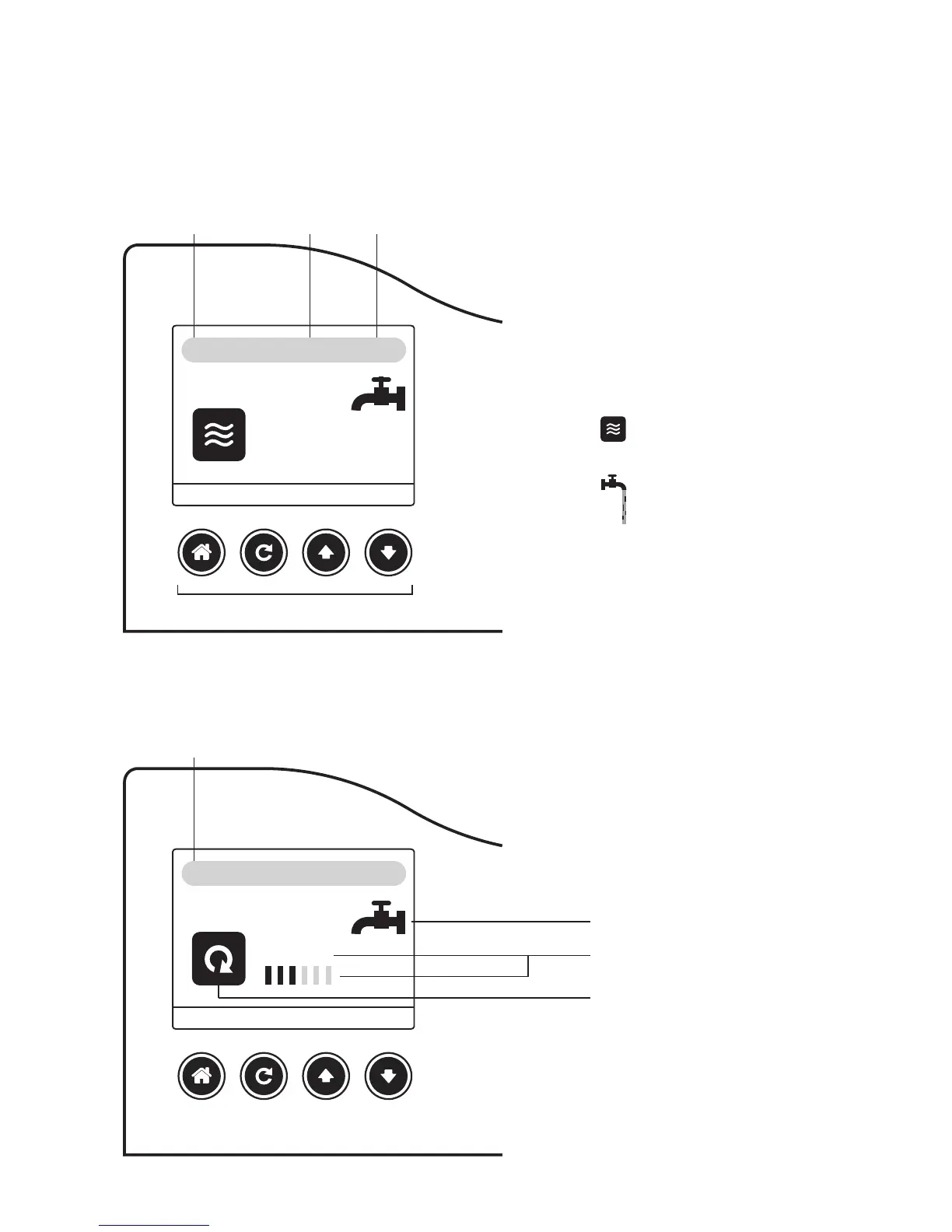
Your display shows you:
X %: the remaining capacity of
the water to be treated by your
water softener is expressed in %.
Date and time
This icon tells you that your water
softener is in service mode: the
water is being softened
This icon tells you that water is
being drawn by your sanitary
installation
Remaining capacity
of the water softener
Remaining capacity
at 0%
Date
Phase 3/6
Time
The symbol can indicate
a water taking even during
regeneration
Number of phase
Current phase
100%
0%
MENU REGEN UP DOWN
MENU REGEN UP DOWN
Keys
17-08-16
17-08-16
10:03
10:03
ENGLISH



 To Next Page