65
Tap or to change the parameter value
encoded before tapping to validate and
proceed to the next parameter.
Tap to return to the User Menu.
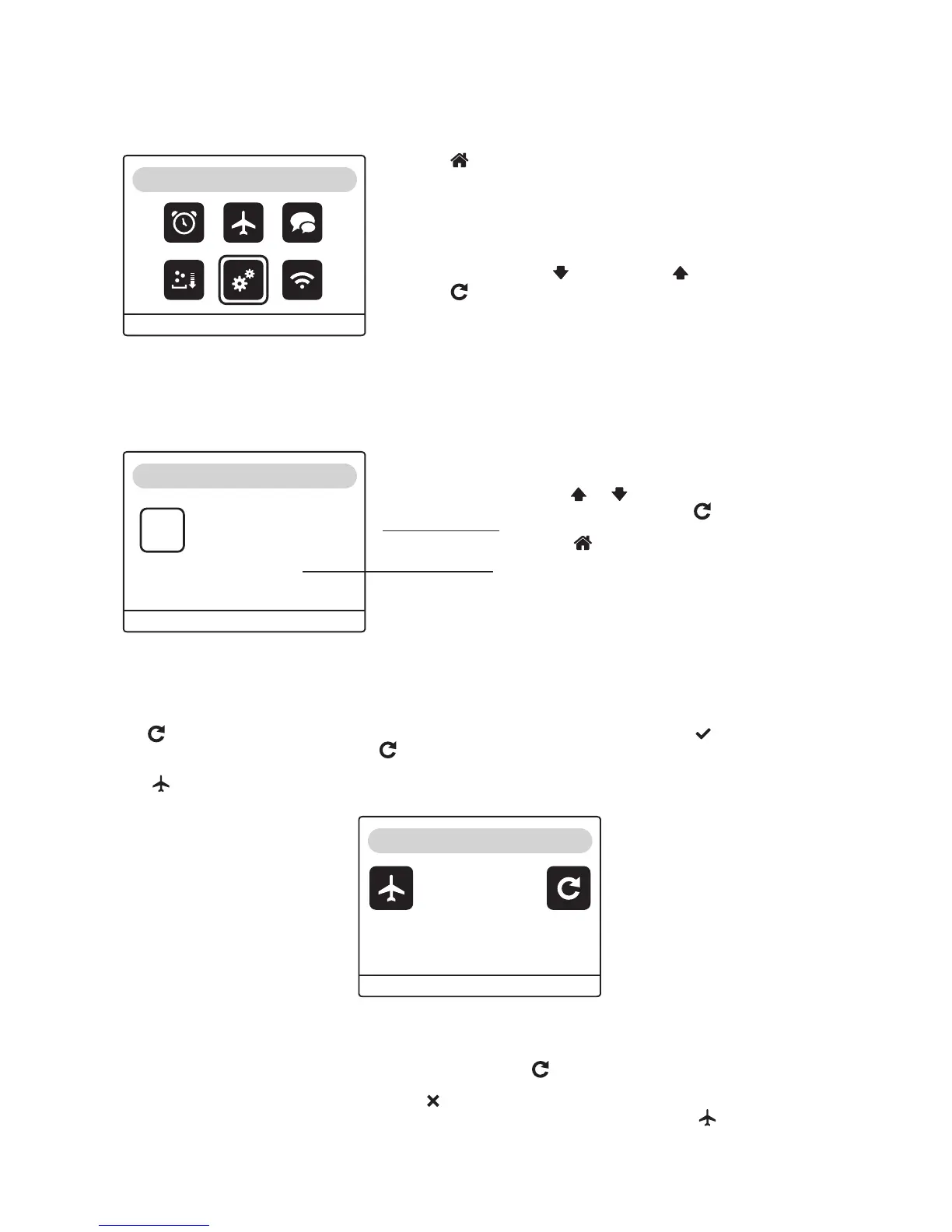
Tap , a dialogue box will appear, asking you whether you wish to switch to holiday mode. Icon will have been
selected once the white frame appears. Tap to validate your selection. Regeneration will be triggered automatically and
block the water softener in phase 4.
Icon will appear on the display. Do not unplug or disconnect the water softener unless the following message appears.
6.4.1. Date and time
6.4.2. Holiday mode
6.4. User menu
Tap to access the User Menu. Via this menu, you can adjust the
time and date, language, activate the holiday mode, the SALT alert and
change the water softener and connectivity settings.
A white frame around an icon means that it has been selected success-
fully.
To select an icon, tap (to move left) or (to move right).
Tap to access the subprogram you have selected.
The purpose of «holiday mode» is to stop the water softener while keeping it protected. While in holiday mode, the device
does not use any water or power.
To restart the water softener, plug it in and reconnect it again and tap
Regeneration will resume its cycles, phases 5 and 6. Your water softener will once again be in service mode.
If you do not wish to switch to «holiday mode», tap . You will end up in the main screen again:
You cannot switch the system to «holiday mode» while it is regenerating. The «holiday mode» icon will be inactive.
MENU REGEN UP DOWN
MENU
MENU REGEN UP DOWN
17 - 08 - 16
10 : 03
Date and time
Day - month - Year
Time - Minutes
To cancel holiday mode:
tap
0%
MENU REGEN UP DOWN
17-08-16 10:03
ENGLISH



 To Next Page