15
Start The Measurement
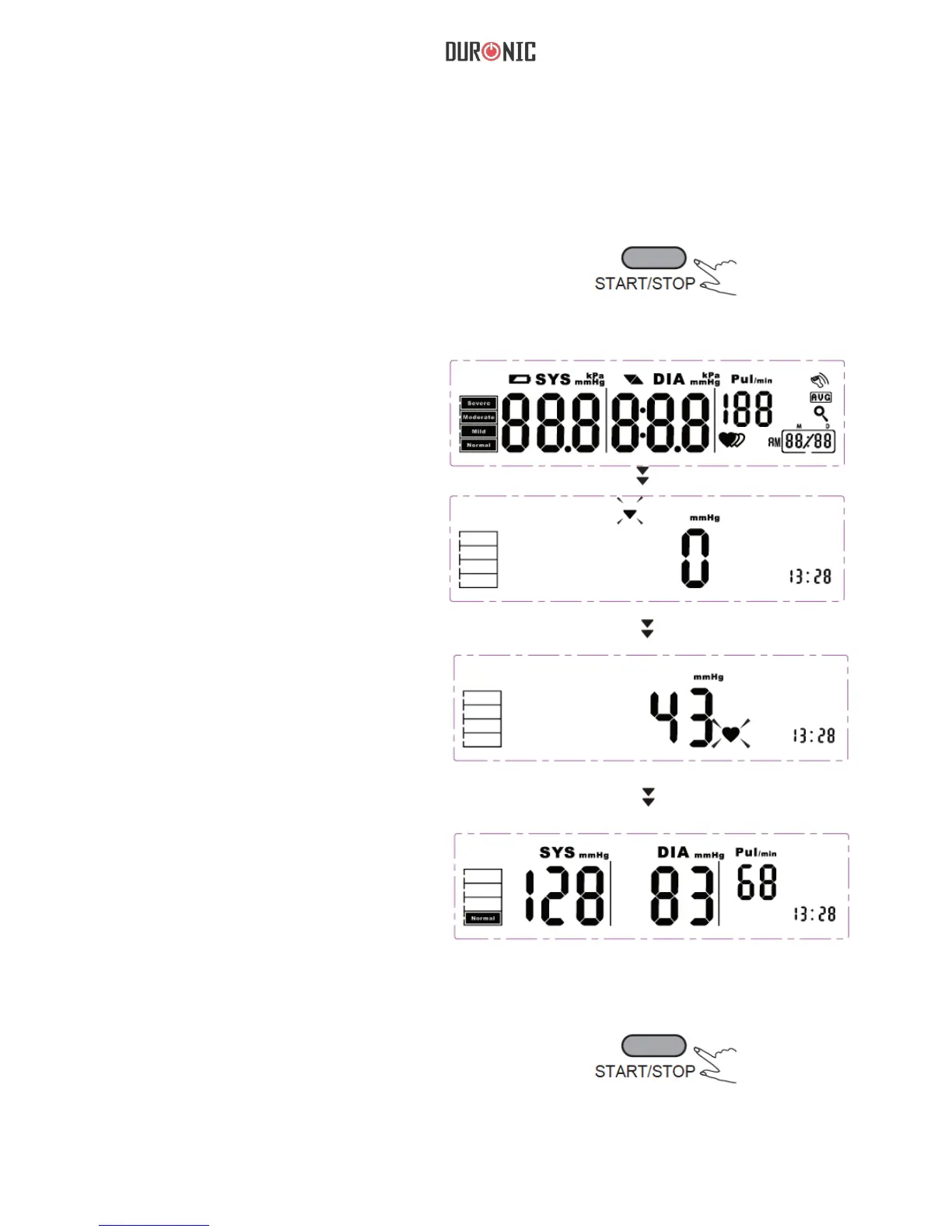
1. Press the “START/STOP” to turn on
the monitor, and it will nish the whole
measurement automatically.
LCD display
Adjust to zero
automatically.
Inating and
measuring
automatically.
Display and save the
results automatically.
2.Press the “START/STOP” to
power off, otherwise it will turn
off automatically within 1 minute.


 To Next Page