17
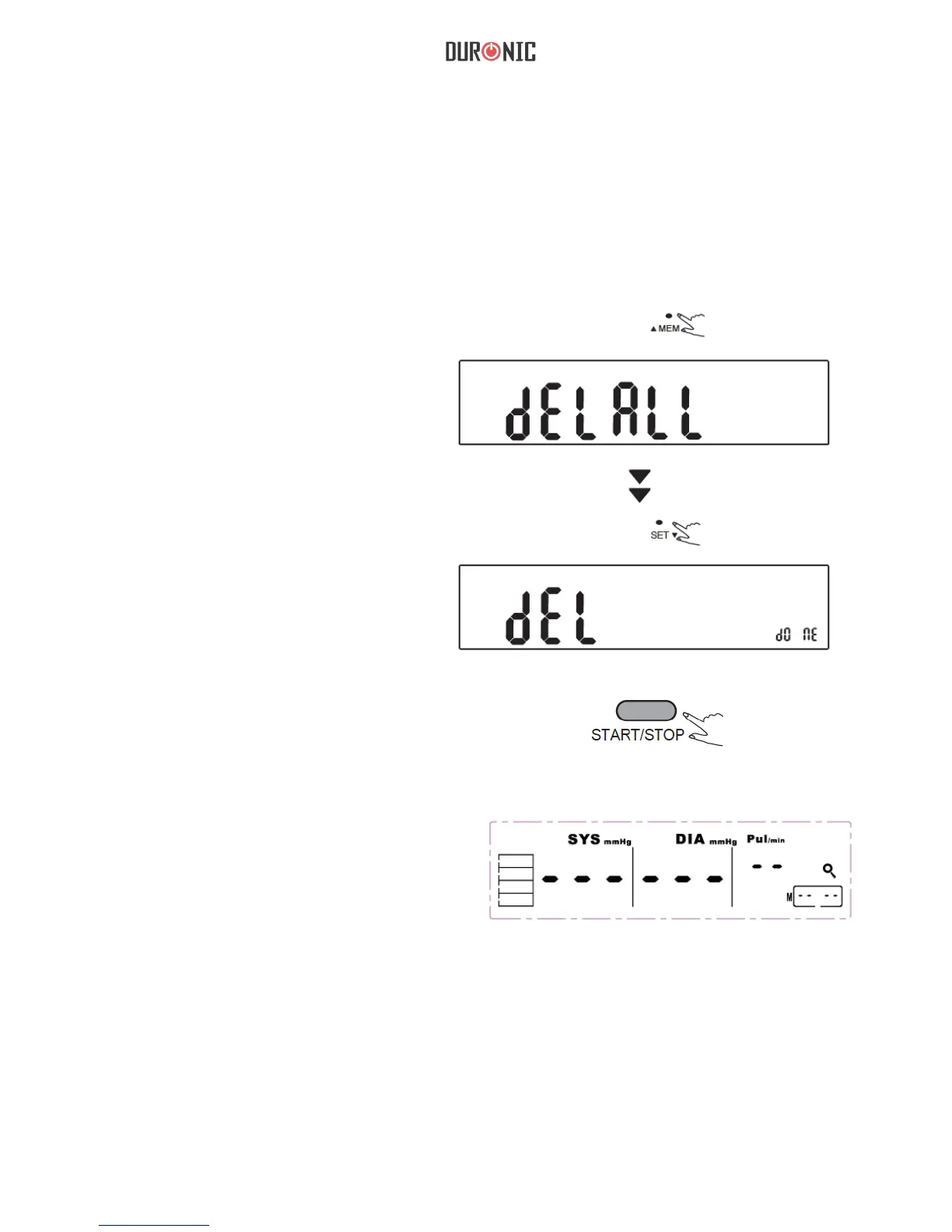
Deleting a measurement record from memory
1.Press and hold
“MEM” for 3
seconds ,the ash
display will show.
2.Press “SET” to
conrm deleting and
the monitor will turn
off automatically.
3.If you do not want to delete the
records, press “START/STOP” to
escape.
4. If there is no record.
the right display will
show.
If you did not get the correct measurement, you can delete all results by
following steps below.


 To Next Page