EasyManua.ls Logo

duxtop 9600LS - User Manual

duxtop 9600LS
20 pages
Print Icon
To Next Page IconTo Next Page
Loading...
User Manual
Model: BT-200DZ
Model: 9600LS
Model: 9610LS
SN: 52WD

Questions and Answers

  • A
    andrew90Aug 16, 2025
    How to fix a duxtop 9600LS Cooktop when the power light doesn't turn on?
    • M
      Mrs. Candace Hawkins MDAug 16, 2025
      If the power indicator light does not illuminate red after plugging in your duxtop Cooktop, the plug may be loose in the electrical outlet, or the circuit breaker may be inoperative or tripped.
  • L
    Latasha JenkinsAug 19, 2025
    What to do if my duxtop 9600LS shows error code E2?
    • B
      Benjamin DaltonAug 19, 2025
      Error code E2 indicates that the cooking surface temperature has exceeded 460 degrees F (238 °C), causing the unit to shut down automatically as a safety feature. This usually happens in POWER Mode when the cookware bottom is too hot. Extremely high temperatures could damage your cookware and cooktop. If this happens during frying or sautéing, switch to TEMPERATURE Mode. If it happens while boiling water, unplug the unit, wait 10 minutes for it and the cookware to cool, then reconnect the cord. Turn the unit back on, ensure the fan starts, and make sure the unit is at least 4” away from any obstructions.
  • J
    John ChavezAug 22, 2025
    What to do if my duxtop 9600LS shows error code E1?
    • S
      Sean JonesAug 22, 2025
      If your duxtop cooktop displays error code E1, it means there's excessive high temperature, a cooking fan malfunction, or inadequate ventilation. To resolve this, unplug the cooktop from the electrical outlet. Ensure proper ventilation by making sure the fan is at least 4” away from any obstruction. Wait 10 minutes for the cooktop and cookware to cool down, and then plug it back into a 120V electrical outlet. Turn the unit back on and listen for the fan to make sure it is running.
  • J
    James GalvanAug 25, 2025
    What to do if my duxtop 9600LS shows error code E0?
    • J
      Jennifer RochaAug 25, 2025
      Error code E0 on your duxtop cooktop indicates that no cookware is detected, incompatible cookware is being used, or the cookware is not centered on the COOKWARE ALIGNMENT GUIDE. If no cookware is on the cooktop, place cookware on the top within 1 minute. If incompatible cookware is detected replace it with proper cookware. If the cookware is misaligned, move it within the COOKWARE ALIGNMENT GUIDE. The unit will shut down automatically after 1 minute if none of these actions are taken.
  • J
    Joshua HamiltonAug 28, 2025
    Why does my duxtop 9600LS Cooktop switch from Power mode to Temperature mode automatically?
    • M
      Melvin JohnsonAug 28, 2025
      The duxtop Cooktop automatically switches from Power mode to Temperature mode (140 degrees F) as a safety feature when the cookware overheats under Power mode. For information about when to use Power mode or Temperature mode, please refer to Section 4 - POWER MODE VS. TEMPERATURE MODE in this manual.
  • C
    Christopher BrownAug 31, 2025
    What to do if my duxtop Cooktop shows error code E3?
    • R
      Robin LeeAug 31, 2025
      If your duxtop cooktop displays error code E3, it means the voltage input is too high or too low, causing the unit to shut down after 1 minute. To fix this, unplug the cord from the electrical outlet. Verify the voltage is 110/120V AC with a voltage tester. If it's not correct, switch to a different electrical outlet with the proper voltage level before using the unit.
  • C
    Catherine BrownSep 3, 2025
    What to do if the power indicator light is lit, but the fan is not running, nor is the cookware heating up on my duxtop 9600LS?
    • D
      david10Sep 3, 2025
      If the power indicator light is lit, but the fan isn't running and the cookware isn't heating up on your duxtop cooktop, try the following: * Press the “MENU” button. * Ensure you are using the correct type of cookware (magnetic). * Make sure the pan is centered correctly on the COOKTOP ALIGNMENT GUIDE. * Check if the COOKTOP SURFACE may be cracked.
  • N
    nortonbrandonSep 6, 2025
    Why does my duxtop 9600LS suddenly stop heating and shut down?
    • J
      John SmithSep 6, 2025
      Your duxtop Cooktop may stop heating and shut down for several reasons: * The overheating sensor may have detected an excessively high surface temperature because you were heating empty cookware or cooking at a high power setting for too long. * A blocked COOL AIR INLET & FAN or WARM AIR OUTLET may have caused the cooktop to overheat. * The unit may have been unplugged while in use. * The fuse or circuit breaker may have tripped during use. Avoid plugging other appliances into the same circuit while using the cooktop.
  • A
    angela65Sep 9, 2025
    What to do if the power light is on but the duxtop 9600LS Cooktop isn't heating up?
    • J
      Justin SimmonsSep 9, 2025
      If the power indicator light is on but the fan isn't running and the cookware isn't heating up on your duxtop Cooktop, consider the following: * Ensure you've pressed the “MENU” button. * Verify you are using the correct type of cookware (magnetic). * Make sure the pan is centered correctly on the COOKTOP ALIGNMENT GUIDE. * Check if the COOKTOP SURFACE is cracked.
  • M
    Mark AndersonSep 12, 2025
    Why does my duxtop Cooktop switch from power to temperature mode automatically?
    • J
      Jacqueline HansenSep 12, 2025
      The duxtop Cooktop automatically switches from Power mode to Temperature mode as a safety feature when the cookware is overheated under Power mode. The unit switches to Temperature mode (140 degrees F). If the temperature is too low, it may not cook your food properly, if the temperature is too high, it may burn your food. Once in Temperature mode you can adjust the temperature to the appropriate setting that fits your cooking task.

Summary

Important Cautions, Warnings and Safeguards

Parts Identification

Selecting the Proper Cookware

Operating Instructions

Operation Modes

Details the Power and Temperature Modes for efficient cooking and their functions.

Additional Preset Function Buttons

Explains the LOCK, BOIL, and KEEP WARM preset function buttons for enhanced control.

Power Mode vs. Temperature Mode

Compares Power and Temperature modes for optimal cooking performance and safety.

10-Hour Automatic Timer

Guides on using the automatic timer for setting cooking durations up to 10 hours.

Care and Maintenance

Troubleshooting Guide & Customer Service

Error Code Guide

Explains common error codes (E0, E1, E2, E3) and their remedies.

Commonly Asked Questions

Specifications

Disposal

Contact

Manufacturers Limited Warranty

Overview

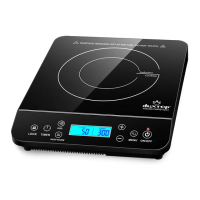
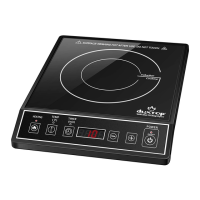
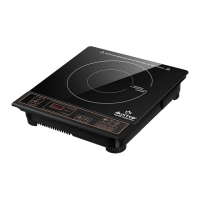
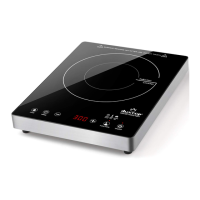
The duxtop Induction Cooktop is a portable cooking appliance designed for efficient and precise cooking. It utilizes induction technology, which directly heats compatible cookware through electromagnetic fields, offering several advantages over traditional electric or gas cooktops.

Function Description

The primary function of the duxtop Induction Cooktop is to provide a fast, energy-efficient, and controlled cooking experience. It operates by generating an electromagnetic field that induces heat directly within the base of ferrous magnetic cookware. This method ensures that the cooktop surface itself remains relatively cool, with heat only transferred from the hot cookware to the glass surface directly beneath it.

The cooktop offers two main operating modes: Power Mode and Temperature Mode, allowing users to choose the most suitable setting for their cooking task. In Power Mode, the unit generates a specific wattage, directly correlating to the amount of heat produced. This mode is ideal for tasks requiring rapid heating or boiling. Users can adjust power levels from 0.5 to 10, with a default setting of 5.0. Higher power levels increase cooking speed.

Temperature Mode is designed for precise temperature control, where the cooktop maintains a specific cooking temperature once the cookware reaches it. This mode is particularly useful for frying, sautéing, or simmering, where consistent heat is crucial. The default temperature setting is 300°F, and users can adjust it through 20 settings ranging from 100°F to 460°F (37.8°C to 238°C). The cooktop's built-in microprocessor monitors and regulates the cookware temperature to prevent overheating. In some cases, if the cookware overheats in Power Mode, the unit may automatically switch to Temperature Mode as a safety mechanism.

An automatic 10-hour timer is integrated into the cooktop, usable with both Power and Temperature modes. This feature allows users to set a specific cooking duration, after which the unit will beep and turn off. The timer can be set in minutes and hours, with options for rapid increase or decrease. If no button or key is pressed for 120 minutes, the unit will automatically shut down as a safety compliance feature.

The cooktop also includes several preset function buttons for added convenience:

  • LOCK: This button locks out all other buttons, preventing accidental changes to cooking and timer settings. The ON/OFF button remains functional for safety.
  • BOIL: Pressing this button automatically sets the unit to Power Mode level 10 and activates the timer for 10 minutes, designed for quickly boiling water.
  • KEEP WARM: This function sets the unit to Temperature Mode at 140°F with a 30-minute timer, ideal for keeping food warm after cooking.

Usage Features

To ensure optimal performance and safety, the duxtop Induction Cooktop requires compatible cookware. The general rule is that if a magnet sticks to the bottom of the cookware, it is suitable for induction cooking. Compatible materials include cast iron, iron, magnetic steel, enameled iron, and stainless steel with a magnetic bottom. The cookware bottom must be flat, have a minimum diameter of 5 inches, and touch the cooktop surface or rise no more than 1 inch above it. Non-magnetic materials like glass, ceramic, copper, aluminum, and non-magnetic stainless steel (18/10, 18/8) are not suitable.

Before operation, the cooktop should be placed on a dry, stable, level, and non-combustible, non-metallic surface, ensuring at least 4 inches of space around it for proper ventilation. It operates on a standard 110/120V electrical outlet with a 15 amp capacity, and it is recommended to use a dedicated outlet due to its high power draw.

The cooking process is straightforward:

  1. Plug in the power cord; the unit will "Beep," and the POWER INDICATOR light will illuminate red.
  2. Ensure compatible cookware with ingredients is centered on the COOKWARE ALIGNMENT GUIDE.
  3. Press the "ON/OFF" button to turn the unit on. The COOL AIR FAN will start, and the LCD display will show dashes.
  4. Press the "MENU" button to activate the cooktop at the default power setting of 5.0.
  5. Adjust power or temperature settings using the + or – buttons as needed, or select a preset function like BOIL or KEEP WARM.
  6. After cooking, press the "ON/OFF" button to turn the unit off. The LCD screen will turn off, but "HOT" will display, and the COOL AIR FAN will continue to run until the unit has cooled.

The cooktop is designed with safety in mind, including an overheating sensor that will shut down the unit if excessively high surface temperatures are detected, such as when heating empty cookware or cooking at high power for too long. It also features error codes (E0, E1, E2, E3) displayed on the LCD to help diagnose and resolve common operational issues, such as incompatible cookware, fan malfunctions, or voltage irregularities.

Maintenance Features

Maintaining the duxtop Induction Cooktop is simple and helps prolong its lifespan. The cooktop surface is easy to clean:

  • Use a moist cloth with a mild liquid detergent to wipe off grease and stains.
  • Allow the surface to dry completely after cleaning.
  • Protect the cooktop from dust by covering it when not in use.

Several actions should be avoided during maintenance and use to prevent damage and ensure safety:

  • Do not clean the cooktop surface with metal scouring pads, abrasives, or solvents.
  • Never immerse the cord or the cooktop unit in water or other liquids.
  • Do not clean the unit while it is plugged in or still hot.
  • Do not store or clean the unit while it is still hot.
  • Avoid placing objects heavier than 25 pounds on the cooktop surface.
  • Do not use the unit if the cooktop surface or power cord is damaged.
  • Keep the cooktop unit away from or on other heat sources.
  • Ensure the cool air inlet and fan are free from blockages to prevent overheating.

The unit is designed for household use only and should not be used for commercial purposes. It is also important to keep objects affected by magnets (e.g., credit cards, radios) at least 10 feet away from the cooktop during operation, and individuals with pacemakers should consult their physician before using the device due to the electromagnetic field it emits.

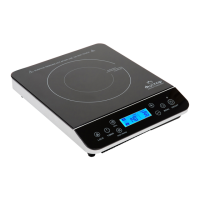
duxtop 9600LS Specifications

General IconGeneral
BrandDuxtop
Model9600LS
TypeInduction Cooktop
Power1800 Watts
Voltage120V
Temperature Range140°F to 460°F
Power Levels20
Control TypeTouch
DisplayDigital
TimerUp to 170 minutes
Safety FeaturesAuto-pan detection, Overheat protection

Related product manuals