69
Chapter 13
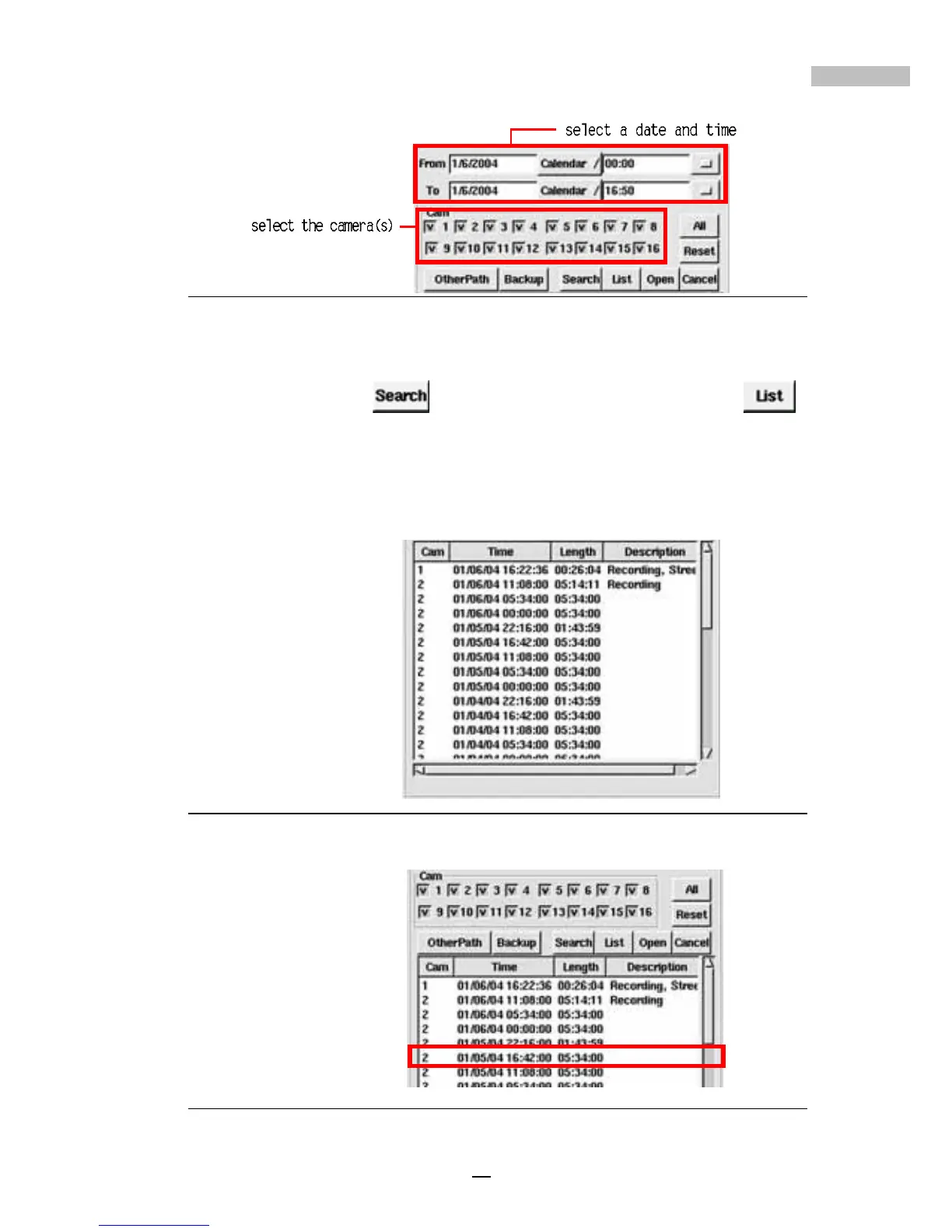
Figure 13-5: Calendar & Camera Selection
3.Select a camera.
4.Click “Search” , to list the desired files, or click “List”
to show all the files.
5.Then the recorded database will be listed on the screen (if the camera
is defined with a name, the name will appear in the “Description”
field).
Figure 13-6: Recording Database
6.Choose the recorded file to play.
Figure 13-7: Camera Selection



 To Next Page