79
Chapter 14Chapter 14
REMOTE SURVEILLANCE
The DVR allows users to view the cameras connected to the DVR and the
recorded file playback remotely through browsers. The DVR system is able
to provide users with all functions available on the Host port. Once you have
set up the local LAN and Internet functionality from the System Window, you
are able to easily and conveniently operate your Digital Video Recorder
remotely.
1.Click the “Setup” icon from the Main Screen of the DVR system ---
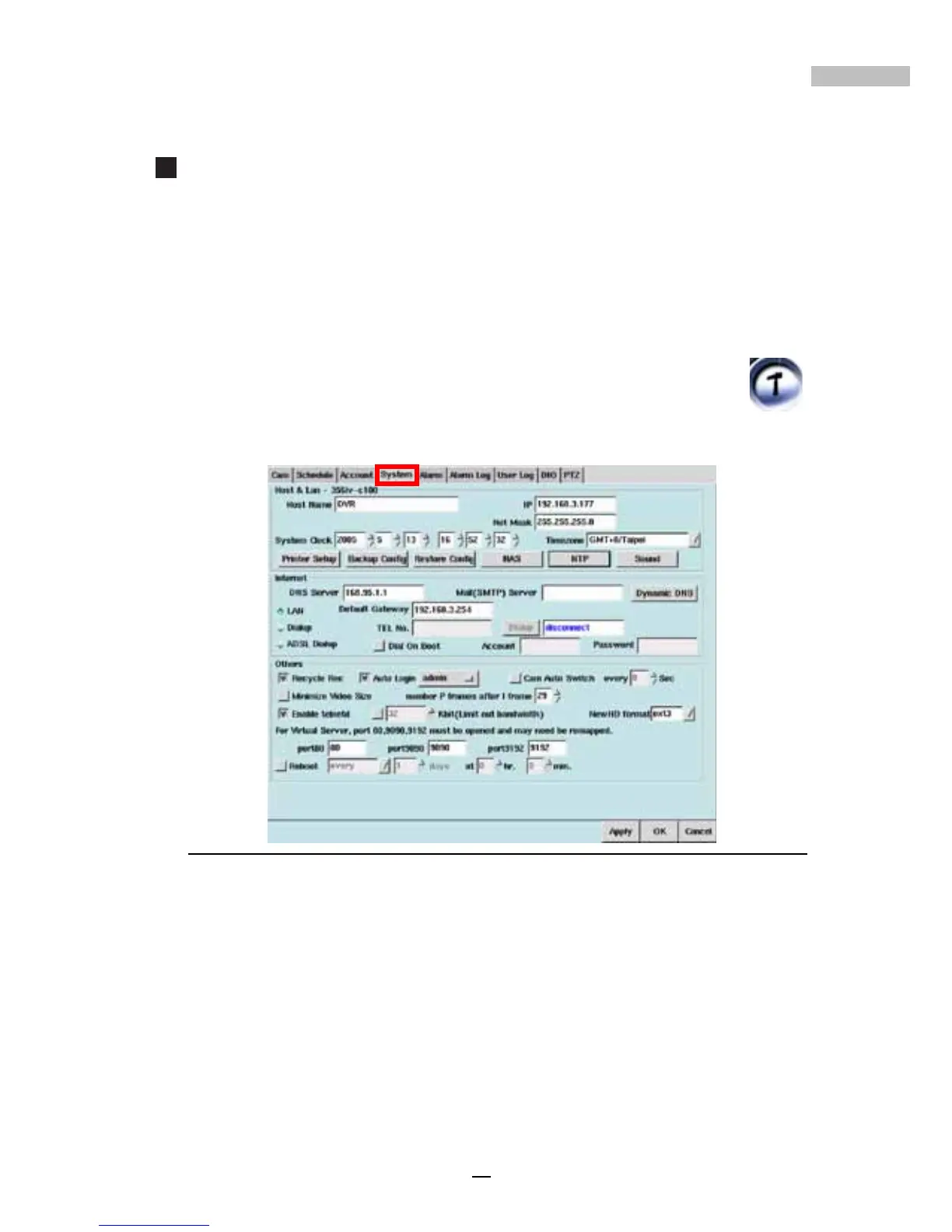
2.Click the “System” Tab.
Figure 14-1: System Tab Screen for LAN Identification
3.Identify your IP address.
4.Open your browser.
5.In the address field enter the IP address.
6.Hit “Enter”. The DVR remote logon window will appear.
7.Under Name enter admin (the default Account for Administrator).
8.Under Password enter admin (the default password).
9.Click Login.



 To Next Page