DVTel CF-4221-00 Fixed IP Camera User & Installation Guide
43
NOTE: Please make the record of the IP Camera’s MAC address, which can be found
in the label of the camera, for identification in the future.
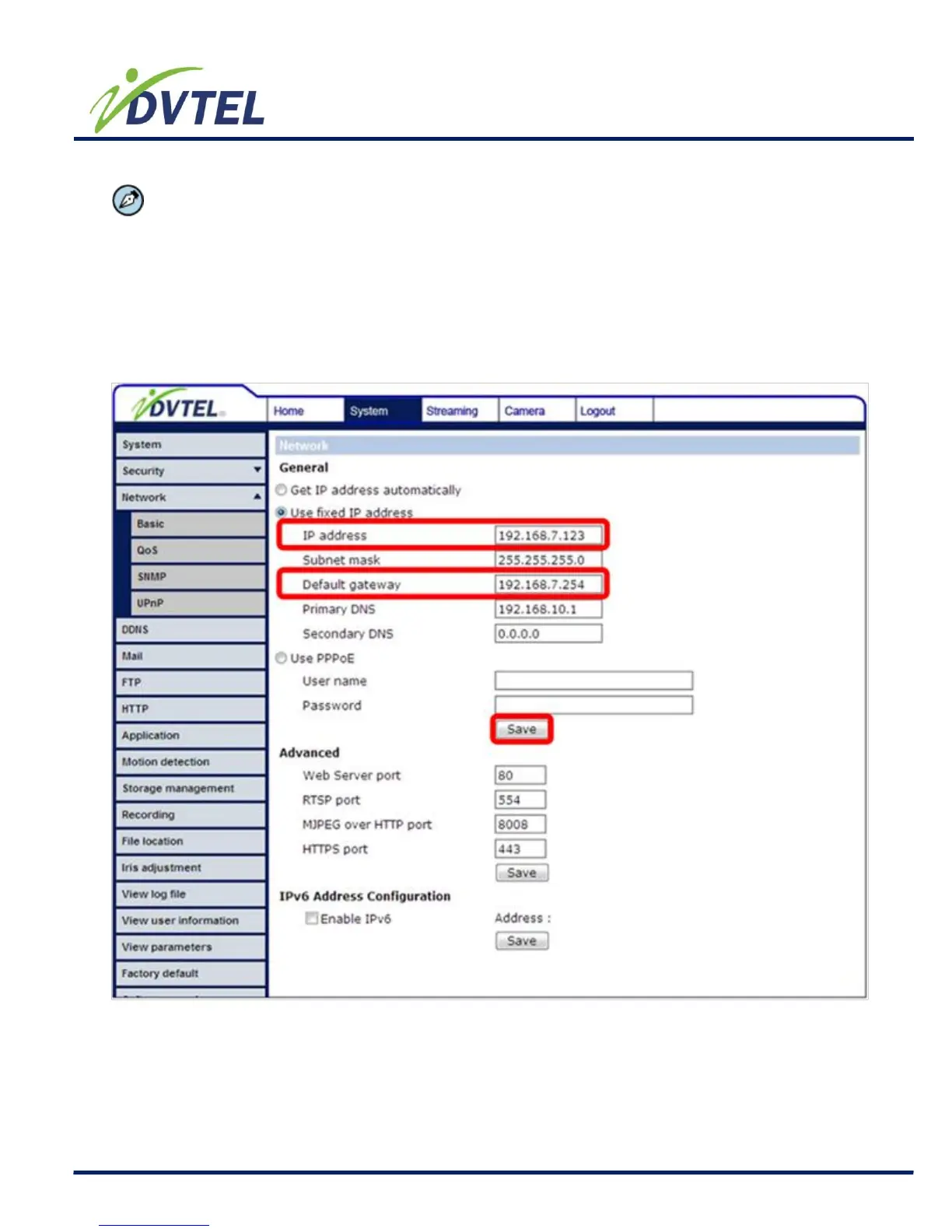
Use fixed IP address
To setup static IP address, select “Use fixed IP address” and move the cursor to the IP
address blank (as indicated below) and insert the new IP address, ex. 192.168.7.123; then
go to the Default gateway (explained latter) blank and change the setting, ex.
192.168.7.254. Press “Save” to confirm the new setting.



 To Next Page