DVTel CF-4221-00 Fixed IP Camera User & Installation Guide
42
6.3.3.1 Basic
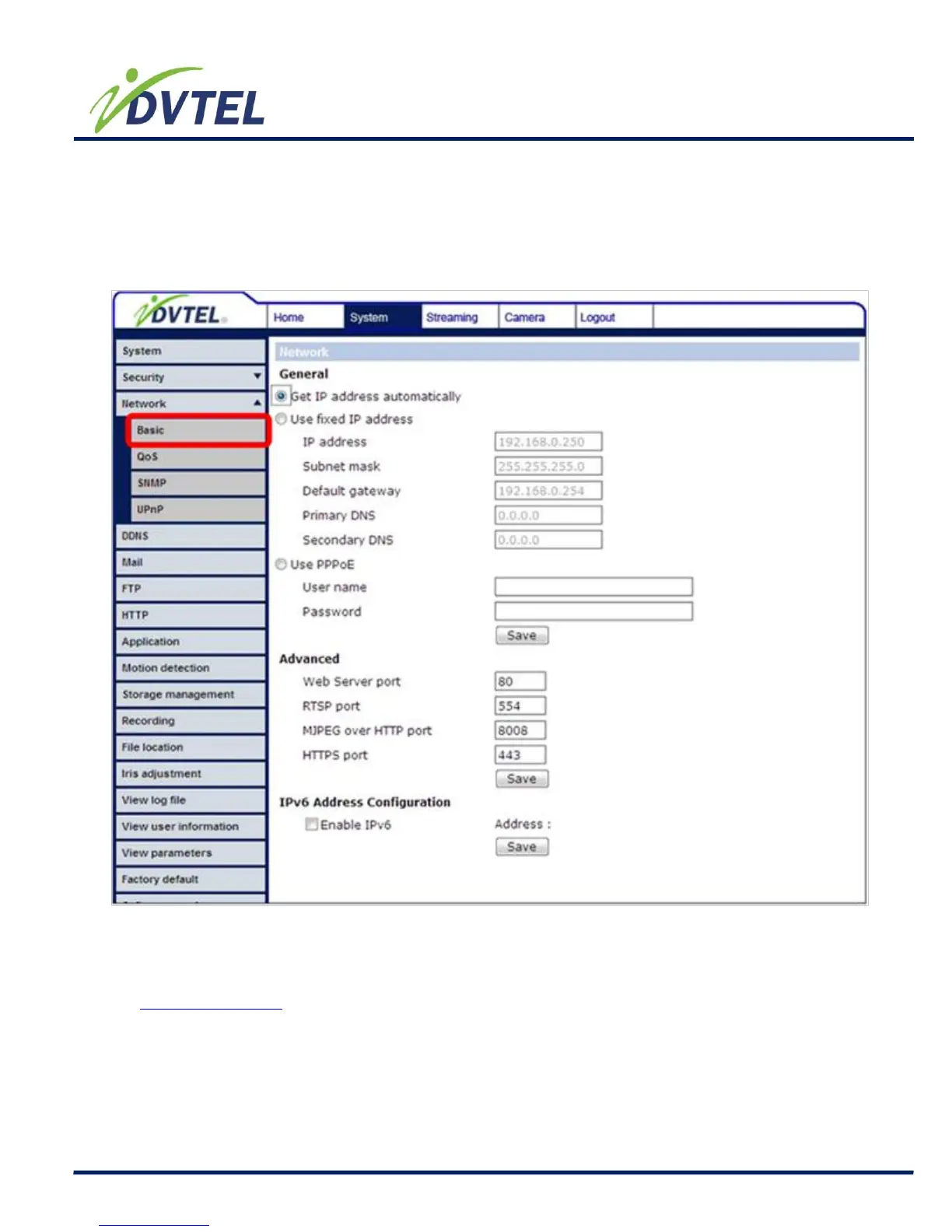
Users can choose to connect to the IP Camera with fixed or dynamic (DHCP) IP address. The
IP Camera also provides PPPoE (Point-to-Point Protocol over Ethernet) support for users who
connect to the network via PPPoE.
Get IP address automatically (DHCP)
The camera’s default setting is “Use fixed IP address”. Please refer to the previous section
Accessing Camera for login with the default IP address.
If select “Get IP address automatically”, after the IP Camera restarts, users can search it
through the installer program: DeviceSearch.exe, which can be found in “DeviceSearch”
folder in the supplied CD.



 To Next Page