Setting Adjustments
Adjusting Conveyor Blower Speed
The Blower controls the amount of cooling air provided to the Lamp Assemblies to keep them at proper
operating temperatures. A small percentage of the cooling air is also diverted downward through the
Conveyor Belt. This air flow provides a small hold-down force to keep light objects from moving while traveling
on the belt. The Exhaust Blower speed is set at the factory during final system testing for the Conveyor model
ordered.
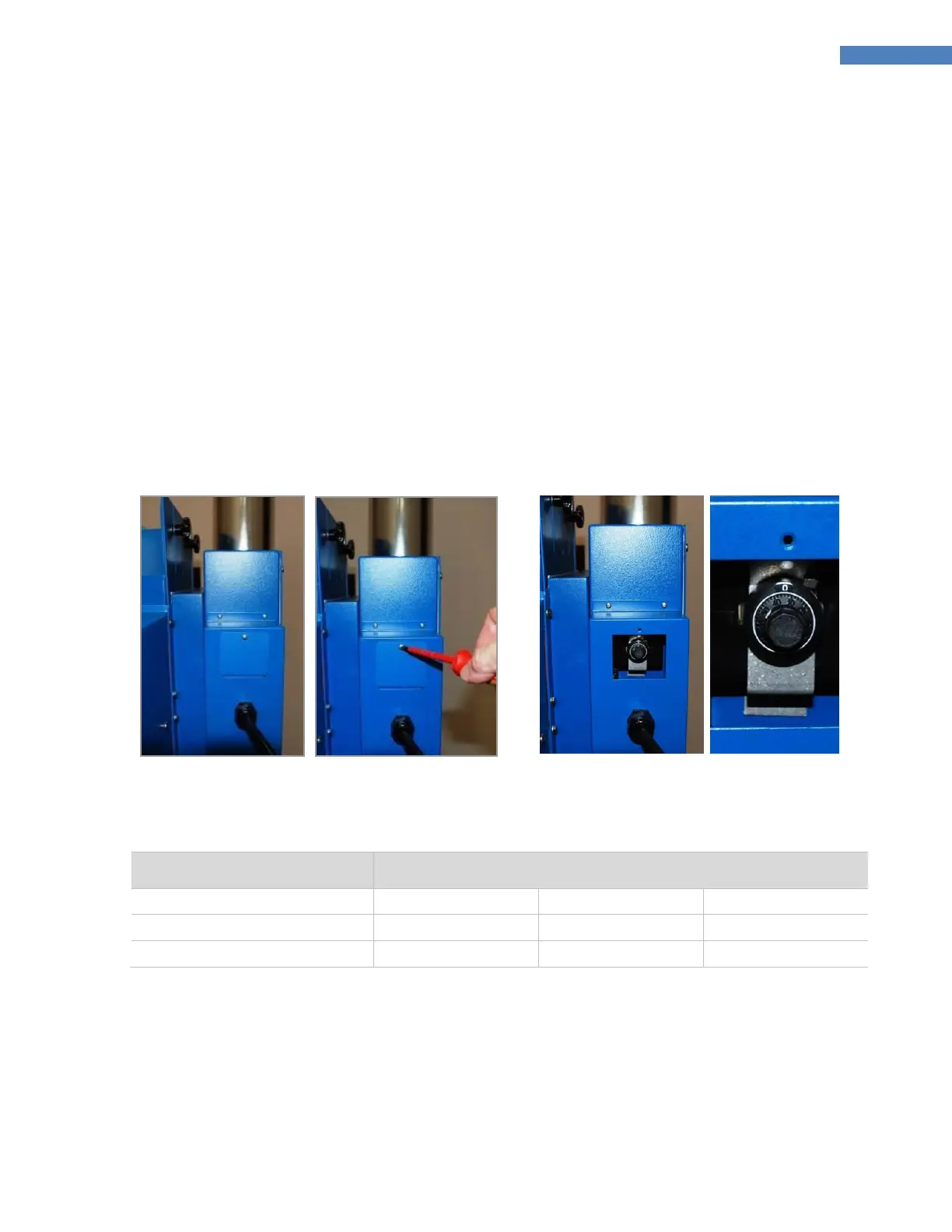
If adjustment is required, remove the Access Panel from the front of the Exhaust Blower Housing (Figure 14),
unlock the Speed Control Knob (Figure 15), adjust the Exhaust Blower speed setting, and relock the Speed
Control Knob. The range of the Exhaust Blower Speed Control Knob is 0.0 to 0.85 turns. Table 1 shows the
approximate settings for Exhaust Blower speed.


 To Next Page