10
Formatting Quick Reference
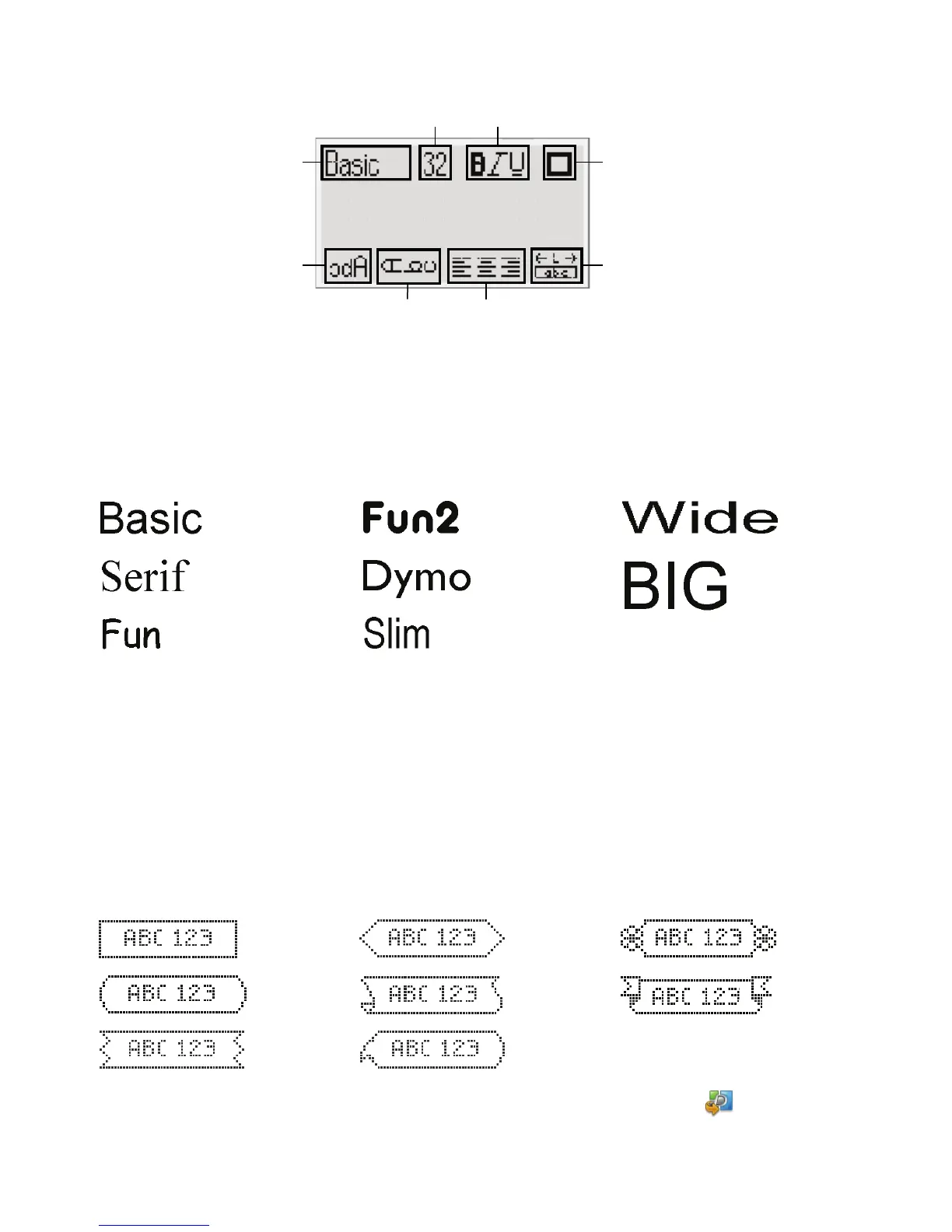
Font Types
Font Sizes
Borders
To take advantage of more advanced formatting features, click in the built-in
software to download and install DYMO Label™ v.8 software from the DYMO
Web site.
1
Font type
5
Mirror
2
Font size
6
Vertical text
3
Font style
7
Alignment
4
Borders
8
Label length
Label Width Font Size Available
1/4” (6 mm) 8, 10, 12 point
3/8” (9 mm) 8, 10, 12, 16, 20 point
1/2” (12 mm) 8, 10, 12, 16, 20, 24 point
3/4” (19 mm) 8, 10, 12, 16, 20, 24, 32, 40 point







 To Next Page