Visit our website (www.dymo.com) for information
on obtaining tapes and accessories for the LetraTag.
Power Supply
• Insert six size AA batteries, as shown in Fig. A.
• Remove batteries if the Labelmaker is to be unused for some time.
Inserting the cassette
• The Labelmaker uses paper, plastic and metallic labels.
• Insert cassette as shown in Fig. B and press until it "clicks" into place - Fig. C.
• Check that the cassette is correctly located before closing the access door.
The Display
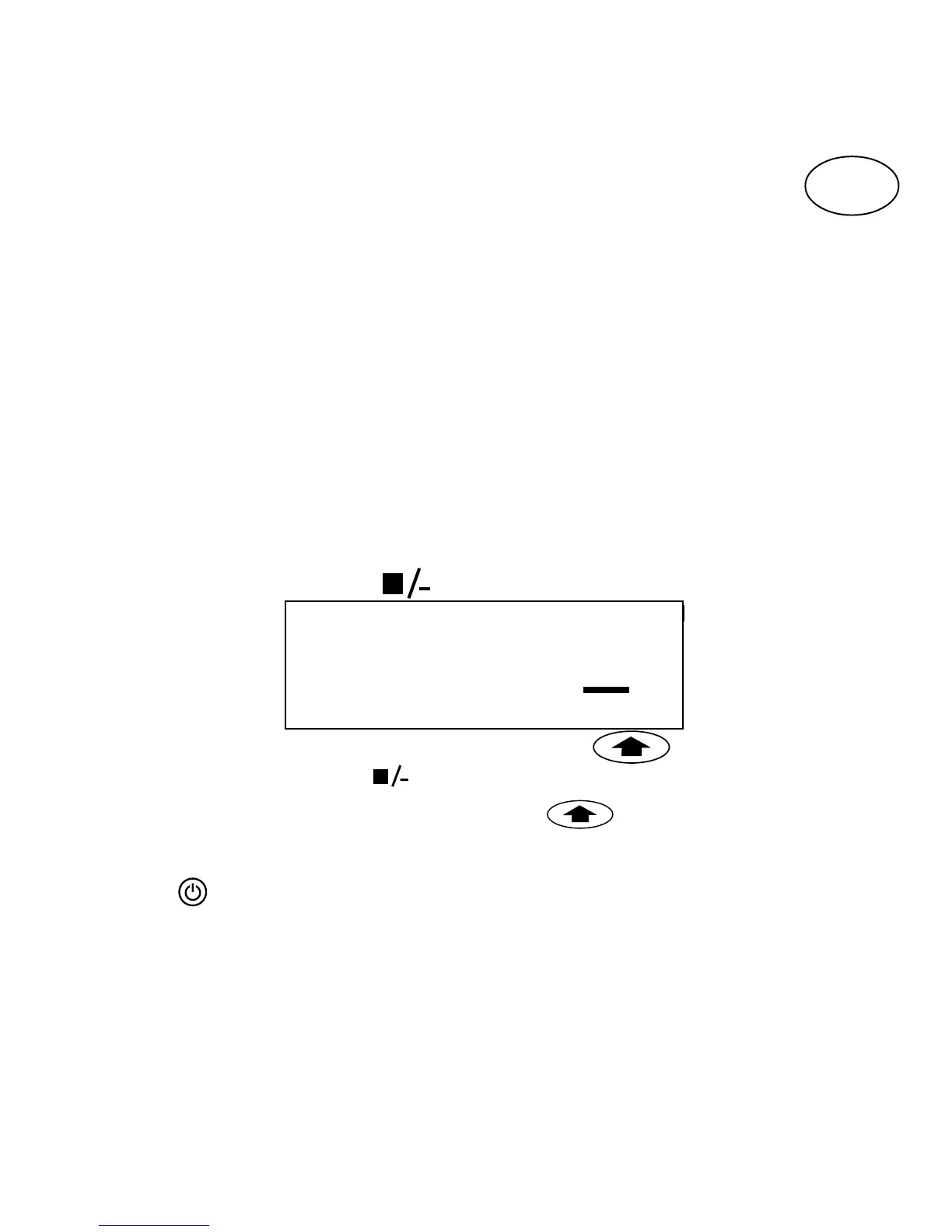
• Shows up to 6 characters plus cursor and 5 indicators ▲ as shown below.
Indicators show whether a feature is selected.
STYLE
B
123
CAPS
CAPS = capital letters = box/underline STYLE = outline/italic etc.
B = BIG CAPS
= shift key
Function keys
ON/OFF
Switches the power on and off.
• Switches off automatically after two minutes if no keys are pressed. The last
label will be retained automatically in memory.
Note: If the batteries are removed for more than a few seconds,
the memory will be lost.
▲
▲
▲▲
▲
▲
123456
GB



 To Next Page