18
Caring for Your Labelmaker
Your labelmaker is designed to give you long and trouble-free
service, while requiring very little maintenance. Clean your
labelmaker from time to time to keep it working properly. Clean the
cutter blade each time you replace the label cassette.
To clean the cutter blade
1. Remove the label cassette.
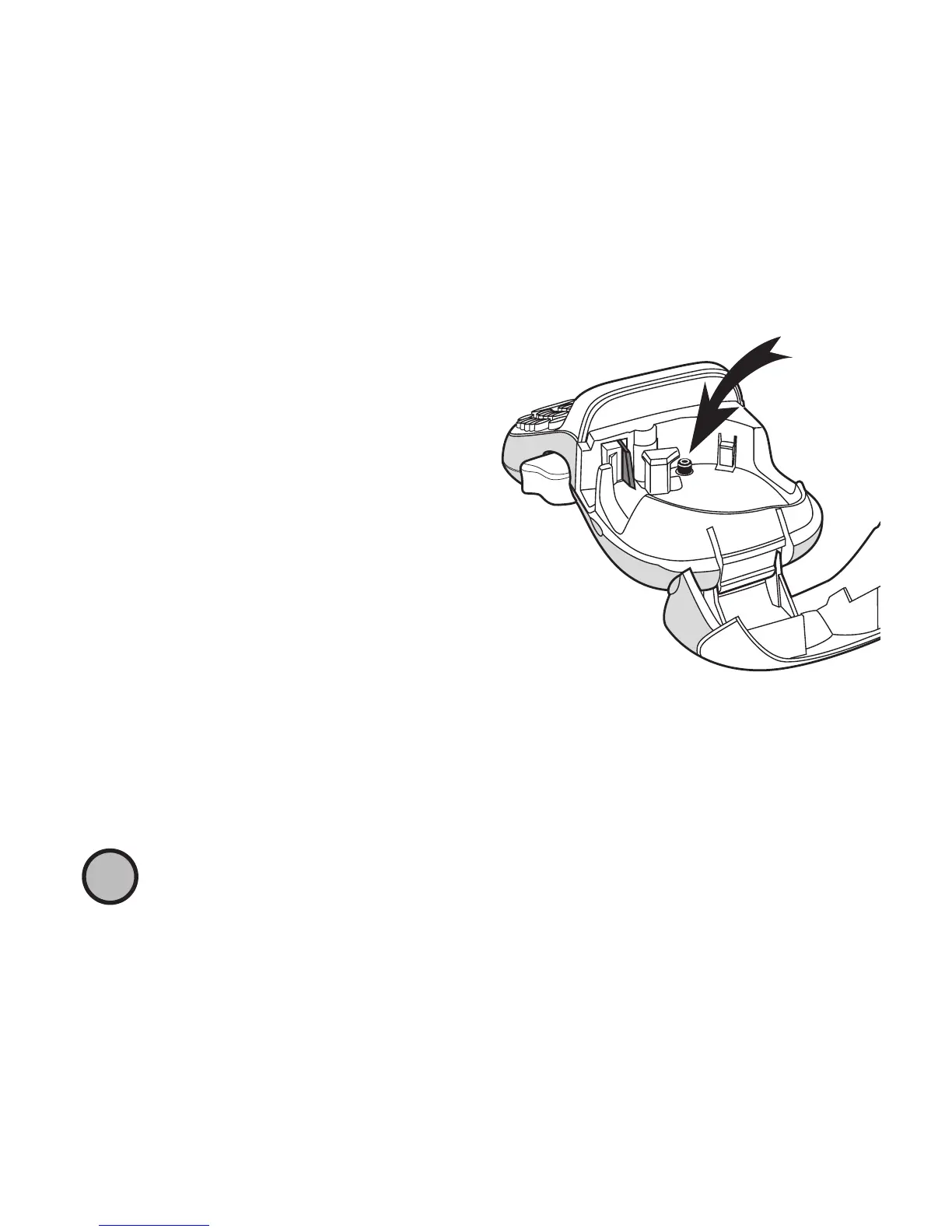
2. Place the tip of a ball-point
pen or pencil on the black post
as shown in Figure 6, and press
the post down.
3. While holding the post down,
press and hold the cutter lever
to expose the cutter blade.
4. Use a cotton ball and alcohol to clean both sides of the blade.
5. Release the cutter lever.
You can also follow this procedure if the cutter blade becomes
lodged in the forward position and will not move.
To clean the print head
♦ Clean the print head using the cleaning tool located inside the
label compartment lid.
Press in
and hold
Figure 6
!








 To Next Page