EasyManua.ls Logo

Dymo M5 - User Manual

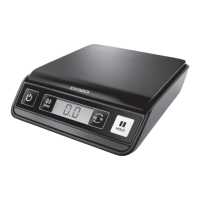
Dymo M5
102 pages
Print Icon
To Next Page IconTo Next Page
Loading...
Digital USB Postal Scale User Guide
Guide d'utilisation du Pèse Lettre USB numérique
Gebruikershandleiding- Digitale USB postweegschaal
Bedienungsanleitung -Digitale USB-Paketwaage
Guía del usuario de la báscula postal digital USB
Guia do Utilizador- Balança Postal Digital USB
Bilancia postale digitale con connessione USB - Guida per l'utente
Digital USB postvægt - brugervejledning
Bruksanvisning för digitala brevvåg med USB
Digital USB Postal Scale-kirjevaaka - Käyttöopas
Brukerhåndbok, digital USB-postvekt
Instrukcja użytkownika cyfrowej wagi pocztowej z gniazdem USB
Návod k použití digitální USB poštovní váhy
Dijital USB Bağlantılı Posta Terazisi Kullanım Kılavuzu
Digitális USB postai mérleg használati útmutató
Návod na obsluhu digitálnej poštovej váhy s USB pripojením
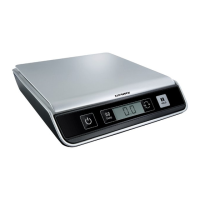
M5
|
M10

Questions and Answers

  • E
    Elizabeth SmithJul 27, 2025
    What to do if Dymo Scales display reads 00000?
    • T
      Tracy CaldwellJul 27, 2025
      If your Dymo Scales display shows '00000', it means the item on the scale exceeds its maximum capacity. Remove the item immediately to prevent damage.
  • A
    Andres CarterAug 2, 2025
    Why do Dymo M5 say LO?
    • M
      megantorresAug 2, 2025
      If your Dymo Scales display 'LO', it indicates that the batteries need to be replaced. Replace the batteries to resolve this issue.
  • J
    John HarveyAug 11, 2025
    How to fix negative number displayed on Dymo M5 Scales?
    • W
      Walter SanchezAug 11, 2025
      If your Dymo Scales display a negative number, press the Tare/Zero button to reset the scale to zero.
  • J
    jennifer15Aug 18, 2025
    How to fix Dymo M5 Scales when there is no display?
    • M
      Michael ReevesAug 19, 2025
      If your Dymo Scales have no display, ensure the scale is properly plugged in. If it is not plugged in, plug it in. If it is plugged in, try replacing the batteries.

Summary

DYMO Digital USB Postal Scale

Setting Up the Scale

Instructions for unpacking, placing, and connecting the scale via USB.

Inserting the Batteries

Steps to insert AAA batteries for power when not connected to USB.

Turning On the Power

How to turn the scale on and off, and auto shut-off feature.

Using the Scale

How to place items and wait for stabilization and reading.

Using the Tare Feature

How to use the Tare/Zero button to exclude container weight.

Using the Hold Feature

How to freeze the display when weighing large items.

Changing the Units of Measure

How to toggle between English (lb/oz) and metric (kg/g) units.

Caring for the Scale

Guidelines for optimal operation, storage, and handling to ensure longevity.

Technical Specifications

Model Specifications

Details capacity, weight increments, accuracy, units, and interface for M5/M10 models.

Troubleshooting

Lists common problems and their solutions for scale errors.

Warranty

Two-Year Limited Warranty

Covers defects in design, materials, and workmanship for two years.

How to Make a Warranty Claim

Instructions for contacting support and registering for extended warranty.

Electrostatic Discharge Precautions

Steps to avoid damage from static electricity when handling the scale.

Environmental Information

Environmental Information

Information on resource extraction, hazardous substances, and recycling.

Documentation Feedback

How to provide feedback on the manual and contact information.

Dymo M5 Specifications

General IconGeneral
TypeElectronic postal scale
Accuracy2 g
Auto power offYes
Country of originChina
Maximum weight capacity5 kg
Mac operating systems supportedMac OS X 10.10 Yosemite, Mac OS X 10.11 El Capitan, Mac OS X 10.12 Sierra, Mac OS X 10.13 High Sierra, Mac OS X 10.5 Leopard, Mac OS X 10.6 Snow Leopard, Mac OS X 10.7 Lion, Mac OS X 10.8 Mountain Lion, Mac OS X 10.9 Mavericks
Windows operating systems supportedWindows 7, Windows 8, Windows Vista
Product colorBlack
Power requirements3 x AAA/LR03
Package depth340 mm
Package width150 mm
Package height292 mm
Package weight3200 g
Harmonized System (HS) code84232010
Weight and Dimensions IconWeight and Dimensions
Weight1500 g
Dimensions (WxDxH)211 x 235 x 46 mm

Related product manuals