EasyManua.ls Logo

Dymo Rhino 6000+ - User Manual

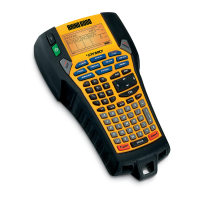
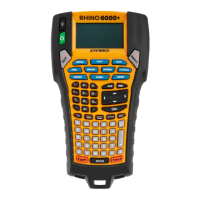
Dymo Rhino 6000+
68 pages
Print Icon
To Next Page IconTo Next Page
Loading...
Quick Start Guide
Guide de démarrage rapide
Erst Schritte
Beknopte handleiding
Guida rapida
Guía rápida de inicio
Guía de inicio rápida
Hızlı Başlama Kılavuzu
Snabbstartshandledningen
Hurtigstartveiledning
Lynvejledning
Pikaopas
Skrócona instrukcja obsługi
Rövid útmutató
Stručný průvodce
Sprievodca rýchlym spustením
Rhino
6000
+
Question and Answer IconNeed help?

Do you have a question about the Dymo Rhino 6000+ and is the answer not in the manual?

Summary

Copyright and Trademarks

Copyright Notice

Legal notice regarding the reproduction and transmission of the document and software.

Trademarks Information

Details on DYMO, DYMO ID, and Rhino as trademarks or registered trademarks.

About Your New Label Printer

Register Your Label Printer

Instructions on how to register your label printer online for warranty and support.

Connecting the Power

Steps to insert the battery and connect the power adapter for initial charging.

Printer Operations

Inserting the Label Cartridge

Step-by-step guide on how to insert a DYMO IND label cartridge into the printer.

Printing Your First Label

Instructions for powering on, entering text, and printing your first label.

Advanced Usage and Safety

Using the Printer with Your Computer

Guidance on connecting the label printer to a computer and using DYMO ID software.

Rechargeable Battery Safety

Essential safety guidelines for handling, charging, and using the lithium-ion polymer battery.

Warranty and Support

1-Year Warranty Details

Information on the 1-year warranty, conditions for repair or replacement, and limitations.

Product Support and Troubleshooting

Guidance on obtaining assistance for defective products via website or help desk.

Summary

Copyright and Trademarks

Copyright Notice

Legal notice regarding the reproduction and transmission of the document and software.

Trademarks Information

Details on DYMO, DYMO ID, and Rhino as trademarks or registered trademarks.

About Your New Label Printer

Register Your Label Printer

Instructions on how to register your label printer online for warranty and support.

Connecting the Power

Steps to insert the battery and connect the power adapter for initial charging.

Printer Operations

Inserting the Label Cartridge

Step-by-step guide on how to insert a DYMO IND label cartridge into the printer.

Printing Your First Label

Instructions for powering on, entering text, and printing your first label.

Advanced Usage and Safety

Using the Printer with Your Computer

Guidance on connecting the label printer to a computer and using DYMO ID software.

Rechargeable Battery Safety

Essential safety guidelines for handling, charging, and using the lithium-ion polymer battery.

Warranty and Support

1-Year Warranty Details

Information on the 1-year warranty, conditions for repair or replacement, and limitations.

Product Support and Troubleshooting

Guidance on obtaining assistance for defective products via website or help desk.

Dymo Rhino 6000+ Specifications

General IconGeneral
Print TechnologyThermal transfer
Maximum Tape Width24 mm
ConnectivityUSB
KeyboardQWERTY
Resolution300 dpi
Label Material CompatibilityVinyl, polyester, nylon
ApplicationIndustrial labeling
Power SourceAC Adapter or Battery
DisplayColor LCD

Related product manuals