CAUTION: Do not touch the connectors on Touch pad and in the computer with your
bare hands. Touch pad can fail if they are contaminated with sweat, natural oils, etc. from
your hands.
4.14
Touch pad
Removing Touch pad
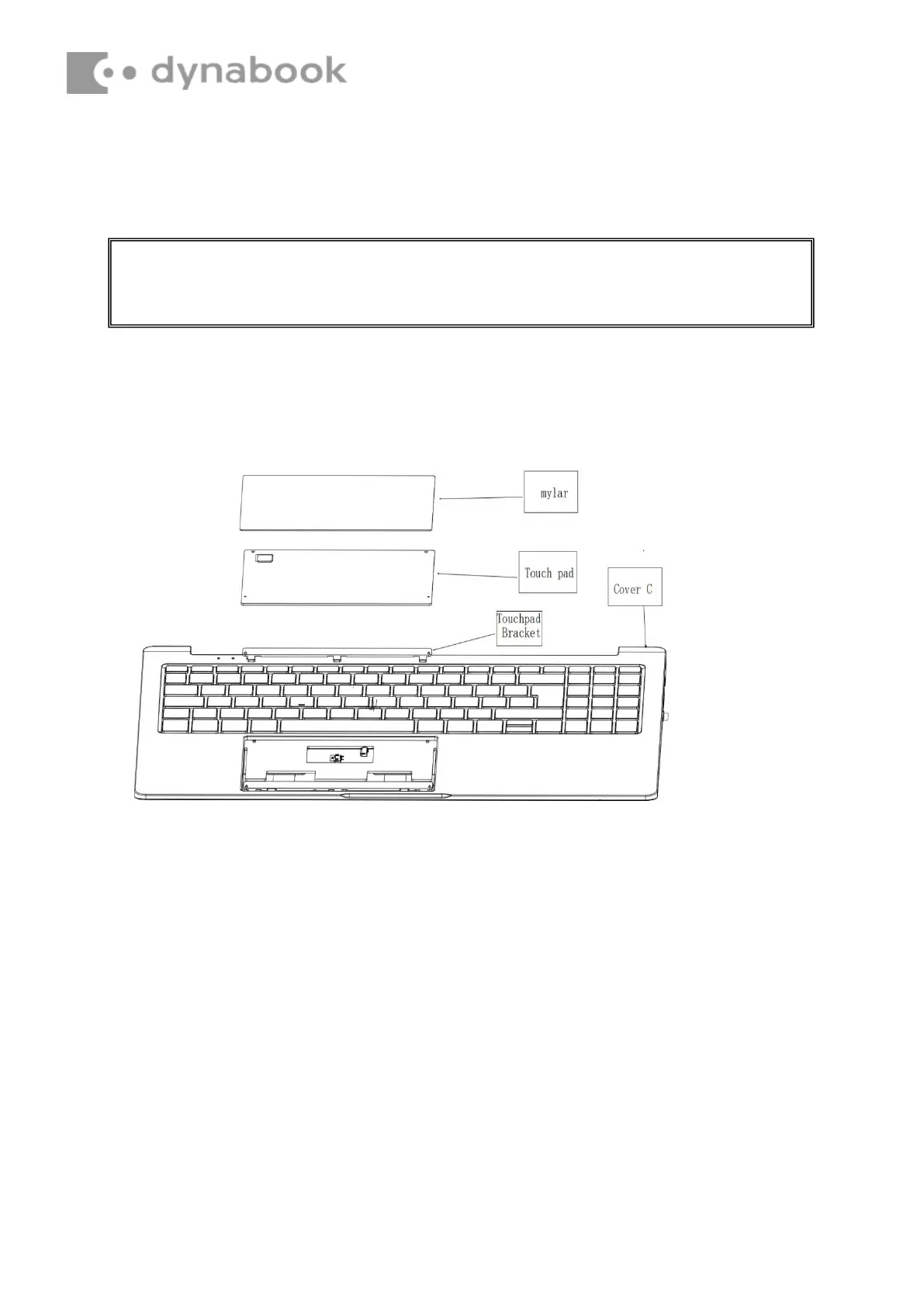
Remove Touch pad according to the following procedures and Figures 4-35.
1.
Separate the touchpad from the C shell
2.
.Detach the bracket from the trackpad
Figure 4-35 Removing Touch pad







 To Next Page