6
1.5 Connectors
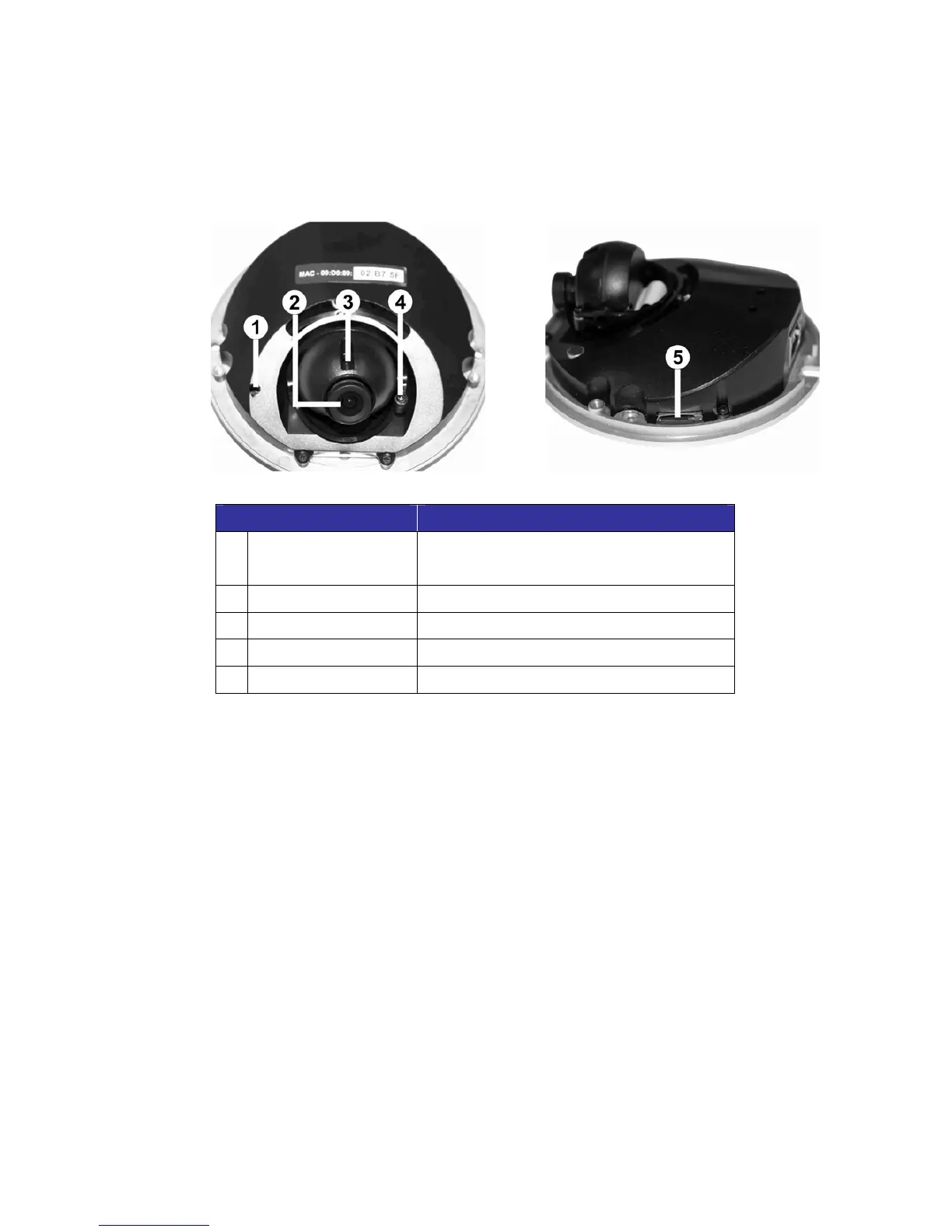
The diagram below shows the IP Dome Camera’s reset button and various
adjusting screws. Definition for each will be given as follows.
Designation Description
1
Reset Button
Restore to default setting; press the
button with a proper tool
2
Lens Rotate the lens right/left to adjust focus
3
Focus Fixed Screw Loosen the screw to adjust the lens
4
Tilt Fixed Screw Loosen the screw to adjust tilt angle
5
Micro SD Card Slot For video recording storage



 To Next Page