8
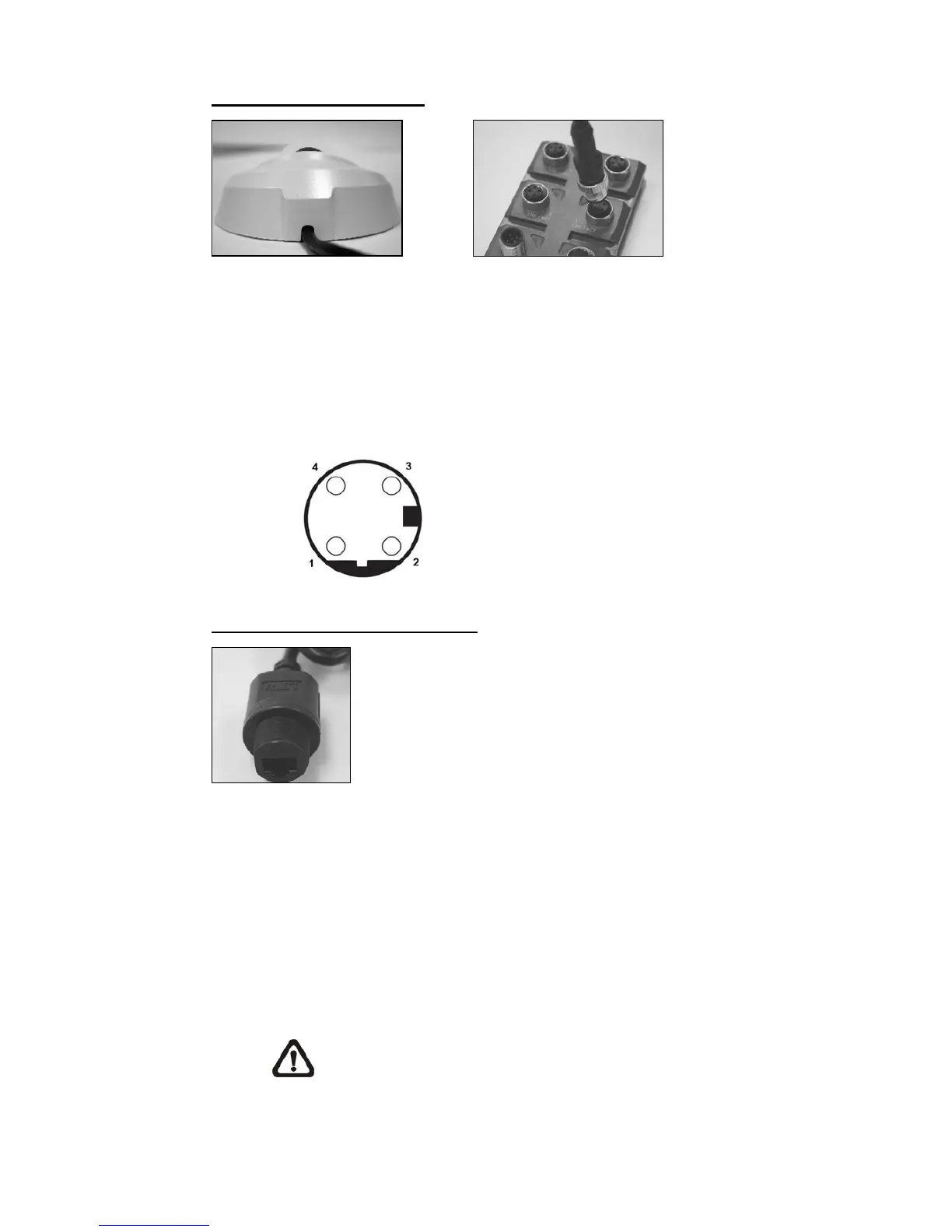
M12 D-Coded Connection
M12 D-Coded Cable M12 PSE
z M12 D-Coded Connection
Connect the Rugged IP Dome Camera’s M12 D-coded cable to a M12
power source equipment (PSE) as shown above.
z M12 D-Coded Connector’s Pin Definition
Pin 1: Rx+
Pin 2: Tx+
Pin 3: Rx-
Pin 4: Tx-
RJ-45 Dongle Cable Connection
RJ-45 Dongle
z RJ-45 Dongle Cable Connection
Run the Ethernet cable through the Waterproof RJ-45 Screw-On Plug.
Then connect one end of the Ethernet cable to the RJ-45 dongle,
tightening the sealing nut of the Waterproof RJ-45 Screw-On Plug
completely. Later on connect the other end of the Ethernet cable to
Power Sourcing Equipment (PSE) like hubs or routers.
NOTE: Please use a PoE waterproof switch/hub so that the
camera can work.



 To Next Page