EasyManua.ls Logo

Dynacord DDL 204 - Page 3

Dynacord DDL 204
46 pages
Print Icon
To Next Page IconTo Next Page
To Previous Page IconTo Previous Page
Loading...
2.
PANEL
DESCRIPTION
AND
CONNECTIONS
4
5
8
7
2.1
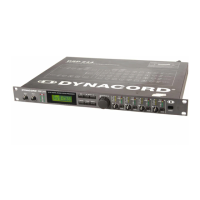
FRONT
PANEL
1,
Controls
INPUT
1
/
INPUT
2
These
adjust
the
input
level
of
the
DDL
204
to
adapt
the
unit
to
different
sound
source
output
voltages.
The
input
signal
can
be
raised
by
6
dB
(control
fully
right)
or
attenuated
infinetely.
2,
Level
indicators
INPUT
1
/
INPUT
2
These
are
for
modulation
monitoring,
as
the
peak
value
of
the
input
level
is
indicated.
Another
feature
is
the
peak
hold
function
which
facilitates
easy
level
matching.
Ad¬
just
the
input
controls
so,
that
the
level
indicators
remain
at
0
dB.
The
CLIP
LED's
should
never
light
up,
because
otherwise
the
unit
is
overdriven
internally.
3,
Multi-functional
display
This
is
a
LC
display
involving
2
lines
with
16
characters
each.
In
PLAY
mode
the
program
number
and
delay
configurations
forthe
outputs
1
-
4
are
indicated.
In
EDIT
mode
the
parameter
name
and
a
graphic
and
numeric
parameter
value
are
indicated.
Depending
on
the
current
status
OPTION
menus,
status
messages,
user
guide
messages
etc.
appear.
4,
Status/Mode
LED’s
These
LED’s
indicate
the
DDL
204‘s
current
status.
If
the
LED
EDIT
lights
up,
the
EDIT
mode
is
indicated.
The
LOCK
LED
indicates,
that
the
DDL
204
is
in
the
write
protected
mode
and
that
no
key
inputs
are
possible.
The
BYPASS
LED
indicates
the
BYPASS
mode
of
the
unit.
The
LED’s
MONO
1-IN-4
or
STERO
1-IN-2
light
up
depending
on
the
actual
configuration
(see
chapter
6
"DELAY
CONFIGURATIONS
AND
PARAMETERS").
5,
EDIT
Key
This
key
changes
the
operation
to
EDIT
mode.
After
pressing
this
key,
the
first
parameter
of
the
active
pro¬
gram
is
shown.
Further
parameters
are
accessible
via
the
SELECT
keys.
The
value
of
the
parameter
shown
can
be
changed
via
the
rotary
encoder.
For
further
information
please
see
"EDITING",
chapter
5.2.
6,
SELECT
Key
<
In
play
mode
this
key
selects
the
previous
memory
place
(activation
via
ENTER).
In
edit
mode
it
is
used
for
se¬
lecting
parameters
(always
the
previous
parameter).
7,
SELECT
Key
>
In
play
mode
this
key
selects
the
next
memory
place
(activation
via
ENTER).
In
edit
mode
it
is
used
for
se¬
lecting
parameters
(always
the
next
parameter).
8,
STORE
Key
With
this
key
the
edited
programs
can
be
saved
in
any
memory
place
(No.
01
-
30).
For
further
information
please
see
chapter
5.3
"SAVE
AND
COPY"
9,
OPTION
Key
This
key
allows
access
to
the
OPTION
mode
where
special
settings
forthe
unit
can
be
made
or
checked.
For
further
information
please
see
"OPTION-FUNCTIONS”,
chapter
7.
10,
BYPASS
Key
With
this
key
the
DDL
204
is
switched
to
BYPASS
mode,
i.e.
The
inputs
are
then
passed
through
directly
to
the
appropriate
outputs
according
to
the
current
configurati¬
on.
See
also
chapter
5.4
"BYPASS
OPERATION".
11,
Rotary
Encoder
with
ENTER
key
In
play
mode
a
program
is
selected
by
turning
the
encoder
and
activated
by
pressing
the
encoder
REN¬
TER).
In
the
Edit
mode
the
parameter
values
are
altered
with
the
encoder.
The
parameter
alteration
is
faster
if
the
encoder
is
turned
and
pressed
simultaneaously.
Ge¬
nerally
speaking
the
encoder
serves
for
fast
one-hand
operation
of
the
DDL
204.
For
further
information
please
see
"OPERATION"
on
page
5-1.
12,
Rotary
controls
OUTPUT
1-4
With
this
controls
the
output
levels
of
the
channels
1
to
4
can
be
adjusted
and
the
DDL
204
adapted
in
this
way
to
the
operating
levels
of
subsequent
devices.
The
out¬
put
signal
can
be
raised
by
6
dB
(control
fully
right)
or
attenuated
infinetely.
13,
POWER
switch
This
key
is
used
to
switch
the
DDL
204
on
and
off.
2-1

Related product manuals