EasyManua.ls Logo

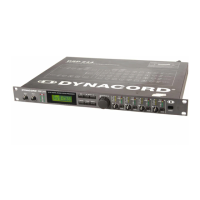
Dynacord DDL 204 - Bypass Operation

Dynacord DDL 204
46 pages
Print Icon
To Next Page IconTo Next Page
To Previous Page IconTo Previous Page
Loading...
5.3
SAVE
AND
COPY
No
matter
whether
you
are
saving
an
edited
program
or
wish
to
copy
a
program
from
one
memory
place
to
another,
the
procedure
is
the
same
in
both
cases.
The
storing
procedure
is
initiated
and
ended
via
the
STORE
key
(8).
You
can
leave
the
STORE
mode
by
pressing
STORE
(8)
once
again.
1
Press
the
STORE
key
(8)
to
start
the
storage
proce¬
dure.
The
following
may
appear
on
the
display:
2
Select
the
desired
memory
place
via
the
rotary
en¬
coder
(11).
The
following
may
appear
on
the
display:
3
Press
the
rotary
encoder
(11)
(=ENTER)
to
confirm
the
selected
program
number.
The
display
will
show
then:
4
Final
storage
occurs
by
pressing
the
key
STORE
(8)
again.
CAUTION!
The
previous
program
on
this
memory
place
will
be
deleted
(overwritten)!
Please
make
sure
that
the
destination
program
number
corre¬
sponds
with
the
number
you
require.
The
storage
procedure
can
be
cancelled
by
pressing
any
other
key.
The
following
may
appear
on
the
display
after
saving:
5.4
BYPASS
OPERATION
The
DDL
204's
outputs
have
built-in
relays
which
con¬
nect
automatically
the
input
1
with
the
outputs
1
and
2
and
the
input
2
with
the
outputs
3
and
4
in
case
of
troubles
(power
loss,
circuit
failure)
(see
also
BLOCK
DIAGRAM,
page
8-2).
The
unit
can
however
be
switched
manually
to
"Bypass"
whereby
the
selected
configuration
is
maintained.
The
input
signals
are
passed
through
undelayed
and
without
any
filtering
to
the
appropriate
outputs.
For
switching
the
DDL
204
to
bypass
mode,
push
the
BYPASS
key
(1°).
This
bypasses
signal
processing
in
the
DDL
204
are
then
bypassed.
This
status
is
indicated
by
the
according
LED.
If
you
push
the
key
BYPASS
(10)
once
more,
you
switch
back
to
the
delay
operation.
The
BYPASS
LED
goes
out
and
the
input
signals
are
fed
delayed
according
to
their
settings
and
configurations
to
the
outputs.
EDIT
-•
SB-ECT
ir
in
'in
"n
STORE
OPTION
BYPASS
PUSH
.
ENTER
«
PARA*eTER
STORE
PROGR.
07
TO
PROGR.
07
STORE
PROGR.
07
TO
PROGR.
16
CONFIRM
=
STORE
PGM
07
TO
PGM
16
P
S]
200
350
2
}
700
4j
700
Q6
ms
5-3

Related product manuals