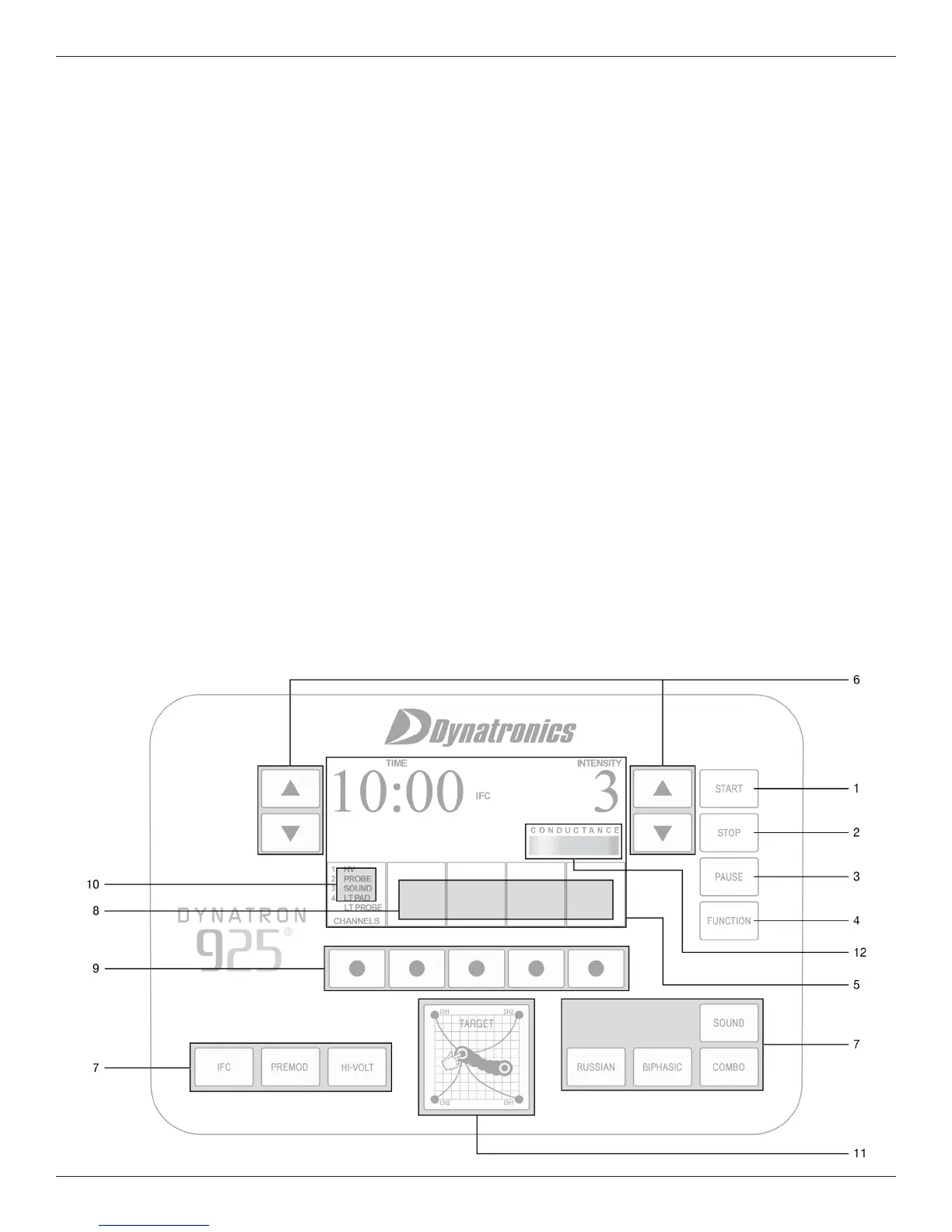
DYNATRON® 25 SERIES PHYSICAL FEATURES
DYNATRON® 25 SERIES™ | OPERATOR’S MANUAL 7
Dynatron
®
25 Series
Physical Features
Before operating the Dynatron 25 Series devices, acquaint yourself with the control panel by reviewing the illustrations and
descriptions on the following pages. e numbered features in the diagrams correspond to the numbered descriptions.
Before administering treatment to a patient, read the sections later in this manual that provide specic instructions for
performing treatments, discussions of each modality, denitions of the available options, along with contraindications,
warnings, and precautions for all modalities.
Note: e User Interface on the 25 Series devices is engineered with “CapSense Touch Technology” requiring that the user
make direct contact with the keys on the faceplate with bare ngers or the use of a glove with a conductive ngertip.








 To Next Page